
Jay Sen Lon
October 24, 2026


A Chinese invoice from a Shenzhen supplier doesn't become a QuickBooks entry on its own. Someone on your team has to open it, make sense of the characters, and key every field in manually. At one invoice that's manageable. At 50 or 200 a month, it's where a big chunk of your billable hours quietly disappear. Here's how the extraction step can run without the manual reading.
TLDR:
Malaysian accounting firms sit at a specific crossroads: clients with Chinese suppliers, a QuickBooks ledger, and invoices arriving in Mandarin or Traditional Chinese with no clear path between them.

QuickBooks Online handles multi-currency arithmetic and foreign exchange calculations well. What it cannot do is read a Chinese invoice and extract the supplier name, line items, quantities, and tax fields into the ledger on its own. The extraction step is entirely manual.
For a single-page invoice with one line item, that might take five minutes. A 30-line fapiao from a Shenzhen manufacturer, with Chinese-character descriptions across every row, is a different problem. Someone on your team has to read each field, translate it mentally or with a separate tool, and type it in. When that person is not confident reading Chinese, the risk of error compounds with every line.
The result is usually one of two outcomes: the invoice gets partially entered with only the total captured, or it gets filed and revisited later. Neither produces a complete, auditable ledger entry. Research shows data entry error rates run 1-4% even for trained staff on familiar documents; on unfamiliar Chinese-character fields, that rate climbs higher.
QuickBooks assumes clean, structured data will arrive at its door. Chinese invoices, without a processing layer in between, rarely do.
Malaysia's business environment runs on multiple languages at once. Malay is official, but many citizens speak multiple languages, with English, Mandarin, and Chinese dialects like Cantonese, Hokkien, and Hakka all common in business settings.
For a firm in Kuala Lumpur or Penang, a typical client portfolio generates invoices in English, Bahasa Malaysia, and Mandarin within the same month, regardless of which option from the best accounting software in Malaysia the firm runs on. Chinese-character invoices arrive from mainland China suppliers, Hong Kong trading companies, and local Chinese-owned SMEs, a reality just as common for firms that process Chinese invoices in Xero. This is the default operating reality, not the exception.
The problem is practical: if you cannot read Chinese characters, an invoice from a Shenzhen supplier is largely unreadable without outside help. Field labels like the invoice date, tax amount, and line-item descriptions require either a translation app, a bilingual colleague, or a call back to the client.
Each option adds time. QuickBooks does not resolve this at intake. By the time a document reaches QBO, someone has already had to make sense of it manually.
QuickBooks Online handles what happens after data arrives: it posts to the correct accounts, manages exchange rates, and keeps an audit trail. You can attach a PDF directly to a transaction record, which helps at audit time.
What it does not do is read that PDF.
Upload a Chinese invoice and QuickBooks stores it as a file attachment. The characters on that document stay invisible to the ledger. No supplier name gets extracted, no line items appear, no tax fields populate. You open the invoice separately, work out what each field says, and type it in manually.
QuickBooks does accept Chinese characters once entered. Type a supplier name in Mandarin into the contact field and it saves correctly. The input layer handles the script fine. The intake layer does not.
Document storage and document extraction are separate functions, and QuickBooks provides only the first, the same gap firms face when they try to upload handwritten Chinese receipts into their ledger. For Chinese-character documents, bridging that gap requires either bilingual staff or a translation step before a single field can be entered. For Malaysian firms whose clients send Chinese invoices regularly, that manual step does not shrink as client volume grows.
The workflow is familiar to most Malaysian bookkeeping teams. Open the Chinese invoice, read whatever fields you can, type in the supplier name (or a rough transliteration), enter the date and total, and move on. Line items with Chinese-character descriptions get skimmed or consolidated into a single description field. What you cannot read confidently gets approximated or skipped.
At one invoice, this is manageable. At volume, the math stops working, which is why many firms start looking at bookkeeping automation software in Malaysia.
Research shows data entry error rates run 1-4% even for trained staff on familiar documents. A 30-line Chinese supplier invoice entered by hand, at 10 fields per line, means 300 fields touched per invoice. At a 1% error rate, that is 3 errors per invoice to catch, investigate, and correct downstream, usually during month-end when time is already short.
Scale that to a firm processing 200 Chinese invoices per month:
"Before using Tofu, it would take me between 3 to 4 hours. With Tofu, I can now complete the process in just 30 to 60 minutes." said a Malaysian bookkeeper
The hours are only part of it. When only the total is captured and line items are omitted, you leave gaps in the chart of accounts that break job costing, tax reporting, and client-level P&L analysis, the same kind of gap that forces firms to automate bank statement processing alongside invoices. Those gaps compound silently until something downstream breaks at close.
Each approach solves a different slice of the problem. None is universally wrong, but they trade speed, accuracy, and language capability differently. The four options are: manual entry, copy-paste with a translation tool, generic PDF-to-CSV converters, and AI document processing tools.
You open the invoice, translate what you can, and type field by field into QuickBooks. Full control, no tooling required. The bottleneck is whoever is doing the reading: if they are not confident in Chinese characters, accuracy suffers on line-item descriptions and tax fields. At low volume, it is workable. At 50+ Chinese invoices per month, it becomes the largest single drain on billable hours.
Run the invoice through Google Translate, copy the translated output, and map fields manually into QuickBooks. Faster than pure entry, and usable for text-layer PDFs. It breaks entirely on scanned or image-based invoices, which return blank or garbled output. Even when it works, the data entry step remains fully manual.
Tools like Smallpdf or Adobe export a spreadsheet from the invoice. Useful for getting structured data out of a document, but the workflow stops at the CSV. There is no chart-of-accounts mapping, no Chinese-field understanding, and no direct QuickBooks connection. You still import the file manually and recode every line to match your client's account structure.
Tools in this category extract line items, translate Chinese field labels, map each line to the chart of accounts, and publish the transaction directly into QuickBooks. No CSV export, no manual import step. The extraction handles both printed and scanned Chinese documents, including Traditional and Simplified characters. First-pass accuracy on unfamiliar suppliers starts lower and improves as the AI learns the supplier's layout and your firm's coding preferences.
| Approach | Handles image PDFs | Line-item extraction | QuickBooks publish | Language-agnostic |
|---|---|---|---|---|
| Manual entry | Yes | Yes (slow) | Yes (manual) | Depends on staff |
| Translation + copy-paste | No | No | Yes (manual) | Partial |
| PDF-to-CSV converter | Sometimes | Partial | No | No |
| AI document processing | Yes | Yes | Yes (direct) | Yes |
Not every AI tool that claims to handle Chinese invoices actually processes them the same way. The gap between "can read Chinese characters" and "understands what those characters mean in an accounting context" is where most tools quietly fall short.
Two capabilities matter here, and they are different things. The first is character recognition, the core function behind multilingual OCR: the tool can identify that a string of pixels is the character 金额. The second is document structure understanding: the tool knows that 金额 means "amount," maps it to a line-item value field in QuickBooks, and does not dump it into a description column. Legacy OCR tools often solve the first problem and skip the second entirely.
When reviewing any AI-based approach for Chinese invoice processing, check for these points:
That last point matters especially for Malaysian firms managing repeat Chinese suppliers: consistent contact matching is what allows the AI to learn your coding preferences over time.
Upload the Chinese invoice however it arrives: drag-and-drop a PDF, forward it from your email, or submit a photo from your phone. The AI reads it from there.
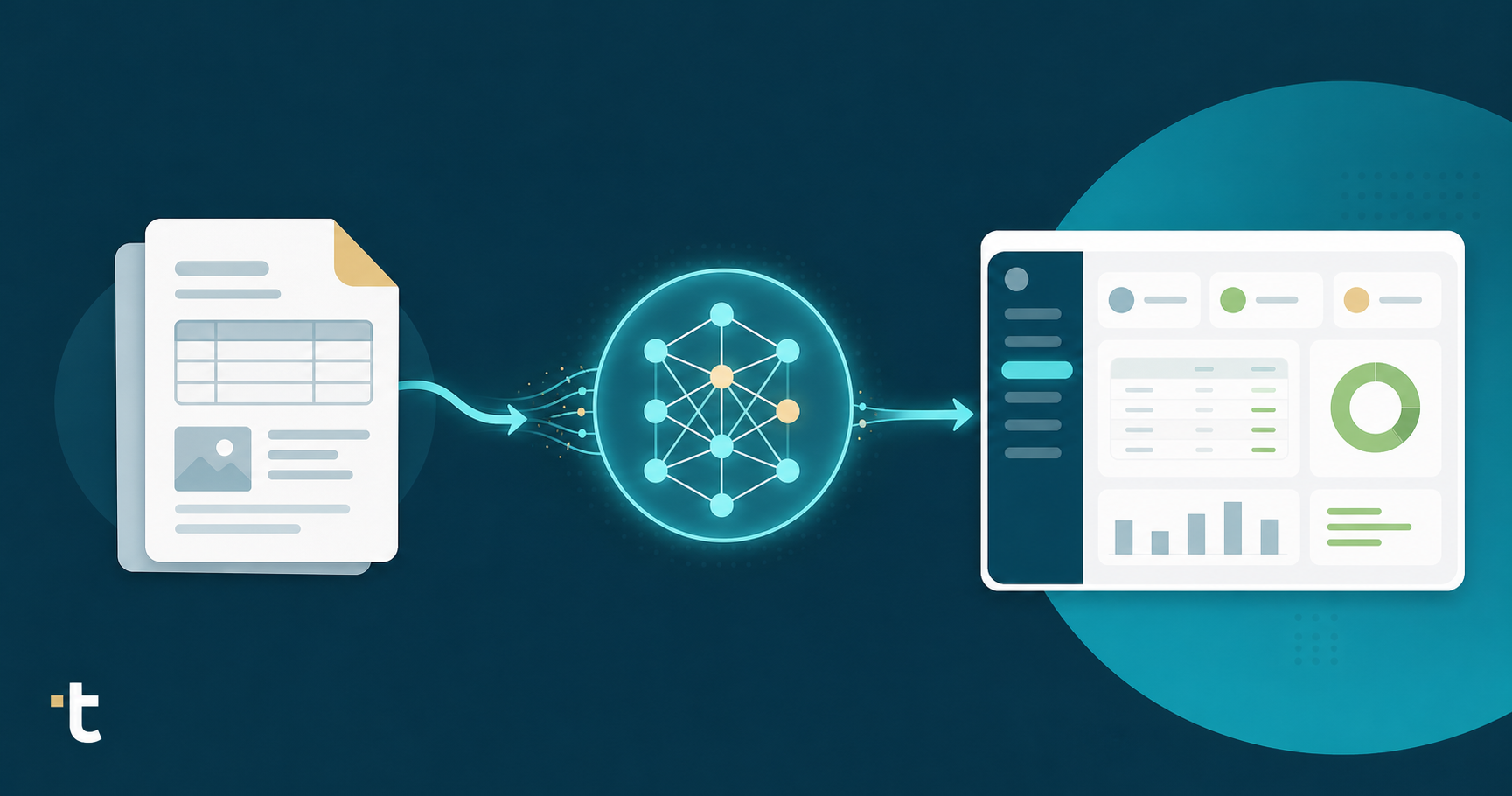
Extraction runs automatically once uploaded. Chinese-character field labels get identified in context, understood for what they mean and not merely recognized as pixels. Line items, quantities, unit prices, tax amounts, and supplier details are pulled into structured fields. You do not select the language or configure a template.
The review step is where you work. The source document stays visible alongside the extracted output, and any field that needs checking links directly back to the exact spot on the original invoice. If a line-item description is unfamiliar, you can see the original Chinese text and the extracted value side by side without opening a separate translation tool.
From there, each line maps to your QuickBooks chart of accounts based on how you have coded that supplier before. New suppliers start with the AI's best prediction; corrections you make train the system for the next invoice from the same vendor. Account codes and tax rates apply at the line level, all the way down from the document total.
Publish, and the transaction posts directly to QuickBooks Online with the original Chinese invoice auto-attached to the record. Your job across this workflow is verification, not typing: checking that what the AI extracted matches what the invoice says, instead of reading a document you may not be fluent in and keying every field from scratch.
On a new Chinese supplier's invoice, first-pass extraction reflects the general AI model. Accuracy varies with document quality, character density, and whether the invoice is a clean PDF or a scanned image. For unfamiliar suppliers, expect the AI to get most fields right and flag the ones it is less certain about.
After a few invoices from the same supplier, that changes. The system learns the supplier's layout, how line-item descriptions are structured, which tax codes apply, and how your firm codes that vendor's expenses. Corrections made during review train the AI directly, so each subsequent invoice from the same supplier requires considerably less manual intervention.
The right mental model here is a learning curve, not a fixed accuracy ceiling. The question to ask is not "will this be perfect on invoice one?" but "will this be faster and more auditable than what my team does now, and will it keep improving?"
That comparison baseline matters. A bookkeeper manually keying Chinese text carries a 1-4% error rate, with no audit trail and no ability to improve automatically. The AI-assisted workflow, with a review step and source-document attachment on every published transaction, produces a more defensible ledger record from day one, even before the learning compounds.
Tofu reads Traditional and Simplified Chinese natively across printed invoices, scanned documents, and faded thermal receipts. No language selection, no template configuration. Upload a fapiao from a Shenzhen supplier or a Hong Kong trading invoice, and extraction runs the same way it would on an English document.
Every line item comes out structured: supplier name, date, amounts, tax codes, and per-line descriptions, each mapped to your QuickBooks chart of accounts based on how you have coded that vendor before. Cross-script supplier matching handles the scenario where the same supplier appears in Chinese characters on one invoice and romanised on another, linking both to the same QuickBooks contact without generating a duplicate.
The self-learning knowledge engine builds a separate coding memory per client entity, so Chinese supplier rules learned for one client never bleed into another client's expense categories.
For Malaysian firms running a dual-stack setup with AutoCount alongside QuickBooks, this mirrors how Tofu helps AutoCount users automate bookkeeping: it outputs AutoCount-compatible CSV files formatted to match AutoCount's exact import specification, including Chinese character preservation in supplier and item description fields.
"We were trying to push Dext for line item extraction for about two years, but nothing came out." said a Malaysian accounting firm director
That gap is structural. Dext charges extra credits for non-standard processing and requires substantial correction on non-Latin character fields, a limitation worth weighing against other AutoCount alternatives for accounting firms. Tofu extracts every line item on every plan by default, with no additional charge for Chinese documents, high line-item counts, or language complexity. When a bookkeeper leaves, the learned coding patterns for every Chinese supplier stay in the system.
The manual step between a Chinese invoice arriving and QuickBooks receiving clean data does not get smaller as your client base grows. It scales with volume, and so do the errors. Replacing that step with AI extraction that reads Traditional and Simplified Chinese, pulls every line item, and publishes directly to QuickBooks changes the math on what your firm can handle without adding headcount. Book a demo to see the workflow on a real Chinese supplier invoice from your own portfolio.
Yes. Tofu reads Traditional and Simplified Chinese natively across printed invoices, scanned documents, and thermal receipts, then publishes each line item directly to QuickBooks Online with no manual translation step. You review the extracted output alongside the original document: if a line-item description is unfamiliar, the Chinese text and the extracted value appear side by side without opening a separate translation tool.
Tofu extracts every line item on every plan by default: no extra credits, no language surcharge. HubDoc captures header-level data only, so your bookkeeper still types every line item. Dext charges extra credits for non-standard processing and requires substantial correction on non-Latin character fields. For Malaysian firms processing 30-line fapiao or mixed Chinese-English invoices at volume, the difference is whether your team is reviewing extracted data or keying it from scratch.
Upload the invoice: drag-and-drop, email forwarding, or a photo from your phone. Tofu extracts Chinese-character field labels in context (understood for what they mean, not treated as pixels), pulling supplier name, date, line-item descriptions, quantities, unit prices, and tax amounts into structured fields mapped to your QuickBooks chart of accounts. Publish, and the transaction posts directly to QuickBooks Online with the original invoice auto-attached. For firms also running AutoCount, Tofu exports AutoCount-compatible CSV files with Chinese character strings preserved in supplier and item description fields.
First-pass extraction on a new Chinese supplier reflects the general AI model: most fields land correctly, and low-confidence fields get flagged for your review. After a few invoices from the same supplier, the system learns that vendor's layout, tax codes, and how your firm codes their expenses. As noted above, one bookkeeper cut the process from hours to under an hour. The right comparison is not AI versus perfection. It is AI-assisted review versus a bookkeeper manually keying Chinese-character fields at a 1-4% field-level error rate with no audit trail.
The coding patterns stay. Tofu builds a separate AI coding memory per client entity, so every supplier-specific rule, tax code, and chart-of-accounts mapping your team trained into the system persists regardless of staff turnover. A new team member picks up where the last one left off: the knowledge does not walk out the door.

