
Automate invoice and bank statement processing directly in Xero
Why tofu
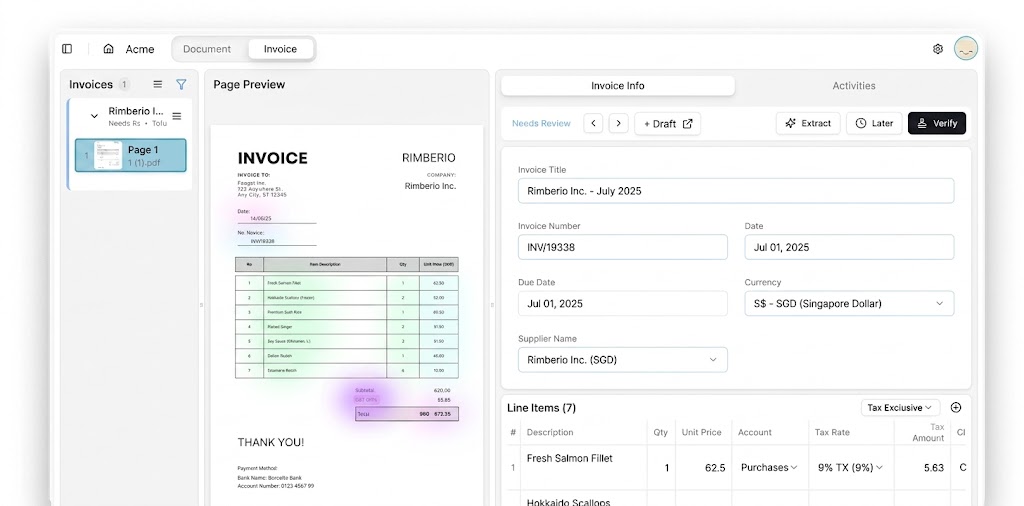
Manual data entry slows you down and leaves room for error. Tofu reads every line item from your invoices, receipts, and bank statements, codes each one against your chart of accounts, and posts directly to Xero, ready to review in seconds. No templates to build. No rules to configure. Just accurate, line-item-level data in Xero from day one.
Faster processing
Data extraction accuracy
Key benefits
Smarter features for smarter bookkeeping.
Learns Your Chart of Accounts
Creates Bills in Xero
Cloud Storage Ready
How it works
Step 1
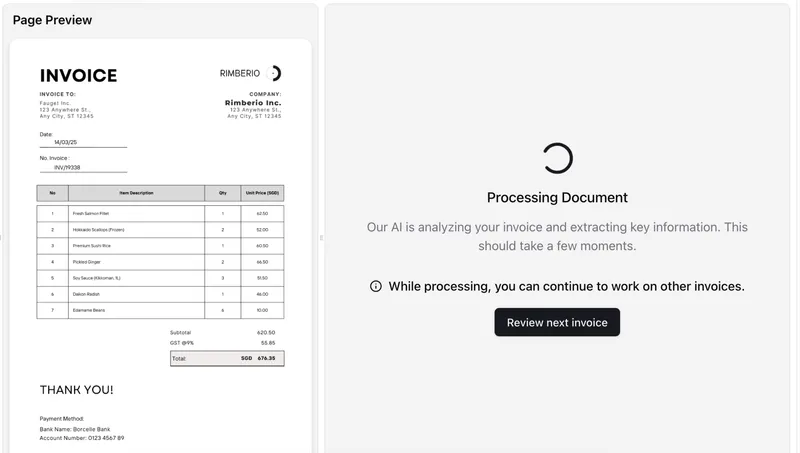
Step 2
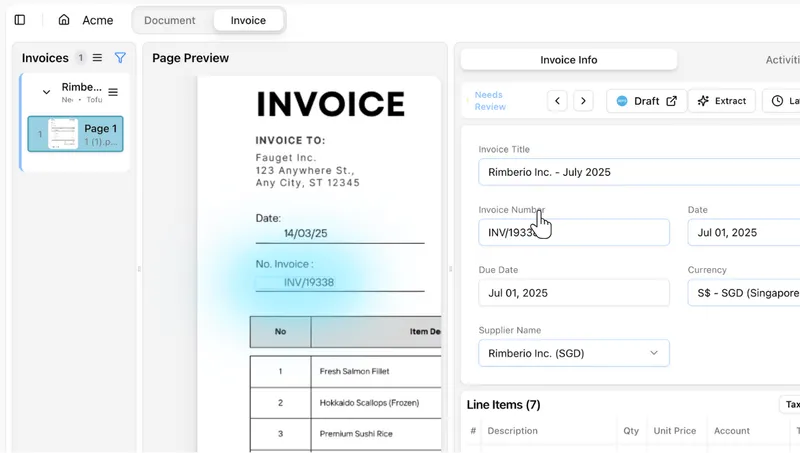
Step 3
What accountants say
Real reviews from firms that run Tofu every day.
AI frees up more of our time, so we get to spend way more time with business owners. We tell our people: go meet clients as much as you can. Otherwise the value people bring just disappears.
We have tried other OCRs, but nobody has built it to this precision.
Among all the software we have been using, it's the best that I have. I don't know if there is something on the market even better than Tofu. But I'm not looking for it.
"Now with Tofu, because it's line by line, my P&L at the end of the month is a lot more accurate. Which is fantastic."
Tofu is very simple. It's very easy to navigate and use. It's beginner friendly. Even without a finance or accounting background, you can use it. It's effective, it's efficient, and it's really time saving.
Frequently asked questions
Short answers to the questions firms ask before they connect. Need more? Talk to our team.
How does Tofu connect to Xero?
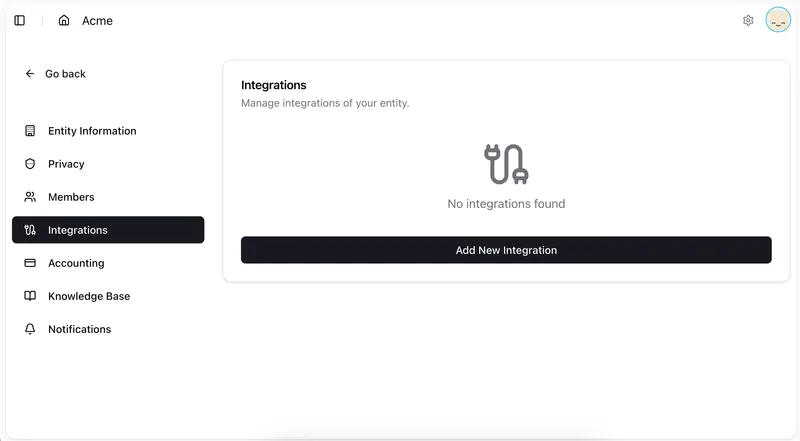
Tofu connects via OAuth. Just authorise the integration in your Tofu settings and Tofu immediately reads your chart of accounts, contacts, tax rates, and currencies. It writes bills, invoices, direct expenses, and bank transactions back to Xero, with the original source document attached to every ledger entry automatically.
What does Tofu post into Xero?
Bills, with every line item. Tofu reads the supplier, date, totals, and each line, codes the lines to your accounts and tax rates, and creates the bill in Xero for review. Bank statements post too: each transaction is checked against opening and closing balances before it lands.
Does Tofu capture line items or just totals?
Tofu extracts every line item by default on every plan: descriptions, quantities, unit prices, account codes, and tax rates. There is no extra charge for line-item depth, even on invoices with 50+ lines.
What document types can I process?
AP bills, AR invoices, bank statements, and direct expenses. Supported formats include PDF, JPG, PNG, HEIC, HEIF, and Word documents up to 20MB per file across all ingestion channels.
How does the AI learn my coding preferences?
Tofu builds a self-learning knowledge engine per client entity. It reads your existing Xero coding history on first connect, and every correction you make trains the AI further. Accuracy typically reaches 95%+ by the third invoice from the same supplier.
Can Tofu process invoices in languages other than English?
Yes. Tofu supports 200+ languages including Chinese, Japanese, Thai, Arabic, Malay, Korean, and Hindi, with English translations appearing side by side during review. No language selection required.
How is my data protected?
Tofu is ISO 27001:2022 certified, GDPR compliant, and CCPA compliant, with data hosted in Frankfurt, EU. Source documents are stored securely and auto-attached to Xero ledger entries for a complete, verifiable audit trail.
Does the Xero integration cost extra?
No. Xero is included on every plan, from $79 a month, with no per-user fees. Bills and receipts count as one extraction each, whatever the page count. Bank statements count one extraction per page.