SunTao Lai
May 28, 2026

Your team is spending hours every week doing something a computer should handle. Invoices arrive by email or WhatsApp, you download the PDF, open AutoCount, and type every field manually. AutoCount AI invoice processing doesn't exist natively, which is why firms in Singapore and Malaysia are either hiring more people or looking for workarounds.
Manual data entry costs 15-20 hours monthly, time that could be spent advising clients instead of retyping invoices.
The good news is you don't need to migrate to a different accounting system to fix this. You just need to automate the step that happens before data reaches AutoCount.
TLDR:
AutoCount serves Malaysian SMEs with core accounting capabilities, but it wasn't built to process the documents that feed into it. Invoices still arrive by email, WhatsApp, and PDF. Someone still has to open each one, type the supplier name, the date, the amounts, and every line item into the system by hand.
For firms in Singapore and Malaysia, this is a volume problem. 99% of Singapore businesses, and the story is similar across Malaysia, which means accounting firms are processing documents at scale every single day.
AutoCount has no built-in AI invoice extraction. That gap falls on whoever is doing the books, and many firms have looked at alternatives like HubDoc to fill it.
Today, most AutoCount users handle bookkeeping through a familiar cycle: receive an invoice, open AutoCount, and manually key in every field. Supplier name, invoice date, amount, line items, account codes. One document at a time.
With AI bookkeeping automation, that cycle shortens considerably. AI reads the invoice, extracts every field, maps it to your AutoCount chart of accounts, and queues it for review.

Here is how the two approaches compare across a typical invoice workflow:
| Step | Manual AutoCount workflow | With AI automation |
|---|---|---|
| Data entry | Typed in by hand, field by field | Extracted automatically from the document |
| Account coding | Assigned manually each time | Learned from your history and applied on upload |
| Document handling | Paper or PDF opened separately | Processed directly from email or file upload |
| Review | Done during entry | Done after extraction, errors flagged |
| Time per invoice | 3 to 5 minutes | Under 1 minute |
The review step does not disappear. You still check the output before it posts. But instead of entering data, you are confirming it, which takes a fraction of the time.
The most common way to automate bookkeeping in AutoCount is through its built-in CSV import function. Instead of keying in every transaction manually, you prepare a spreadsheet formatted to AutoCount's required column structure and import it in bulk directly into the Accounts Payable or General Ledger module. AutoCount expects specific fields in a fixed order: document date, supplier or customer code, invoice number, description, account code, tax code, and amount. Get those columns right and a batch of 50 invoices imports in under a minute. Get them wrong and the module rejects the file with a validation error before a single transaction posts. This is where Tofu fits: it reads your supplier invoices, extracts every field, and outputs a CSV already formatted to AutoCount's exact import specification, so the file goes straight in without manual reformatting or column mapping.
Here is how the process works in practice:
The CSV method works well when your source data is already structured. The problem is that most incoming documents, particularly supplier invoices, arrive as PDFs or images. That means someone still has to manually key the data into a spreadsheet before the import can even begin.
For firms processing high invoice volumes, that manual extraction step is where the time goes. The import itself takes minutes. Building the CSV can take hours without the right tools.
AutoCount handles bookkeeping well for many Singapore and Malaysia firms, but its automation ceiling is lower than cloud-native accounting software. If you find yourself manually matching bank feeds, chasing missing integrations, or hitting limits on AI-assisted workflows, it may be worth considering a migration.
A few signals that Xero might serve your firm better:
| Feature | AutoCount | Xero |
|---|---|---|
| Deployment | Desktop or hosted server | Cloud-native |
| Bank feeds | Manual import or limited connectors | Direct, automated feeds |
| Multi-currency | Available | Built-in, real-time |
| API access for automation tools | Limited | Open API |
| AI document processing integration | Via middleware | Direct via Tofu |
Migration takes planning, especially if you have years of transaction history in AutoCount. Most firms run both systems in parallel for one to three months before fully switching. Your chart of accounts, tax codes, and client records all need to be mapped carefully before go-live.
That said, if deeper automation is the goal, the move typically pays off within the first quarter.
AI document processing sits upstream of AutoCount. Your chart of accounts, tax codes, and compliance setup stay exactly where they are. You're removing the manual entry bottleneck before transactions reach your accounting system, not the system itself.
Here's how the two layers work together:
Singapore and Malaysia are multilingual business environments. Invoices arrive in English, Mandarin, Bahasa Malaysia, and Tamil, often within the same client folder. Most AutoCount automation tools handle Latin alphabets well enough, but struggle the moment a supplier sends a document in Chinese characters or mixed-language formatting.
Tofu processes 200+ languages, including handwriting, so your AutoCount workflow handles every document your clients send, regardless of language.
"HubDoc is a bit difficult, something simpler," says Kam Yufai at CK Consultant, an AutoCount user in Singapore who needed multilingual invoice processing without the complexity of enterprise tools.
Bank statement reconciliation is one of the highest-volume manual tasks you face each month with AutoCount. Your clients banking with OCBC, DBS, UOB, Maybank, and CIMB rarely produce clean, importable exports. They send PDFs. For a client with 200 monthly transactions, that means typing hundreds of rows into AutoCount before reconciliation can even start.
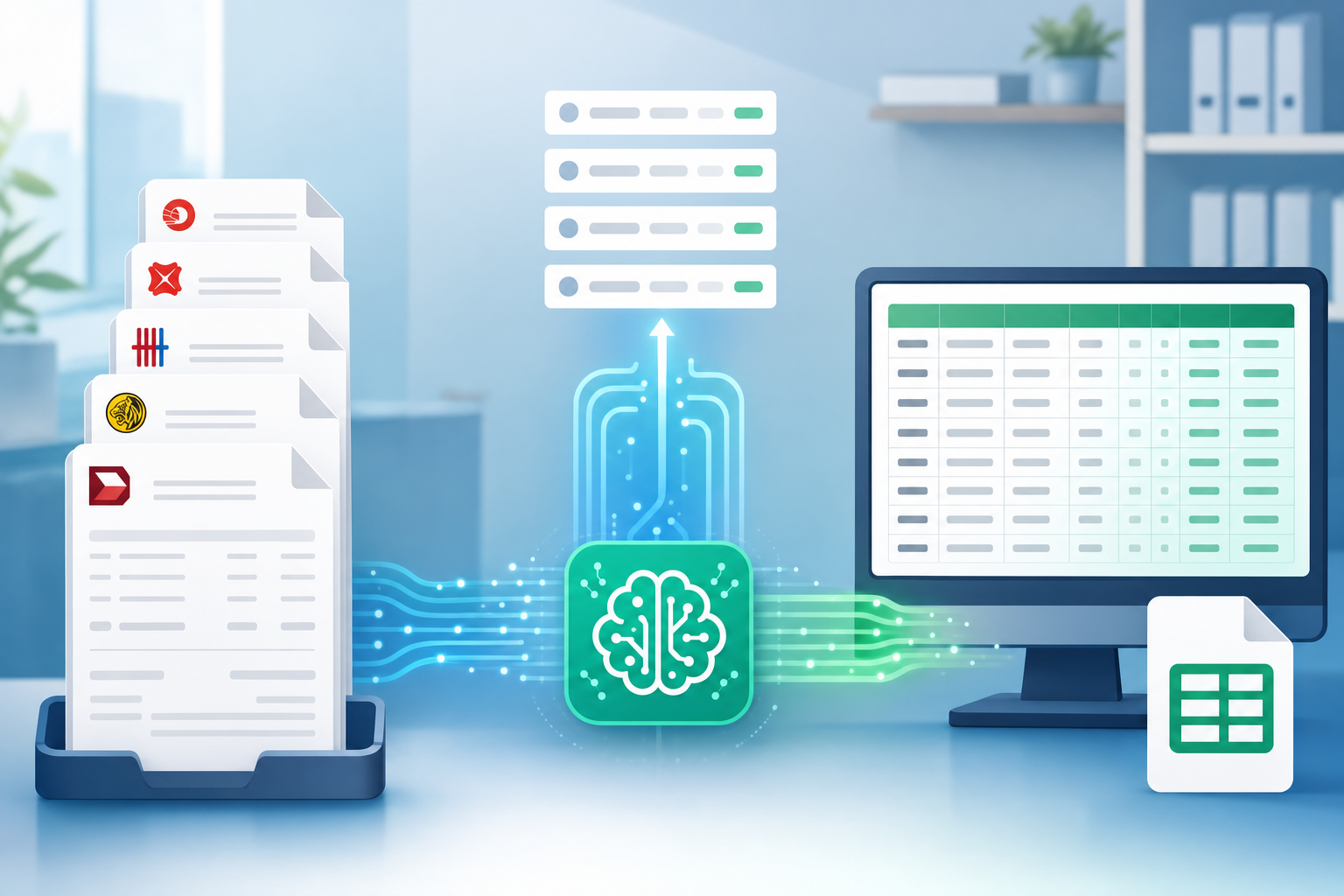
The workflow with Tofu cuts that down to four steps:
AutoCount handles reconciliation well once the data is in. The bottleneck has always been getting it there. This removes that step entirely, regardless of which bank your client uses or how many months of history you're processing in one go.
Tofu sits upstream of AutoCount and handles everything the software was never built to do: reading PDFs in 200+ languages including Mandarin, Malay, and English, extracting every line item with descriptions, quantities, unit prices, and account codes.
Once Tofu processes a document, it publishes the data directly into AutoCount with the correct coding already applied. No retyping, no reformatting, no manual cleanup before month-end.
AutoCount accounting in Malaysia and Singapore works for thousands of firms, but the software was never designed to process the documents that feed into it. You still open every invoice and type every field by hand. Tofu reads invoices and bank statements in English, Mandarin, Malay, and 200+ other languages, extracts every line item with account codes already applied, and exports CSVs that import directly into AutoCount. Your review process stays exactly where it is. The typing step disappears. Book a demo to see how it cuts your data entry time in half.
Most firms complete initial setup in under 30 minutes. You forward invoices to your Tofu inbox, review the first few extractions to train account code mapping, then export the AutoCount CSV template. After processing 10-15 invoices, the AI learns your coding preferences and extracts future documents with 95%+ accuracy.
Use CSV import. AI tools like Tofu extract invoice data and output a CSV file formatted to AutoCount's required structure, including document date, supplier code, GL account, tax code, and amounts. You review the CSV for any mismatches, then import directly into the Accounts Payable or General Ledger module in one click.
Migrate if you need real-time multi-user access across locations, automated bank feeds, or direct API publishing that skips the CSV export step. AutoCount works well for SST-heavy Malaysian SMEs with local compliance needs. Xero fits firms with international clients, multi-currency complexity, or teams that want AI-extracted invoices to publish straight to the general ledger without manual imports.
AI tools read invoices in English, Mandarin, Bahasa Malaysia, Tamil, and 200+ other languages without requiring you to sort documents by language first. Upload a Chinese supplier invoice alongside an English receipt, and the system extracts every line item from both, then exports one AutoCount-ready CSV file for import.
Yes. Upload PDF bank statements from DBS, OCBC, UOB, Maybank, CIMB, or any other bank, and AI tools extract every transaction across as many pages as the statement runs. Export using an AutoCount-formatted CSV template, then import directly into the bank reconciliation module. A 200-transaction statement that used to take 2-3 hours to key in manually now imports in under 5 minutes.