Jay Sen Lon
March 9, 2026

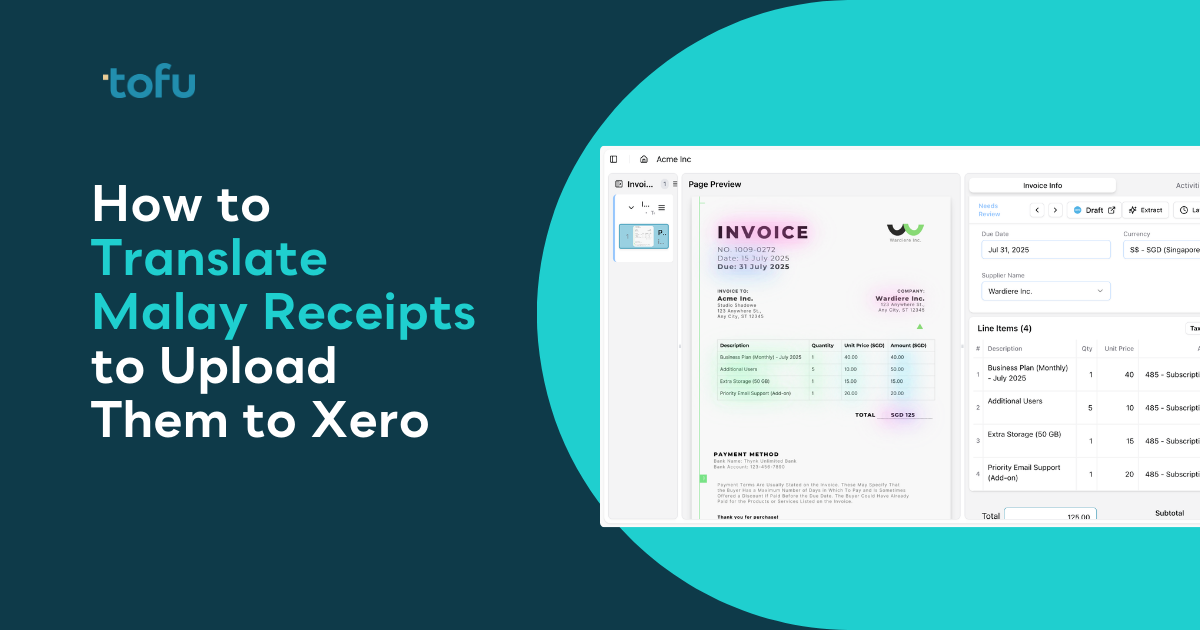
Malaysian receipts show up with "Tarikh: 15 Mac 2026" and "Jumlah: RM450," but Xero expects English. You're photographing receipts in Google Translate, copying the output, then typing everything into Xero manually. Translate Malay receipts Xero workflows can cut that process from 5 minutes per receipt down to under 30 seconds if you let AI handle the translation and extraction in one step.
TLDR:
Xero runs in English. Your receipts arrive in Bahasa Melayu. That mismatch creates manual work at every step.
You open a receipt from a local vendor. The header reads "Pembekal: ABC Trading," "Tarikh: 15 Mac 2026," "Jumlah: RM450," "Cukai Perkhidmatan: 6%." Before you can enter anything into Xero, you're translating supplier names, dates, amounts, and tax labels.
Mixed-language invoices make it worse. A supplier might list services in English but use Malay for tax terms, payment instructions, or bank details. You're context-switching between languages inside a single document.
Handwritten receipts from hawker stalls, market vendors, and small shops are common across Malaysia. Legacy OCR tools return nothing useful.
Open the receipt. Snap a photo in Google Translate or type the text manually into the translation box. Copy the English output. Open Xero. Create a new bill or expense. Paste or retype the translated supplier name, date, and amount. Match the tax treatment. Attach the original receipt. Repeat for the next one.
This method works. The cost is time. A single Malay receipt with basic vendor details, line items, and tax information takes 3 to 5 minutes to translate and enter manually.
Generic OCR tools can read Malay text, but accuracy drops fast. Most were trained on English document layouts and struggle with Bahasa Melayu formatting, vendor name structures, and date formats common across Malaysian receipts.
Dext and HubDoc fall into this category. When you feed them a Malay receipt, you get partial extraction at best. Supplier names get mangled. Tax labels like "Cukai Perkhidmatan" or "SST" don't map to the right Xero tax codes.
You still review every field and correct the extraction.
Malaysia's e-invoicing mandate launched in January 2026 for taxpayers with annual turnover between RM1 million and RM5 million. Around 200,000 micro and small businesses will follow as thresholds expand.
You're now handling new digital invoices issued in Bahasa Melayu through government portals, alongside legacy paper documents from vendors who haven't transitioned yet. You need a tool that reads Malay natively and posts to Xero using automated invoice capture without manual translation.
AI document processing for bookkeeping reads Malay receipts without a separate translation step. Upload the receipt and the AI extracts vendor name, date, amounts, and line items in Bahasa Melayu, then translates to English automatically while mapping to your Xero chart of accounts.
The AI learns from your Xero history. Correct a coding decision once and it remembers. Vendor rules build over time without manual setup or template configuration. Review the English translation alongside the original Malay text in one screen, then publish directly to Xero with the receipt attached.
| Method | Time Per Receipt | Accuracy | Monthly Cost | Key Features |
|---|---|---|---|---|
| Manual Translation (Google Translate + Xero) | 3-5 minutes | High (manual review) | Free (labor cost only) | Works for all receipts but requires constant context-switching between translation and data entry |
| Generic OCR Tools (Dext, HubDoc) | 2-4 minutes | Low to Medium | $49-99/month | Partial extraction; struggles with Malay formatting, handwritten text, and tax label mapping |
| AI Document Processing (Tofu) | Under 30 seconds | High (learns from corrections) | $79/month | Native Malay support, automatic translation, line-by-line extraction, learns vendor coding, direct Xero posting |
Connect your Xero account to Tofu. Setup takes 15 minutes. Tofu reads your chart of accounts, tax rates, and supplier history automatically through its integration with Xero.
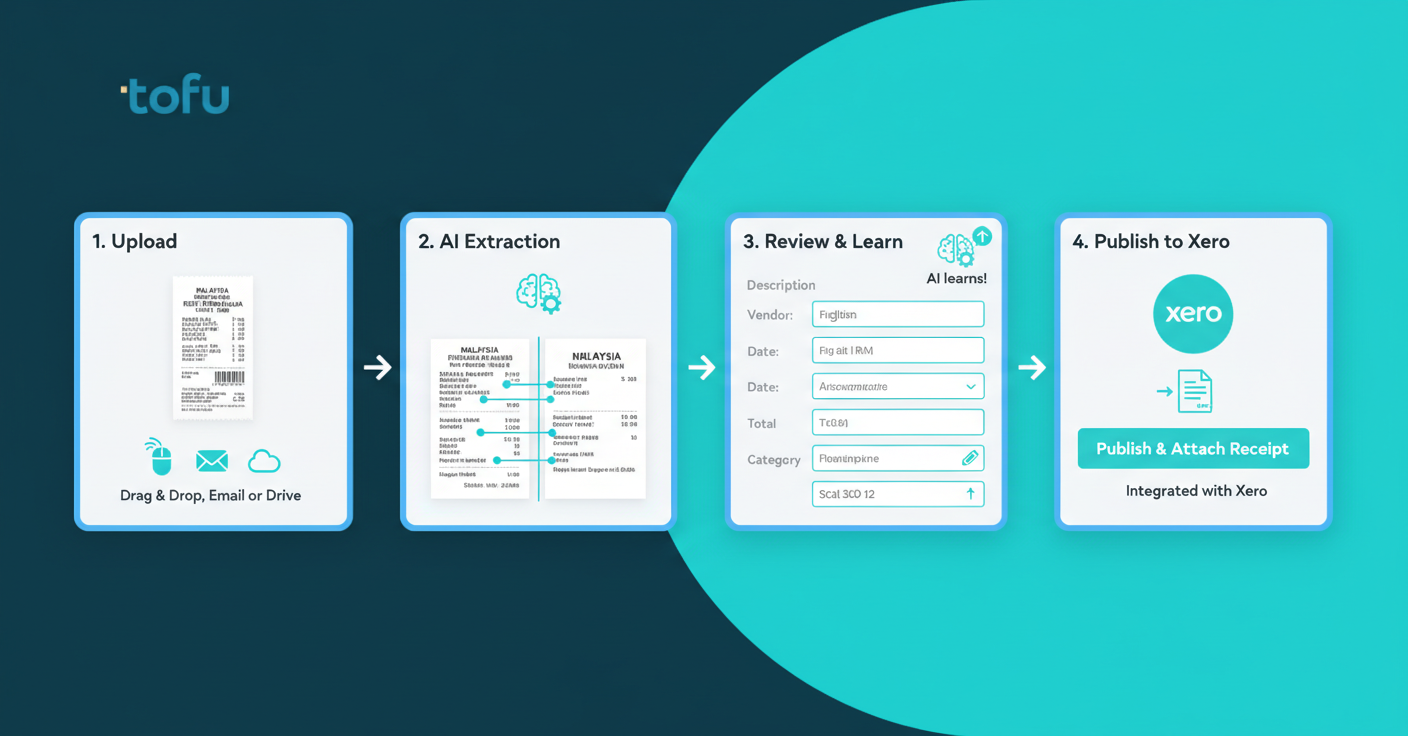
Upload your Malay receipt by dragging it into the browser, forwarding it to your unique Tofu email, or syncing from Google Drive. Tofu reads Bahasa Melayu natively alongside 200+ other languages.
Tofu extracts every line item: vendor name, date, description, quantity, unit price, tax treatment, and total. The original Malay text appears with English translation side by side.
Review the extraction. If you correct a vendor coding or tax mapping, Tofu learns permanently. The next receipt from that vendor codes correctly without your input.
Click publish. The transaction posts to Xero with the original Malay receipt attached automatically.
Malaysian bank statements from Maybank, CIMB, Public Bank, and RHB include transaction descriptions in Bahasa Melayu. Upload the bank statement PDF. Tofu extracts every transaction with date, description, amount, and debit/credit classification. Malay transaction descriptions translate to English automatically. Review the structured data, then export directly to Xero or download as CSV for reconciliation.
Upload a Malay receipt to Tofu and it reads the original text, translates to English, extracts every line item, and maps to your Xero chart of accounts. Both languages appear side by side during review. No manual translation or OCR correction required.
Tofu handles mixed-language invoices where English line items sit next to Malay tax labels or payment terms. The extraction, translation, and coding happen in one step.
When you publish using AI bookkeeping software, the original Malay receipt attaches to the Xero transaction automatically. Your audit trail stays intact.
Xero doesn't support Bahasa Melayu natively. Every receipt marked "Pembekal," "Tarikh," or "Cukai Perkhidmatan" requires translation before you can code it. HubDoc isn't available in Xero Malaysia, removing the built-in OCR option most other regions use.
Handwritten receipts from hawker stalls and cash vendors are standard across Kuala Lumpur, Penang, and Johor Bahru. Thermal paper fades within months.
Most Malaysian receipts show Pembekal (supplier), Tarikh (date), Jumlah (total), Cukai Perkhidmatan (service tax), SST, and Cara Bayaran (payment method). The process: photograph the receipt in Google Translate, review the English output, open Xero, type each translated field, assign account codes, attach the file, and save.
Most OCR tools were trained on English layouts. Feed them a Malay receipt and character recognition accuracy drops fast. Date formats like "15 Mac 2026" confuse parsers expecting "March 15, 2026." Handwritten text from hawker stalls or faded thermal receipts return blank fields, leaving you typing what the OCR missed.
Malaysia's e-invoicing mandate launched January 2026 for businesses earning RM1 million to RM5 million annually. Around 200,000 additional firms enter the system as thresholds drop. You're processing government-issued digital invoices in Bahasa Melayu alongside paper receipts from vendors still transitioning. Both need translation before Xero entry.
AI document processing reads Malay receipts without manual translation. Accounting automation software like Tofu extracts every line item, translates automatically, codes to your chart of accounts, and learns from corrections. Upload receipts from Maybank, Public Bank, or any Malaysian bank. Tofu handles bahasa Melayu invoices and publishes directly to Xero.
Connect Xero to Tofu in 15 minutes. No configuration needed. Tofu reads your chart of accounts, tax rates, and supplier history automatically.
Upload your Malay receipt by dragging it into the browser, forwarding to your unique Tofu email, or syncing from Google Drive. Tofu extracts every line item with English translation appearing side by side.
Review the extraction. Correct any field and Tofu learns permanently. Click publish and the transaction posts to Xero with the original receipt attached.
Malaysian bank statements from Maybank, CIMB, Public Bank, and RHB often mix Bahasa Melayu transaction descriptions with English. Upload the PDF to Tofu. Every transaction extracts with date, description, amount, and classification. Malay descriptions translate automatically. Export to Xero or download as CSV for reconciliation.
Malaysian firms processing mixed-language documents lose hours translating before they can code anything. Tofu reads Bahasa Melayu and English natively in the same document, extracts every line item, and posts to Xero without a separate translation step. Tofu is a certified Xero App Partner starting at $79/month with unlimited users.
Manual translation creates a bottleneck before you can enter anything into Xero. Tools that process Malay receipts for Xero read Bahasa Melayu natively and post transactions automatically with the original document attached. Tofu extracts line items, translates to English, maps to your chart of accounts, and learns from corrections. Upload receipts from Malaysian vendors and banks, then publish directly to Xero without typing.
Setup takes 15 minutes. Connect your Xero account and Tofu reads your chart of accounts, tax rates, and supplier history automatically. No templates or rules to configure.
Yes. Tofu reads both languages in the same document, extracts every line item, and translates Malay text to English automatically while mapping to your Xero chart of accounts.
Click the field, correct it once, and Tofu learns permanently. The next receipt from that vendor codes correctly without your input. The knowledge stays even when staff leave.
Yes. Upload the bank statement PDF and Tofu extracts every transaction with date, description, and amount. Malay transaction descriptions translate to English automatically, then export directly to Xero or download as CSV.
Tofu starts at $79/month with unlimited users. If manual translation and data entry takes 3-5 minutes per receipt, Tofu pays for itself after processing roughly 20-30 receipts per month.