Jay Sen Lon
February 15, 2026

You spend 62% of your working hours on compliance tasks such as bookkeeping, data entry, and re-typing what's already printed on the invoice. Accounting Today's 2026 AI Thought Leaders Survey confirmed it, and manual entry errors in roughly 1% of all keystrokes compound the cost of that time.
AI bookkeeping automation cuts that data entry work by 80%. Xero's research puts the industry-wide gain at £338 million in added profitability for UK practices alone. This guide walks through what the technology actually does, how to choose the right tool, and how to roll it out without disrupting your current workflows, and it includes a side-by-side comparison of the leading platforms so you can narrow down the fit quickly.
Quick Summary: AI bookkeeping automation uses machine learning to automatically extract data from invoices, receipts, and bank statements, categorize transactions, and post entries to accounting systems. Tofu is an AI document processing platform built for accounting firms. The full workflow covers 4 steps: upload documents via browser, email, Google Drive, SharePoint, or WhatsApp; Tofu extracts every line item from 200+ languages including handwritten text; reviewers verify flagged fields using click-to-verify bounding boxes; and one-click publish posts directly to Xero, QuickBooks Online, Zoho Books, Freee, Sage Business Cloud, AutoCount Cloud, or Bukku.
TLDR:
AI bookkeeping refers to the application of artificial intelligence and machine learning technologies to automate routine bookkeeping tasks that traditionally required manual data entry and human judgment. Modern AI bookkeeping systems use neural networks trained on millions of financial documents to understand context, recognize patterns across diverse formats, and make intelligent decisions about transaction categorization and account coding. For a deeper overview, see our AI bookkeeping guide for accounting firms.
The technology has moved well beyond simple optical character recognition (OCR). AI systems now understand contextual meaning, allowing them to handle messy real-world documents from handwritten receipts with faded ink to multi-page PDF statements containing dozens of transactions.
The current state of AI bookkeeping in 2026 reflects rapid mainstream adoption. 95% of accountants have adopted automation to speed up processes, with payroll and accounts payable leading implementation. More tellingly, 46% of accountants use AI daily.
Document Intelligence and Data Extraction
The foundation of AI bookkeeping lies in intelligent document processing that automatically extracts structured data from unstructured financial documents. Advanced systems analyze invoices, receipts, bank statements, and purchase orders to identify and capture key data points including vendor names, invoice numbers, line items, quantities, unit prices, tax amounts, and totals.
Tofu's AI document processing platform accepts documents via browser upload, email forwarding, Google Drive, SharePoint, or WhatsApp. It processes documents in 200+ languages, including complex scripts like Chinese, Arabic, and handwritten text, automatically splitting bulk PDF uploads into individual records and extracting complete line-item details. After extraction, confidence scoring flags low-certainty fields so reviewers can click to verify each one against the source document using bounding boxes.
Transaction Categorization and Account Coding
After extracting document data, AI systems classify transactions into appropriate expense categories and general ledger accounts. Machine learning models analyze transaction descriptions, vendor patterns, and historical categorization decisions to predict the correct account coding for each entry. The categorization engine learns continuously from user corrections, developing firm-specific understanding over time.
Leading AI bookkeeping platforms achieve 85-95% categorization accuracy after initial learning periods, reducing bookkeeper review time from minutes per transaction to seconds.
Automated Bank Reconciliation
Bank reconciliation ranks among the most time-consuming routine bookkeeping tasks. AI automation reworks this process by automatically matching transactions based on amounts, dates, descriptions, and patterns. Sophisticated matching algorithms handle common reconciliation challenges including timing differences, partial payments, bulk deposits, and transaction descriptions that differ between bank feeds and accounting records.
Research shows that automated bank feeds handle about 60% of data entry, considerably reducing manual reconciliation work.
Workflow Automation and Exception Handling
Beyond individual task automation, full-service AI bookkeeping systems run entire workflows from document receipt through final posting. Automated workflows route documents for approval, trigger notifications when exceptions require attention, and apply business rules to determine appropriate processing paths.
Modern platforms provide confidence scoring that indicates the AI's certainty about data extraction and categorization decisions. High-confidence transactions flow through automated processing, while lower-confidence items route to review queues.
AI bookkeeping automation eliminates the manual data entry bottleneck through several interconnected capabilities that work together to process financial documents without human typing. Understanding how these systems work helps firms assess tools and design effective implementation strategies.
Automated Data Extraction
When a vendor invoice arrives via browser upload, email forwarding, Google Drive, SharePoint, or WhatsApp, AI document processing platforms immediately analyze the document layout, identify key fields (vendor name, date, invoice number, line items, total), and extract the data. Tofu's zero-configuration AI learns document patterns automatically without requiring manual template setup.
The extraction process works differently than traditional OCR systems. While basic OCR simply converts images to text, AI extraction understands document structure and context. The system recognizes that a number preceded by a dollar sign near the bottom right likely represents an invoice total, while line-item amounts appear in table structures. This contextual understanding allows processing diverse document formats without manual template configuration for each vendor.
Modern AI handles real-world document challenges including skewed scans, coffee stains obscuring text, handwritten annotations, multi-page documents with tables spanning pages, and mixed-language content. The technology processes photographed receipts as effectively as scanned PDFs, expanding document capture options beyond traditional desktop scanning.
Intelligent Categorization
After extraction, AI analyzes transaction details to predict appropriate expense categories. The system recognizes that "Office Depot" likely represents office supplies, "Verizon Wireless" indicates telecommunications expense, and "LinkedIn Recruiting" suggests recruiting costs. These categorization decisions improve continuously as bookkeepers correct occasional errors, training the AI on firm-specific classification preferences.
The categorization engine considers multiple signals beyond just vendor names. Transaction amounts help distinguish between capital equipment purchases and consumable supplies. Date patterns reveal recurring subscriptions versus one-time purchases. Line-item descriptions provide additional context for multi-category invoices where a single vendor supplies diverse products.
Advanced categorization systems support multi-dimensional classification including expense category, department, project, and location codes simultaneously. This multi-dimensional tagging is valuable for businesses requiring detailed cost allocation across projects, departments, or client engagements.
Direct integration and publishing
Extracted and categorized data flows automatically to accounting software via one-click publish. Tofu's native integrations cover Xero, QuickBooks Online, Zoho Books, Freee, Sage Business Cloud, AutoCount Cloud, and Bukku, with CSV export available for 20+ other accounting platforms. This posting workflow eliminates manual data entry while maintaining quality control through human review of AI-processed documents.
The integration quality directly impacts how smoothly a workflow runs. Basic integrations require manual CSV export and import, providing limited automation benefit. Advanced bi-directional integrations sync data automatically and allow AI systems to learn from bookkeeper corrections made directly in accounting software, creating continuous improvement loops without additional training effort.
Anomaly detection and continuous monitoring
AI flags duplicate payments, out-of-pattern vendor charges, and sudden expense spikes in real time. This replaces periodic manual spot-checks with always-on monitoring. For example, an alert fires when a recurring SaaS subscription charges 10x its normal amount, or when the same invoice number appears twice from the same vendor.
Automated financial reporting
AI aggregates categorized and matched data to generate draft P&L statements, balance sheets, and cash flow reports on demand. This removes the manual consolidation step before month-end close review. Firms running continuous AI processing can surface client-ready financial snapshots without waiting for the full close cycle, making proactive advisory conversations easier to start.
Not every AI bookkeeping tool solves the same problem. Some are built to handle high-volume document ingestion across many client entities; others focus on automating the month-end close or giving business owners a self-service view of their numbers. Matching the right tool to your firm's primary bottleneck, and to the accounting software your clients already use, matters more than chasing the most features. The table below covers six of the leading options to help you narrow down the fit quickly.

| Tool | Best for | Key AI features | Accounting integrations | Pricing |
|---|---|---|---|---|
| Tofu | Accounting firms processing high document volumes | Multilingual extraction (200+ languages), line-item capture, confidence scoring, click-to-verify | Xero, QuickBooks Online, Zoho Books, Sage Business Cloud, Freee, AutoCount Cloud, Bukku | From $79/month |
| Truewind | Firms using Sage Intacct or QBO for accrual-heavy close work | GL-ready journal entries, prepaid/fixed asset schedules, anomaly detection | Sage Intacct, QuickBooks Online | Custom quote |
| Botkeeper | Mid-size firms wanting full workflow automation | Transaction categorization, bank reconciliation, month-end close tracker | Major accounting platforms | Custom quote |
| Digits | Business owners and accountants wanting an AI-native general ledger | Automated books, reconciliations, bill pay, invoicing, real-time financials | Native GL | Contact for pricing |
| bookeeping.ai | Small business owners wanting zero-effort bookkeeping | Chat-based task completion, VAT/sales tax across 50+ countries, anomaly detection | Standalone platform | Free trial available |
| QuickBooks Online with AI | Small to mid-size businesses already in the Intuit family of products | Transaction categorization, receipt capture, cash flow forecasting | Native | From $30/month |
When choosing, start with your firm's primary bottleneck: if documents are piling up before they are even entered, the problem is ingestion and you need strong OCR with line-item extraction; if your close cycle drags because of accruals and reconciliations, look for close-workflow tools; if clients want visibility into their own numbers without calling you, client self-service matters most. Layer that against the accounting systems you already use, since a tool that does not connect natively to your stack adds friction that quickly offsets any speed gains.
See the time savings breakdown in the Benefits section above. For a firm processing 1,000 monthly transactions, AI automation reclaims approximately 133 hours monthly, equivalent to nearly one full-time employee's capacity.
This recaptured time creates opportunities for service expansion and revenue growth. Bookkeepers can proactively analyze client financial trends, identify cost-saving opportunities, provide budgeting guidance, and offer strategic advisory services that command premium fees. Instead of spending evenings catching up on data entry, professionals can focus on client relationship building, complex problem-solving, and strategic planning that sets firms apart from commodity competitors.
The time savings compound over time as AI systems learn firm-specific patterns. Initial implementation might achieve 60-70% time reduction, but after 2-3 months of use and continuous learning, productivity gains often reach 80-85% as the AI becomes increasingly accurate at categorization and reduces exception rates requiring human review.
Xero research shows that AI adoption reduced errors in client work for 56% of practices. AI systems make consistent errors instead of random ones, making validation and error detection straightforward through systematic review processes.
The accuracy improvements stem from eliminating human typing, the primary source of bookkeeping errors. AI extraction errors typically involve genuinely ambiguous scenarios like unclear handwriting or damaged documents instead of simple transcription mistakes. When errors occur, they follow patterns (consistently misreading a specific handwritten digit, for example) that systematic quality assurance quickly identifies and resolves.
Reduced errors translate directly to cost savings through decreased rework time, fewer client questions about unexplained variances, and improved client confidence in financial reporting accuracy. Firms report sizable reductions in month-end close issues, bank reconciliation discrepancies, and audit adjustments after implementing AI automation.
AI automation breaks the linear scaling constraint of manual bookkeeping by allowing existing staff to handle much higher transaction volumes. A Stanford study found that firms using AI can serve more clients, close books faster, and improve reporting quality.
Traditional manual bookkeeping creates linear scaling economics where doubling client count requires roughly doubling bookkeeping staff. This linear relationship caps growth and profitability while creating constant recruitment and training pressures. AI automation allows super-linear growth where doubling client count might require only 1.3-1.5x bookkeeping capacity instead of 2x, dramatically improving firm economics.
The scalability advantage extends beyond simple capacity increases. AI systems handle volume spikes gracefully during tax season, month-end close, or audit preparation periods when transaction processing demands surge temporarily. Instead of hiring temporary staff or requiring excessive overtime, firms process increased volumes through existing AI infrastructure.
Research commissioned by Xero found that AI adoption delivered a £338 million uplift in profitability across UK accounting practices. A Stanford study cited in Accounting Today found firms using AI close books faster and improve reporting quality. For a 10-person firm, the typical payback period for AI bookkeeping software runs under 3 months when you factor in reduced overtime and eliminated data-entry errors.
AI-powered document processing eliminates language constraints. Modern systems like Tofu process documents in 200+ languages automatically, extracting data from Chinese invoices with the same accuracy as English documents. This multilingual capability allows firms to serve diverse client bases without specialized language skills.
The multilingual capability proves particularly valuable in immigrant entrepreneur communities and multinational businesses. A Toronto accounting practice can efficiently handle clients with Chinese suppliers, Malaysian operations, and European vendors without hiring multilingual bookkeepers or paying for translation services. This capability opens market opportunities previously inaccessible to firms with English-only processing capabilities.
Multi-currency handling adds further value for international operations. AI systems automatically identify transaction currencies, apply appropriate exchange rates, calculate foreign exchange gains and losses, and maintain proper multi-currency accounting. This automation proves indispensable for e-commerce businesses receiving payments in dozens of currencies or multinational operations consolidating results across global entities.
Three limitations are worth knowing before you commit. First, AI categorization accuracy starts lower on new suppliers and typically needs 2-3 months of correction feedback before reaching peak performance, so early results will require more review time than later ones. Second, severely damaged originals, highly non-standard formats, or handwritten multi-page contracts may still need manual processing because the AI cannot reliably extract data from degraded or structurally unusual documents. Third, skipping human review of AI-flagged exceptions can let systematic errors accumulate undetected, so over-relying on full automation without a review step carries real risk.
All three are manageable. A phased rollout that starts with simpler client documents, a review-first workflow for the first 60 days, and confidence scoring that directs your attention to genuinely uncertain transactions keep these risks in check without offsetting the speed gains.
The range of AI bookkeeping tools spans from simple single-purpose utilities to full-service automation systems. For a side-by-side breakdown, see our guide to best AI accounting software for bookkeepers. Selection requires matching tool capabilities against specific firm requirements.
Tofu is an AI document processing platform that covers the complete accounting document workflow: upload via browser, email, Google Drive, SharePoint, or WhatsApp; extract every line item from 200+ languages including handwriting; review flagged fields with click-to-verify bounding boxes; and publish one-click directly to Xero, QuickBooks Online, Zoho Books, Freee, Sage Business Cloud, AutoCount Cloud, or Bukku. This approach excels at handling messy real-world documents and complex multilingual content without template configuration. For a broader look at invoice automation options, see our guide to automated invoice capture.
Tofu provides zero-configuration AI that learns document patterns automatically, handles 200+ languages including complex scripts, and extracts complete line-item details. Review takes about 30 seconds per invoice: confidence scoring flags fields for attention, and clicking any field zooms the source document to the exact location via bounding boxes. The entity-based pricing model (Starter: $79/month, Growth: $199/month) provides predictable costs without per-user fees.
Xero App Store: 5/5 stars - View Reviews
Full-service platforms like Botkeeper provide complete bookkeeping automation including data extraction, transaction categorization, account reconciliation, and financial reporting. Botkeeper offers software-only licenses starting at $149/month or bundled bookkeeper service packages from $1,499-2,999/month, suiting mid-size firms (10-100+ clients) seeking full automation. However, the service requires time-consuming onboarding, faces bank connection stability issues, and supports English-only processing.
AI-powered accounting platforms
Solutions like Puzzle.io target startups seeking real-time financial dashboards powered by AI categorization. Puzzle pricing starts free, scaling to $50-300/month. The platform works well for US-based SaaS startups under $5M ARR but struggles with multilingual documents and international operations.
Managed bookkeeping services
Services including Zeni ($549-799/month), Pilot, and Bench ($249-599/month) combine AI automation with dedicated human bookkeepers. These fully managed options suit small businesses wanting hands-off bookkeeping but typically don't fit accounting firms serving multiple clients.
| Platform | Starting Price | Best For | Key Strengths | Limitations |
|---|---|---|---|---|
| Tofu | $79/month | Accounting firms with international clients | 200+ languages, zero-config AI, line-item extraction | Requires accounting software integration |
| Botkeeper | $149/month | Mid-size firms seeking full automation | Complete automation from receipt to report | English-only, complex setup |
| Puzzle | $0-300/month | US SaaS startups | Real-time dashboards | US-only, no multilingual support |
| Zeni | $549-799/month | US startups wanting full-service | AI plus human bookkeepers | US-only, not suitable for accounting firms |
| Bench | $249-599/month | Hands-off small business owners | Done-for-you bookkeeping | Limited control, US-focused |
| Digits | $65-100/month | Tech-savvy SMBs | Modern AI-native platform | Newer platform, US-focused |
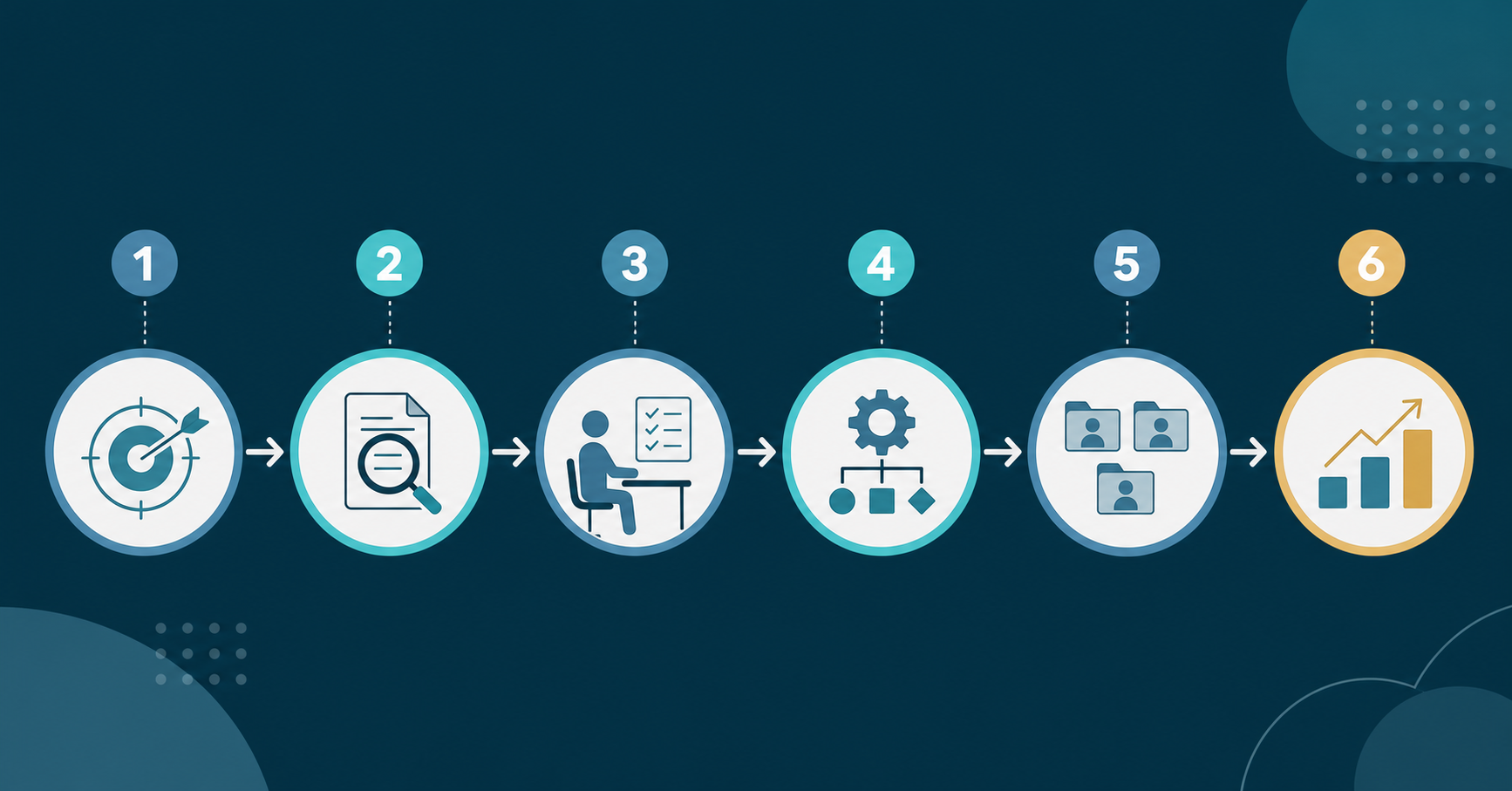
Begin implementation by clearly articulating specific objectives like "reduce monthly data entry time from 80 hours to 20 hours" or "process client month-end closes within 5 business days instead of 10 days." Success metrics should cover time savings, error rates (targeting 50-80% reduction), client satisfaction scores, capacity metrics (clients served per bookkeeper), and profitability improvements.
Begin with pilot testing on 3-5 representative clients covering diverse scenarios. Tofu offers trial access allowing firms to test document extraction accuracy on real client documents before committing. During pilots, process parallel workflows where both manual bookkeepers and AI automation handle the same transactions, providing direct comparison of accuracy, processing time, and error rates.
Pilot testing should measure extraction accuracy, processing speed, exception handling, integration reliability, and user experience. Successful pilots show measurable improvements in at least 3 of 5 evaluation dimensions.
AI automation fundamentally changes the bookkeeper role from data entry operator to exception handler and quality reviewer. Training should cover both technical tool operation and conceptual understanding of how to work effectively alongside AI systems.
According to CFO AI investment research, only 47% believe their teams are equipped to use these tools effectively. Budget 4-8 hours per bookkeeper for initial training plus ongoing coaching during the first month of use.
Effective AI implementation requires redesigning workflows around automation capabilities. Optimized workflows include automated document collection (clients submit via email forwarding or mobile app), continuous AI processing throughout the month, simplified exception handling with ranked review queues, and automated reconciliation with suggested matches.
Tofu's workflow includes automatic PDF splitting for bulk document uploads and complete line-item extraction, eliminating manual separation and data entry tasks.
Implement AI automation using phased rollout: simple clients (weeks 1-2), medium complexity clients (weeks 3-5), and complex high-volume clients (weeks 6-8). Maintain parallel manual processing for the first 1-2 months as backup while building confidence in AI accuracy and reliability.
Implement systematic QA processes including weekly quality audits (sample 5-10% of AI-processed transactions), monthly performance analytics tracking processing time and exception rates, and continuous AI training through consistent correction of errors.
AI automation creates both opportunities and threats for bookkeeping practices. Firms that successfully integrate AI enhance profitability and competitiveness, while those clinging to manual processes risk obsolescence.
The most critical AI-proofing strategy involves transforming the firm's value proposition from transaction processing to strategic advisory services. Successful firms redefine service offerings around proactive financial analysis, strategic budgeting and forecasting, performance benchmarking, tax planning optimization, and process improvement consulting.
AI automation research predicts that 80% of routine accounting tasks will be automated by 2027, fundamentally reshaping the profession toward strategic advisory work.
Specialize in complex scenarios where AI augments rather than replaces
High-value specialization opportunities include multi-entity international operations, industry-specific compliance (healthcare, financial services, nonprofit), high-growth businesses, and merger and acquisition support. These areas require human expertise for complex judgment while AI handles transaction processing volume.
Technology-enabled service advantages include real-time financial dashboards (enabled by continuous AI processing), faster month-end close (days instead of weeks), multi-language client service (200+ languages via AI), scalable pricing models (fixed fees viable when AI reduces costs), and enhanced accuracy and compliance. For a full comparison of tools in this category, see our roundup of best accounting automation software.
AI-proofing requires transforming firm culture from manual processing mindset to technology-enabled advisory focus. Modern talent strategies include technology-forward recruiting, continuous learning culture, revised career paths from AI-assisted bookkeeper to financial advisor, and work-life balance improvements using AI efficiency gains.
AI bookkeeping uses artificial intelligence and machine learning to automate routine bookkeeping tasks including data extraction from invoices and receipts, transaction categorization, account coding, and bank reconciliation. Neural networks trained on millions of financial documents recognize patterns across diverse formats, extract data with 95-99% accuracy, suggest appropriate expense categories, and create accounting entries for bookkeeper review.
Automation reduces manual data entry work by 80%, transforming what previously required 10-15 minutes of manual typing per transaction into seconds of automated processing. For a firm processing 1,000 monthly transactions, AI automation reclaims approximately 133 hours monthly, equivalent to nearly one full-time employee's capacity.
The optimal tool depends on your specific requirements. For accounting firms serving diverse clients with international vendors, Tofu provides superior document processing across 200+ languages with zero-configuration AI and entity-based pricing from $79/month. For mid-size firms wanting full-service automation, Botkeeper offers comprehensive categorization starting at $149/month but supports English-only. For tech startups, Puzzle.io provides real-time dashboards from free to $300/month but limited to US operations.
AI bookkeeping typically achieves 95-99% extraction accuracy depending on document quality, matching or exceeding human data entry performance. Manual data entry errors occur in approximately 1% of all keystrokes, creating roughly 10% probability of at least one field error on a typical 10-field invoice. Xero research confirms that AI adoption reduced errors in client work for 56% of practices. For a full breakdown of benchmarks and what to expect, see our guide to AI bookkeeping accuracy for accountants.
Modern AI bookkeeping platforms including Tofu process documents in 200+ languages automatically without requiring translation services. The AI understands contextual meaning across languages, recognizing that invoice fields like "Total," "小计" (Chinese), "المجموع" (Arabic), and "Jumlah" (Malay) all refer to the same data element. This multilingual capability proves particularly valuable for firms serving international clients or businesses with global supply chains.
Most firms realize positive ROI within 2-4 months. A firm processing 1,000 monthly transactions saves $4,000-6,680 monthly in labor costs while Tofu costs just $79-199/month, generating $3,800-6,500 monthly net savings. Reclaimed time redirected toward advisory services at $100-150/hour billing rates generates further revenue increases. One-time implementation investment of $2,100-6,200 pays back within 1-2 months from cost savings alone.
AI will fundamentally transform the bookkeeping profession rather than eliminating it entirely. The technology automates routine data entry but creates new opportunities for strategic advisory services. accounting automation research predicts that 80% of routine accounting tasks will be automated by 2027, reshaping the profession toward higher-value work. The bookkeeper role evolves from data entry operator to exception handler, quality reviewer, and financial advisor.
Successful AI implementation requires phased deployment starting with pilot testing on 3-5 representative clients for 4-6 weeks. Use pilot results to refine workflows and train staff before expanding deployment. Implement phased rollout starting with simple clients (weeks 1-2), expanding to medium complexity scenarios (weeks 3-5), and completing with complex clients (weeks 6-8). Maintain parallel manual processing during the first 1-2 months as backup while building confidence.
AI automation provides a cost-effective alternative to offshore bookkeeping outsourcing while maintaining quality control and client relationship ownership. Offshore services typically cost $15-30/hour compared to $40-60/hour for domestic bookkeepers, but introduce communication challenges, time zone coordination difficulties, and client relationship distance.
Tofu at $79-199/month provides automation capabilities equivalent to 20-40 hours of offshore bookkeeping work monthly, while keeping all client relationships and strategic advisory work in-house. Firms maintain direct client communication, faster response times without time zone delays, and complete control over service quality.
The AI approach proves particularly valuable for firms that tried offshore outsourcing but struggled with quality inconsistencies, communication barriers, or clients uncomfortable with data leaving domestic jurisdictions. AI provides the cost efficiency of offshore labor without sacrificing relationship quality or introducing data sovereignty concerns.
Tofu connects natively to QuickBooks Online and reads your existing chart of accounts, tax rates, contacts, and items. When a supplier invoice arrives, Tofu extracts every line item: descriptions, quantities, unit prices, and tax amounts, then maps each line to the correct account code based on your coding history. After a 30-second review in Tofu's interface (click any field to zoom to the exact location in the source document via bounding boxes), one-click publish creates the bill in QuickBooks Online with the original PDF auto-attached.
AI-powered bookkeeping automation represents the most important change in the accounting profession since the shift from paper ledgers to computerized systems. The technology eliminates the manual data entry bottleneck that constrains firm profitability, limits scalability, and prevents bookkeepers from delivering strategic advisory services.
Ready to see how much manual data entry your firm can cut? Book a free Tofu demo and test it on your own documents — no setup required.