Jay Sen Lon
February 21, 2026

Finance teams processing more than a few hundred invoices per month hit a wall with manual data entry. Staff are copying supplier names, dates, amounts, and line items by hand - a process that is slow, error-prone, and increasingly hard to scale. Invoice capture software eliminates that bottleneck by extracting data automatically, whether the document arrives as a PDF, photo, email attachment, or handwritten paper receipt.
The challenge is choosing the right tool. Some solutions capture only totals. Others require hours of supplier rule configuration before they work. A few handle only English-language documents, which becomes a problem the moment a cross-border supplier invoice arrives in Mandarin or Arabic.
According to recent industry research from Levvel Research, 52% of AP professionals cite manual data entry as one of their biggest pain points. The market has responded with tools ranging from basic OCR scanners to fully AI-powered platforms that handle hundreds of document formats without any setup.
Quick Answer: Tofu earns the top spot for accounting firms handling multilingual documents. Its zero-configuration AI extracts line-by-line data from 200+ languages, including Chinese fapiao and handwritten receipts, without requiring supplier rules or templates. For teams with simpler needs, Dext and AutoEntry are solid OCR-based alternatives.
Transparency Note: This comparison is published on Tofu's website. While Tofu is positioned as the top choice based on its capabilities, the reviews below reflect honest assessments of each tool, including where competitors outperform Tofu for specific needs.
Invoice capture software automatically extracts structured data from supplier invoices - fields like vendor name, invoice number, date, line items, totals, and tax amounts - and transfers that data into accounting systems. The goal is to eliminate manual keying and reduce the time between receiving an invoice and posting it to the correct account.
Modern invoice capture tools use one of three approaches:
OCR (Optical Character Recognition) reads text from document images by pattern matching. Traditional OCR works well with clean, typed documents in a consistent format but struggles with handwriting, non-Latin scripts, and documents where fields shift position between suppliers.
Template-based rules allow users to define field locations for specific suppliers. When an invoice from that supplier arrives, the system extracts data from the pre-defined coordinates. This produces accurate results for high-volume, consistent supplier relationships but requires setup work and ongoing maintenance as supplier formats change.
AI-powered extraction uses machine learning to understand document context rather than relying on fixed coordinates or text patterns. AI-based tools can handle unfamiliar suppliers on the first document, adapt to layout changes automatically, and process documents in any language or format without prior configuration.
The right approach depends on your document mix, language requirements, and how much configuration time your team can invest.
Invoice capture software has become table stakes for accounting practices competing on efficiency. The firms gaining the most ground are those that have moved beyond basic receipt scanning to full line-item extraction - where each expense line posts to the correct account automatically rather than requiring a bookkeeper to split and code entries manually. Understanding this distinction upfront will help narrow the shortlist considerably.
Before selecting a tool, consider these factors:
Document diversity is the biggest differentiator. If your firm receives invoices from a single country in one language, almost any OCR tool works. If you handle suppliers from APAC, the Middle East, or Europe where documents arrive in multiple scripts, you need a tool with native multilingual AI.
Line-item vs. totals-only extraction matters for AP reconciliation. Many tools capture header fields and totals only. For firms that need to match purchase orders line by line, or post expenses to project codes, line-item extraction is a must.
Configuration overhead adds up fast. Supplier rule-based tools require setup time per vendor and ongoing maintenance. For firms onboarding new clients regularly, zero-configuration tools save significant staff hours.
Pricing model affects cost predictability. Per-user pricing penalizes growth as you add team members. Per-document credit systems create variable costs that spike during busy periods. Entity-based or flat monthly pricing gives more predictable budgets.
Accounting system integration determines how data flows downstream. Most tools connect to Xero and QuickBooks Online. Fewer have deep integrations with regional platforms or support multi-entity workflows.
Document condition and format variability is an underrated consideration. Supplier invoices in the real world include thermal receipts that fade, photos taken at angles, handwritten delivery notes, and PDFs combining multiple invoices in a single file. Tools built purely on template matching or coordinate-based OCR struggle the moment a document deviates from the expected format. AI-powered platforms adapt to these variations automatically, which matters most for practices that cannot control how clients submit documents.
Vendor support and onboarding should not be overlooked. Some tools - particularly those targeted at enterprise accounting networks - come with dedicated onboarding support and structured training. Others are designed for self-service setup. Match the support model to your team's capacity for independent problem-solving.
| Tool | Best For | Starting Price | Line-Item Extraction | Languages | Xero App Store |
|---|---|---|---|---|---|
| 1. Tofu | Multi-language, zero-config AI | $79/month | Yes | 200+ | 5/5 |
| 2. Dext | Xero-connected OCR, APAC presence | Per-user pricing | Partial | Western languages | 4.3/5 (G2) |
| 3. HubDoc | Free add-on for Xero users | Free with Xero | No (totals only) | Limited | 3.3/5 |
| 4. AutoEntry | Credit-based, budget-flexible | $24/month | Partial | Western languages | 4.4/5 (Capterra) |
| 5. Datamolino | European accounting practices | $29/month | Partial | Limited | 4.9/5 (Capterra) |
| 6. Lightyear | Full AP workflow with approvals | $169/month | Yes | English focus | 4.9/5 (Capterra) |
| 7. BILL | US-based AP/AR teams | $45/user/month | Partial | English | 4.4/5 (G2) |
| 8. Botkeeper | Accounting firms with bookkeeper services | $149/month | Limited | English only | 4.4/5 (Capterra) |
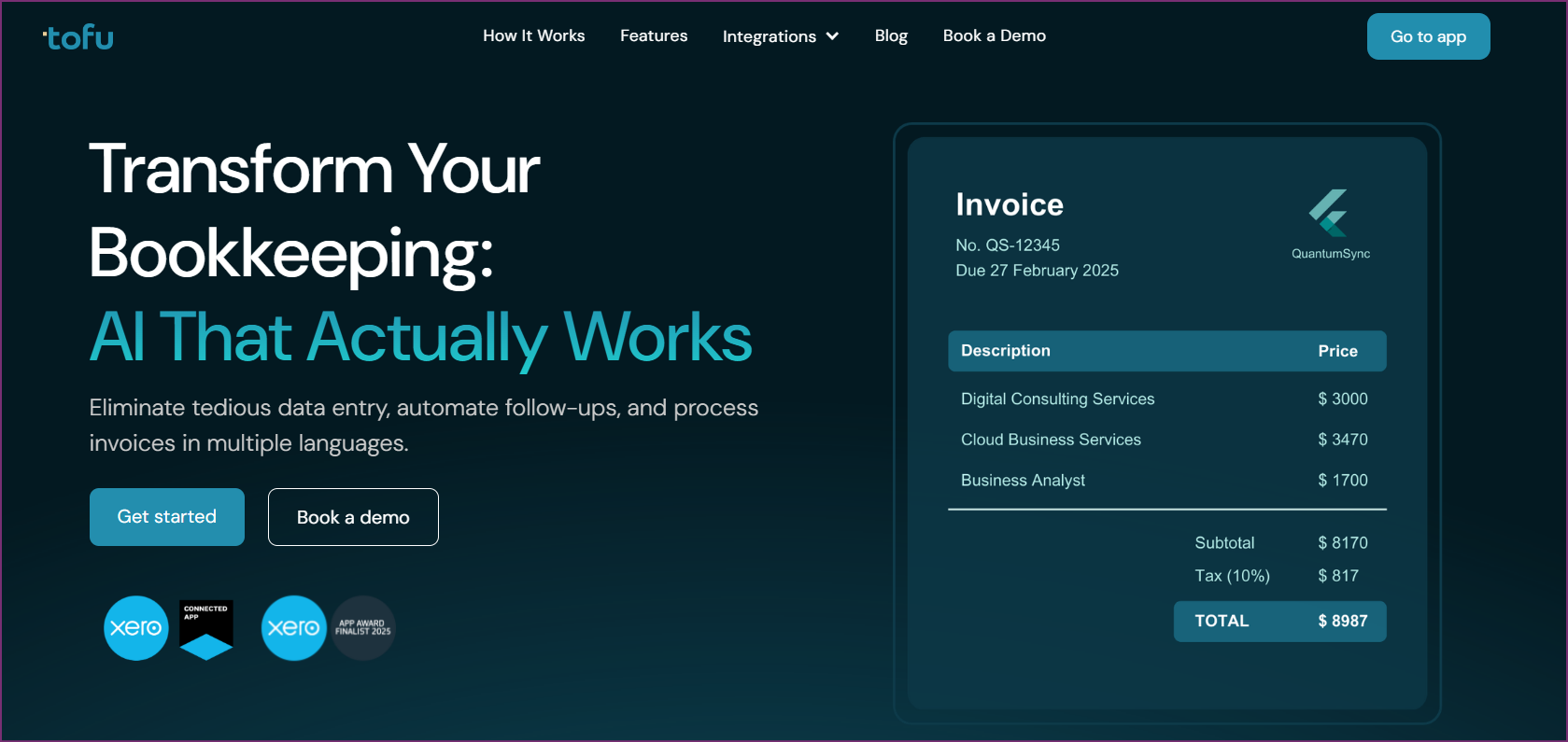
Tofu is an AI-powered invoice capture platform built specifically for accounting firms serving clients with international suppliers. The core differentiator is zero-configuration: connect Tofu to Xero or QuickBooks Online and it begins extracting data immediately, without defining supplier rules, setting up templates, or configuring field positions.
The AI processes documents in 200+ languages, handling Chinese fapiao, Arabic invoices, Malay documents, and mixed-language PDFs that defeat traditional OCR tools. More importantly, Tofu extracts line-by-line data rather than capturing only totals, which matters for firms that need to match purchase orders, split costs to project codes, or reconcile multi-line supplier invoices.
Automatic PDF splitting is another standout feature. When a supplier sends a 40-page PDF containing multiple invoices, Tofu splits it automatically and processes each document separately. Competing tools typically require manual separation before upload.
Tofu serves 7 of the Top 10 Global Accounting Networks, including Baker Tilly, BDO, Deloitte, Mazars, PKF, HLB, and RSM. The platform was named a Xero Global Emerging App of the Year Finalist in 2025.
| Plan | Monthly Price | Best For |
|---|---|---|
| Starter | $79/month | Small practices with moderate document volumes |
| Growth | $199/month | Growing firms with higher volumes and custom workflows |
Pricing is entity-based, meaning the same flat rate applies regardless of how many users are on the account - a significant advantage over per-user tools as firms grow.
International accounting firms, APAC-region practices, and any firm whose clients receive invoices from suppliers in multiple countries or languages.
Xero App Store: 5/5 stars - View Reviews
Book a Demo with Tofu to see the zero-configuration AI in action.

Dext (formerly Receipt Bank) is one of the most widely adopted invoice capture tools among accounting firms working in the Xero ecosystem. It connects directly to Xero and QuickBooks, allowing firms to collect receipts and invoices from clients via mobile app, email, or direct upload.
The platform's strength is its network effects - many accountants and their clients are already familiar with Dext, reducing onboarding friction. Dext supports supplier rules that extract data more accurately once configured for recurring vendors. For practices handling a consistent set of suppliers, the initial rule setup pays off quickly.
Dext uses per-user pricing. Exact tiers vary by region - contact Dext for current pricing as it changes frequently. Expect meaningful cost increases as team size grows.
Accounting firms with predominantly English-language document workflows and existing Dext familiarity within their client base.

HubDoc is included free with Xero subscriptions, making it the easiest entry point for practices already using Xero. The tool collects documents from client email forwarding, direct upload, and automatic fetching from bank and supplier portals.
The primary limitation is extraction depth. HubDoc captures totals and header fields but does not extract line items. For firms that need only top-level data posted to Xero, this is sufficient. For any workflow requiring line-by-line reconciliation, HubDoc falls short.
Free with Xero subscription plans.
Xero App Store: 3.3/5 stars - View Reviews; G2: 4.3/5 (82 reviews); Capterra: 4.2/5 (92 reviews) - G2 Reviews - Capterra Reviews
Small Xero practices with simple English-language invoice workflows who want a free, adequate solution rather than a specialized capture tool.
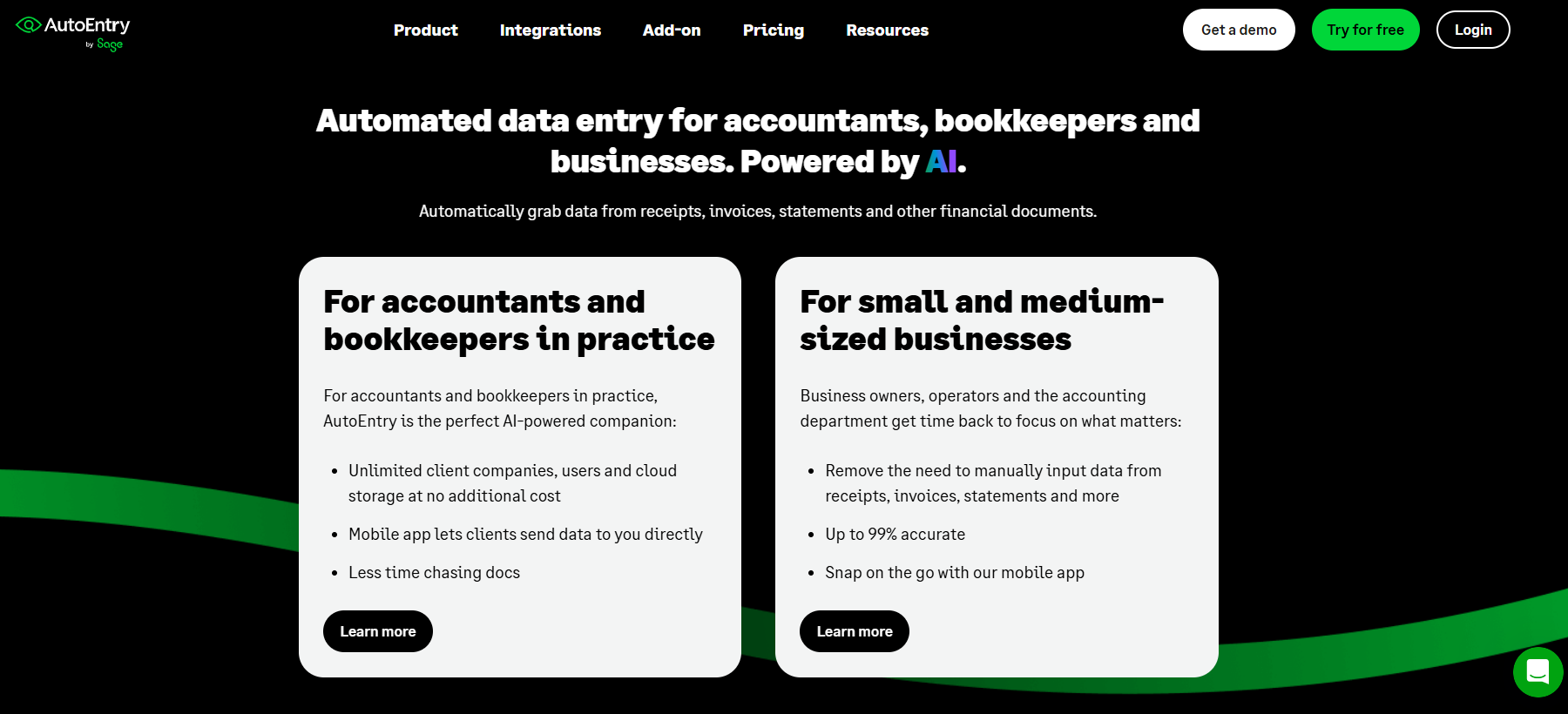
AutoEntry takes a credit-based approach to invoice capture pricing, where each document processed consumes one or more credits. Plans start at $24/month for 50 credits, scaling up to $108/month for 500 credits. This model benefits firms with variable monthly volumes who want to avoid paying for unused capacity.
The platform handles invoices, receipts, and bank statements, extracting supplier details, dates, and amounts with reasonable accuracy for standard English-language documents. AutoEntry connects to Xero, QuickBooks, and Sage.
| Plan | Price | Credits |
|---|---|---|
| Starter | $24/month | 50 credits |
| Basic | $36/month | 100 credits |
| Standard | $56/month | 200 credits |
| Premium | $108/month | 500 credits |
Small practices with variable monthly invoice volumes who want flexible, low-commitment pricing.
Datamolino is a document data extraction tool with strong adoption among accounting firms in the UK, Ireland, and parts of Europe. It integrates with Xero and QuickBooks, focusing on clean, accurate extraction from invoices and receipts.
The platform uses a combination of automated extraction and human verification for ambiguous documents, which can improve accuracy but also introduces processing delays compared to fully automated solutions. The hybrid approach gives practices more confidence in extracted data quality, particularly for invoices from new or irregular suppliers where automated accuracy may vary.
Datamolino's document-based pricing (rather than per-user) makes it accessible for small firms, though high-volume months push costs toward higher tiers quickly. The multi-company management dashboard suits practices with multiple client entities.
| Plan | Price | Documents |
|---|---|---|
| Basic | $29/month | 100 documents |
| Standard | $49/month | 300 documents |
| Professional | $99/month | 1,000 documents |
UK and European accounting practices seeking a cost-effective, well-rated capture tool for predominantly English-language documents.
Lightyear goes beyond invoice capture to offer a complete accounts payable workflow platform. Alongside document data extraction, it includes purchase order matching, approval routing, supplier management, and payment processing.
For firms that want a single platform to handle the entire AP cycle - from document receipt through approval to payment - Lightyear offers more depth than pure capture tools. The trade-off is a higher price point that may be more than smaller practices need.
| Plan | Price |
|---|---|
| Starter | $169/month |
| Growth | $329/month |
Mid-size businesses or accounting firms with clients who need a complete AP automation solution, not just invoice capture.

BILL combines invoice capture with accounts payable and accounts receivable management, targeting finance teams at US small and mid-size businesses. The platform handles domestic ACH and check payments, making it a good fit for US businesses that want capture and payment in one platform.
BILL's invoice capture uses OCR to extract data, with the extracted fields feeding directly into its AP workflow for approval and payment. The per-user pricing model means costs scale with team size.
| Plan | Price |
|---|---|
| Essentials | $45/user/month |
| Team | $55/user/month |
| Corporate | $79/user/month |
US-based SMBs wanting a single platform for invoice capture and domestic payment processing, particularly those already using QuickBooks.
Botkeeper combines software automation with access to human bookkeeper services, targeting accounting firms that want to offload bookkeeping tasks entirely rather than just automate data capture.
The software layer handles transaction categorization and reconciliation automation, while optional managed bookkeeper services cover the work that automation cannot handle. This hybrid model suits mid-size accounting firms with 10 or more clients.
Software-only licenses start at $104/month (annual) per license or $149/month monthly. Bundled bookkeeper services start at $1,499/month with a 10-license minimum.
Mid-size accounting firms (10+ clients) looking for a bookkeeping automation platform with optional human services, rather than specialized invoice data capture.
| Feature | Tofu | Dext | HubDoc | AutoEntry | Datamolino | Lightyear | BILL | Botkeeper |
|---|---|---|---|---|---|---|---|---|
| Line-item extraction | Yes | Partial | No | Partial | Partial | Yes | Partial | Limited |
| 200+ languages | Yes | No | No | No | No | No | No | No |
| Zero configuration | Yes | No | Partial | No | No | No | No | No |
| Auto PDF splitting | Yes | No | No | No | No | No | No | No |
| AP workflow | No | Partial | No | No | No | Yes | Yes | Partial |
| Free tier | No | No | Yes (with Xero) | No | No | No | No | No |
| Entity-based pricing | Yes | No | N/A | No | No | No | No | Partial |
| Tool | Entry Price | Pricing Model | Notes |
|---|---|---|---|
| Tofu | $79/month | Entity-based (flat) | No per-user fees |
| Dext | Contact for pricing | Per-user | Costs increase with team size |
| HubDoc | Free | Included with Xero | Xero subscription required |
| AutoEntry | $24/month | Credit-based | 50 credits at entry tier |
| Datamolino | $29/month | Document-based | 100 documents at entry tier |
| Lightyear | $169/month | Flat monthly | Full AP workflow included |
| BILL | $45/user/month | Per-user | Scales with team size |
| Botkeeper | $104/month (annual) | Per-license | 10-license minimum for managed services |
HubDoc is the only genuinely free option - included at no extra cost with Xero subscriptions. It handles basic English-language invoices but lacks line-item extraction. For teams needing more capability, AutoEntry's $24/month entry tier is the most affordable paid option.
Most OCR tools struggle with handwritten documents. Tofu specifically supports handwritten receipts and documents through its AI model, which uses contextual understanding rather than pattern matching. Traditional OCR tools like HubDoc and Dext are not designed for handwritten input.
Invoice capture refers specifically to extracting data from incoming supplier documents and posting it to an accounting system. Accounts payable automation covers a broader workflow, including approval routing, purchase order matching, supplier communication, and payment processing. Tools like Lightyear and BILL combine both. Tools like Tofu, Dext, and HubDoc focus on the capture step.
Traditional OCR converts document images to text using character recognition. AI-powered capture goes further, understanding document structure and context to extract the right data even when field positions change between suppliers, when documents are photographed at angles, or when text appears in non-Latin scripts. AI tools require no supplier-specific templates because the model adapts to new formats on the first document.
Yes, though the right tool depends on document volume. HubDoc (free with Xero) or AutoEntry (from $24/month) handle small business needs well. For businesses with international suppliers or multilingual documents, Tofu at $79/month offers capabilities no other entry-tier tool matches.
Request a demo or trial using real documents from your client base. Specifically test with supplier invoices that have non-standard layouts, documents in any non-English language, handwritten receipts if applicable, and multi-invoice PDFs. Accuracy on these edge cases separates genuinely capable tools from basic OCR solutions.
Per-user pricing models penalize growth. As firms add staff or bring in junior bookkeepers to handle volume, per-user costs multiply. Entity-based pricing - where a flat monthly rate applies regardless of how many team members access the system - removes this penalty. Tofu uses entity-based pricing, which means a firm can add three new bookkeepers to the account without seeing any change in their monthly invoice capture bill. For growing practices, this creates a meaningfully different financial model compared to per-user tools like Dext or BILL.
Most invoice capture tools extract whatever currency fields appear on the document. The actual currency conversion and multi-currency accounting happens in the connected accounting platform (Xero, QuickBooks) rather than in the capture tool itself. The key requirement from the capture tool is that it correctly identifies and extracts the currency code and amount as written, which is reliable for most platforms. Where tools differ is in handling invoices written entirely in a non-Latin currency format - for example, Japanese yen amounts formatted according to Japanese conventions. Tofu handles these through its multilingual AI, while most OCR-based tools require manual review.
Invoice capture software ranges from free Xero add-ons to sophisticated AI platforms that handle documents in 200 languages. The right choice depends on your document mix more than anything else.
For practices with straightforward English-language workflows and tight budgets, HubDoc (free), AutoEntry ($24/month), or Datamolino ($29/month) cover the basics well. For those needing full AP workflow management, Lightyear or BILL add approval routing and payment capabilities.
The gap between a basic OCR tool and an AI-powered solution like Tofu is most visible at the edges - unfamiliar supplier formats, documents photographed under poor conditions, bulk PDFs from international vendors, and mixed-language files that need no configuration to process correctly. If those edge cases represent even 10-15% of your document flow, the time saved justifies the move to AI-powered capture.
For accounting firms dealing with international suppliers, multilingual documents, or bulk PDF processing, Tofu is the clear recommendation. No other tool in this comparison handles 200+ languages, extracts line items, splits PDFs automatically, and requires zero configuration from day one.
Book a Demo with Tofu to see how it handles your actual documents.
Automated Invoice Data Capture: How AI and OCR Eliminate Manual Data Entry
What Is Invoice Capture? The Complete Guide to Invoice Data Capture 2026