SunTao Lai
April 24, 2026

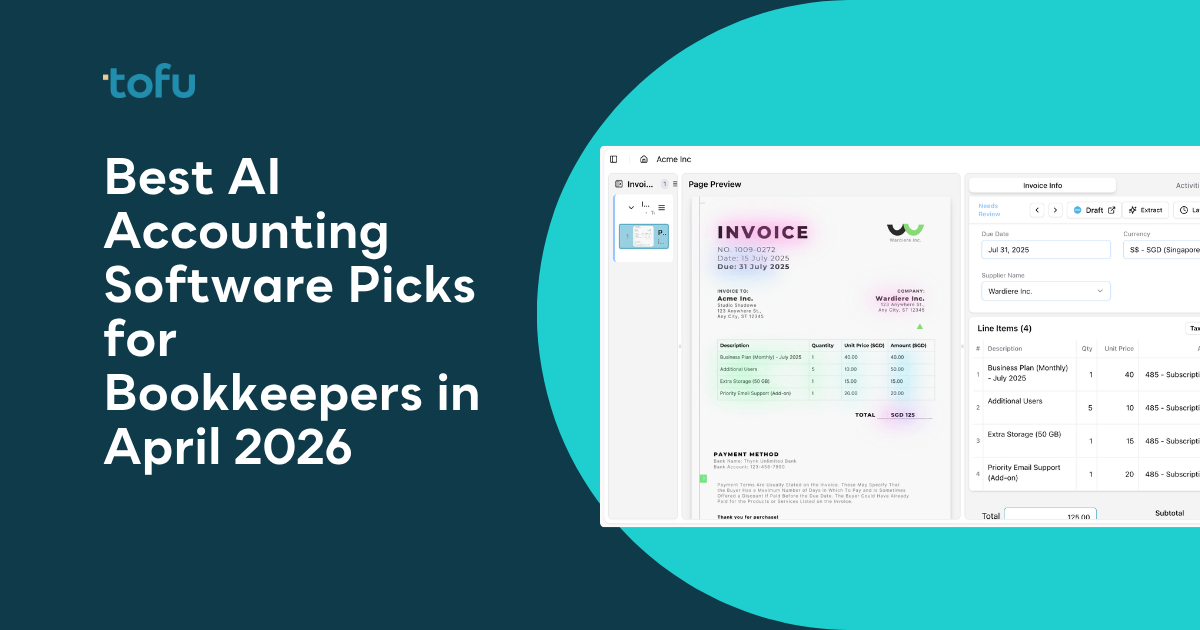
Everyone shopping for AI accounting software hits the same wall: the tool promises automation but only captures invoice headers, leaving you to manually code every line. For bookkeepers managing dozens of clients across multiple languages, that gap turns into hours of typing each week. The tools worth your time pull full line items, learn your coding patterns, and publish directly to your accounting software without a separate import step.
TLDR:
AI accounting software refers to tools that read financial documents, extract transaction data, and categorize it into your accounting system without manual input. Where traditional bookkeeping software requires a human to open an invoice and type every field, AI-powered tools handle that extraction automatically.

The distinction matters because not all "AI" tools do the same thing. Some only capture header data: supplier name, date, total. Others go deeper, pulling every line item, coding each one to your chart of accounts, and publishing directly to Xero or QuickBooks. For a bookkeeper processing 200+ client invoices a month, that gap is the difference between saving an hour and saving a week.
There are a few core capabilities worth knowing before comparing tools:
Traditional OCR tools check the first box and stop there. True AI bookkeeping software covers all four, and learns your firm's specific patterns so accuracy improves the longer you use it.
We weighed several factors when putting this list together, because the right AI accounting tool depends heavily on what your firm processes day-to-day.
Rankings reflect publicly available product information, verified customer feedback, and feature documentation from each tool's official sources. No paid lab testing was conducted.
Tofu is built for one job: eliminate the manual data entry that eats up bookkeeping hours. Upload an invoice, receipt, or bank statement, and Tofu extracts every field, codes it to your chart of accounts, and publishes directly to Xero or QuickBooks. No templates to build. No rules to configure. Connect your accounting software and start processing the same day.
What sets Tofu apart from legacy OCR tools is extraction depth. Most tools grab the header: supplier name, date, total. A 30-line wholesale invoice? You're still typing every line. Tofu pulls the full document: descriptions, quantities, unit prices, account codes, tax treatment, all auto-coded and ready to post.
Here is what you get with Tofu:
"Before using Tofu, it would take me between 3 to 4 hours to input and review a client's invoices. With Tofu, I can now complete the process in just 30 to 60 minutes." Tammy Tan, Bookkeeper, Klozer
Good for: firms processing multi-language or handwritten documents, high-volume invoice workflows requiring line-item detail, and practices that want predictable monthly costs without per-seat surprises.
If your current tool only captures totals or breaks down on non-English documents, Tofu fixes both problems without asking you to spend a day on setup first.
Vic.ai focuses on accounts payable automation, using machine learning trained on millions of AP invoices to reach over 99% claimed accuracy on invoice coding and capture.
Here is what they offer:
Good for: mid-size to enterprise firms pushing 500+ invoices per month, where the ROI makes sense at that cost. Below that volume, the math gets harder to defend. Firms handling more moderate document volumes may find better fit among invoice automation software for accounting firms.
Limitation: Vic.ai covers AP and stops there. No receipt processing, no bank statement extraction, no AR invoices. That means deploying extra tools for anything outside supplier bills.
Bottom line: If your firm runs pure, high-volume AP workflows inside an ERP, Vic.ai is purpose-built for that. If you need broader document coverage across bank statements, receipts, and line-item extraction, Tofu handles all of it from a single tool at a lower starting price. For firms comparing other options, see the best Vic.AI alternatives for accounting firms.
Tabby is an AI bookkeeping assistant built for freelancers, 1099 workers, and small business owners who want simplified financial tracking without the complexity of traditional accounting software.
Here is what Tabby offers:
Good for: solopreneurs managing their own business finances who want clean, tax-ready books without hiring a bookkeeper.
Limitation: Tabby only supports USD transactions, with limited international bank coverage outside the US. EU and Canadian users can connect some banks but cannot process non-USD currencies.
Bottom line: Tabby solves personal business finance for individual freelancers. Tofu is built for accounting firms managing dozens of clients at once, with multi-currency and multi-language document processing that Tabby was never designed to handle.
Booke.ai combines RPA with AI-driven categorization to automate transaction categorization, bank reconciliation, and client communication for accounting firms.
Here is what you get with Booke:
Good for: firms managing multiple clients who want affordable, repeatable categorization and reconciliation automation.
Limitation: Booke only integrates with QuickBooks Online and Xero. Firms on Sage, MYOB, Zoho, or NetSuite fall outside its scope entirely.
Bottom line: Booke handles categorization and reconciliation at a low per-client cost. Tofu covers the full document workflow, from extraction through posting, and exports to 15+ accounting systems beyond those two.
Zeni combines AI bookkeeping with a dedicated human finance team, banking, bill pay, and fractional CFO services into a single vendor relationship.
Here is what they offer:
Good for: venture-backed startups from pre-revenue to Series B that need investor-ready reporting and bundled financial services.
Limitation: pricing starts around $494/month and climbs to $1,000 to $2,000/month for growth plans, which rules it out for most small businesses or bootstrapped teams.
Bottom line: Zeni serves funded startups that want one vendor for everything finance-related. Tofu is built for accounting firms processing client documents at scale, starting at $79/month with no human service markup layered in.

Here's a side-by-side look at how each tool stacks up across the features that matter most for bookkeeping workflows.
| Feature | Tofu | Vic.ai | Tabby | Booke | Zeni |
|---|---|---|---|---|---|
| Line-item extraction | Yes | No | No | No | No |
| Multi-language support (200+) | Yes | Yes | No | Yes | No |
| Handwriting recognition | Yes | No | No | No | No |
| Bank statement processing | Yes | No | No | No | Yes |
| Zero-configuration setup | Yes | No | Yes | No | No |
| Accounting firm focused | Yes | Yes | No | Yes | No |
| Flat monthly pricing | Yes | No | Yes | Yes | No |
| QuickBooks integration | Yes | Yes | Yes | Yes | Yes |
| Xero integration | Yes | Yes | No | Yes | No |
| Line-item extraction depth | Included on all plans | Not applicable | Not applicable | Varies by plan | Not applicable |
| Self-learning AI | Yes, with per-client AI memory built from corrections | Varies by plan | No | Varies by plan | No |
| Starting price | $79/month | Custom | $19/month | $20/client | $549/month |
Tofu is the only tool on this list that checks all five document-processing boxes: line items, handwriting, bank statements, 200+ languages, and zero configuration out of the gate.
The pricing model matters as much as the feature set. Per-client and per-document models are structurally designed to grow revenue as your firm grows, which is the opposite of what you want when you're trying to improve margin. When volume spikes at month-end, so does the bill. After IRIS acquired Dext in December 2024 and restructured from flat firm tiers to per-client billing, firms reported cost increases of 200 to 400% on their existing workflows. The table below shows what each model actually costs across 10, 25, and 50 clients.
| Tool | Pricing model | 10 clients/month | 25 clients/month | 50 clients/month |
|---|---|---|---|---|
| Dext (post-IRIS) * | From ~$23/client/month (Essentials) | ~$230 | ~$575 | ~$1,150 |
| AutoEntry | Per-credit (volume-dependent) | ~$60 to $120 | ~$150 to $300 | ~$300 to $600+ |
| HubDoc | Per-user tiers | Varies by seats | Varies by seats | Varies by seats |
| Tofu | Flat monthly | $199/month (up to 50 clients, unlimited users) | $199/month (up to 50 clients, unlimited users) | $199/month (up to 50 clients, unlimited users) |
At 50 clients, Dext's post-IRIS restructuring puts the bill at roughly $1,150/month, nearly six times Tofu's flat rate. AutoEntry's credit model makes forecasting costs nearly impossible when document volumes fluctuate. Tofu's $199/month covers 50 clients and unlimited users regardless of how many invoices or bank statements you process that month.
* IRIS acquired Dext in December 2024 and restructured pricing from flat firm tiers to per-client billing. Firms have reported cost increases of 200 to 400% on existing workflows following the restructuring.
Tofu is trusted by over 2,000 companies in 40 countries, including 7 of the Top 10 Global Accounting Networks. That reach comes from one thing: it works on day one without spending hours on setup.
Every other tool on this list solves a slice of the problem. Vic.ai handles high-volume AP inside ERPs. Tabby helps freelancers track their own expenses. Zeni bundles services for funded startups. None of them were built for an accounting firm managing 50 clients with invoices in five languages, handwritten receipts, and monthly bank statements that need to be closed out by Friday.
Tofu was. Line-item extraction, 200+ language support, handwriting recognition, bank statement processing, and unlimited users at a flat monthly rate, all in one tool, zero configuration required.
"When there's a bookkeeping task, we ask ourselves: 'Can you Tofu it?' If you can, please just load it in. Don't think." Lucas Seah, CEO, Excellence Singapore
Most AI accounting software work fine for personal use but fall apart when you're processing 200+ client invoices a month across multiple languages. Tofu handles complex invoices, handwritten receipts, and bank statements that run hundreds of pages without asking you to configure rules or build templates first. Book a demo to see how Tofu handles your actual documents on day one.
Tofu handles 200+ languages including handwriting, Arabic, Chinese, and Thai without configuration, making it the strongest choice for firms with international clients. Vic.ai and Booke support multiple languages but lack handwriting recognition, while Tabby only processes USD transactions.
If your clients send detailed invoices with multiple products or services per document, line-item extraction saves hours per invoice by coding each line automatically. Header-only tools like Vic.ai and Booke still leave you typing individual line items manually. For simple one-line receipts, the difference matters less.
Most free tools don't include bank statement extraction. Tofu processes bank statements of any length starting at $79/month, while tools like Tabby and Booke either don't offer bank statement processing or charge separately. Zeni includes it but starts at $549/month.
Accounting firm tools like Tofu and Booke let you manage dozens of clients under one subscription with per-client pricing or flat fees. Freelancer tools like Tabby are designed for individuals tracking their own business expenses, not managing client books across multiple entities.
Flat pricing makes sense when your monthly document volume is high or unpredictable. Processing 500+ invoices per month on per-document pricing adds up fast. Tofu charges $199/month for 2,500 entries across 50 clients regardless of fluctuations. Vic.ai uses custom pricing that typically costs more at high volumes.
Neither HubDoc nor Dext extract line items on standard plans. HubDoc captures header-level data only: supplier name, date, and total. Dext's standard plans do the same; line-item extraction requires additional credits or a higher tier. For firms processing invoices with 10 to 30+ line items, bookkeepers still type every line after either tool has processed the document. For a full comparison, see Dext vs AutoEntry vs HubDoc document processing.