Saman Herath
February 24, 2026

Most accounting firms hit the same wall with Chinese fapiao. The invoice arrives, your bookkeeper recognizes it's in Chinese, and the process shifts from three minutes of data entry to ten minutes of translation, verification, and manual typing into Xero. Legacy OCR tools see Chinese characters as noise because they were trained on English invoices with predictable layouts and alphabet-based text. You can't build extraction rules when the format varies by province and every character contains fifteen strokes compressed into one square. How to process Chinese invoices in Xero automatically became possible when AI learned to read Chinese characters as structured data instead of text strings requiring translation, extracting supplier names, line items, and tax codes directly into Xero without language configuration.
TLDR:
Chinese fapiao are government-issued invoices required for every business transaction in mainland China. They're not optional receipts. Every purchase, every service, every expense needs an official fapiao to be tax-deductible and legally recognized.
The Golden Tax System tracks every fapiao issued through a centralized government database. Each invoice contains unique verification codes, tax authority stamps, and QR codes linking back to official records. You'll encounter special VAT fapiao for general taxpayers, standard VAT fapiao for smaller businesses, and increasingly common e-fapiao that arrive as structured digital files.
Most OCR tools for invoice processing were built for English invoices from Staples and Amazon. They look for "Invoice Number" and "Total Amount" in predictable spots. Chinese fapiao don't follow that format. The layout is government-mandated but varies by province. Critical data appears in Chinese characters, often printed in dense blocks with minimal spacing. Legacy tools see noise where they should see line items.
Processing a standard English invoice costs between $2.36 and $13.11 per document when you factor in bookkeeper time. Chinese fapiao require extra steps that push that number higher.
Your bookkeeper opens the fapiao PDF. They copy the supplier name into Google Translate. They translate the line item descriptions one by one. They cross-reference the verification code format to confirm authenticity. They type the translated data into Xero manually because the translation tool doesn't connect to your accounting software.
A single Chinese invoice that would take 3 minutes in English takes 8 to 12 minutes with translation steps. If your firm processes 50 Chinese invoices monthly at $25/hour bookkeeper cost, that's 8 hours of labor or $200 monthly. Over a year, you're spending $2,400 on work that accounting automation software should handle without human translation.
That math assumes simple invoices. Multi-page fapiao with 20+ line items double the time again.
Most OCR engines were trained on English, Spanish, French, and other Latin-alphabet languages. They recognize patterns like spacing between words, predictable left-to-right flow, and alphabet characters with clear boundaries. Chinese doesn't work that way.
Each Chinese character is a logogram containing multiple strokes in a compact square space. A single character can have 15+ individual strokes compressed into the same area an English letter occupies. Legacy OCR tools struggle to distinguish between similar characters like 间 (space) and 问 (ask) or 已 (already) and 己 (self). One stroke difference changes the meaning completely, but the visual similarity breaks pattern recognition built for alphabet-based languages.
Chinese fapiao compound the problem by mixing languages within the same document. The supplier name appears in Chinese. The verification code is alphanumeric. Tax rates use Arabic numerals. The layout embeds Chinese characters inside government-mandated table structures with minimal padding between cells. Tools like Dext and HubDoc trained on Western invoices see this format and either skip the Chinese fields entirely or return garbled output where characters are misread or merged incorrectly. Modern invoice data extraction software handles these challenges differently.
The Golden Tax System adds another layer. QR codes, digital signatures, and province-specific layout variations mean there's no single template to build rules around. You can't create an "if-then" extraction rule when the format changes by region and invoice type.
Handwritten Chinese invoices show up constantly when your clients buy from wet markets, small wholesale suppliers, and family-run vendors across mainland China. These businesses write receipts by hand on carbon copy forms or generic receipt books.
Printed Chinese invoices already break most OCR tools. Handwritten Chinese makes extraction nearly impossible for legacy software. Each vendor writes characters with different stroke orders, spacing, and styles. The character 发 (issue) written by one vendor looks nothing like another vendor's version. Tools built for printed text return unusable output.
"We find it very hard for those handwriting invoices to be extracted by OCR tools." — Senior Manager, Big 4 Accounting Firm, Taiwan
Thermal paper receipts create another layer of difficulty. Small vendors print on thermal receipt rolls that fade within months. The coating degrades when exposed to light and heat. Your client sends receipts from six months ago and half the text has disappeared.
"The thermal paper is also very popular. Some data in the paper already gone when we see the documents." — CPA Firm Partner, Hong Kong
Food service clients and retail operations generate dozens of these receipts weekly. A restaurant buying fresh produce from a wet market collects handwritten receipts in Chinese on thermal paper. Your bookkeeper receives a faded, handwritten document in a language they don't read. Until recently, bilingual staff doing manual entry was the only option.
Tofu processes handwritten Chinese receipts, faded thermal paper, and crumpled wet market invoices. The AI extracts text where traditional OCR tools return nothing usable, with English translations alongside the original Chinese characters.
AI document processing combines OCR with language models trained on millions of Chinese documents. When you upload a Chinese fapiao, the system detects text in Chinese characters, identifies document type by layout patterns, and extracts every field without translation first.
The AI reads 购买方 (purchaser), 销售方 (seller), 货物或应税劳务名称 (goods or taxable services), and 金额 (amount) as structured data fields, not text strings requiring translation. Line items extract with descriptions in Chinese and English translations side-by-side. Tax calculations, verification codes, and QR data pull automatically.
The system learns your Xero chart of accounts and codes each line item based on historical patterns, not hard-coded rules. This works on printed fapiao, e-fapiao PDFs, and handwritten receipts.
Connect your Xero account to Tofu. The connection takes two clicks and reads your existing chart of accounts, contact list, and tax rates. Unlike solutions like Puzzle.io, no templates to build. No templates to build. No language settings to configure.
When your mainland China client sends a fapiao, forward it to your unique Tofu email address. You can also drag and drop files directly into the browser or sync a Google Drive folder where clients upload monthly batches. Tofu detects document boundaries automatically, so a 40-page PDF with mixed Chinese and English invoices splits into individual documents without manual sorting.
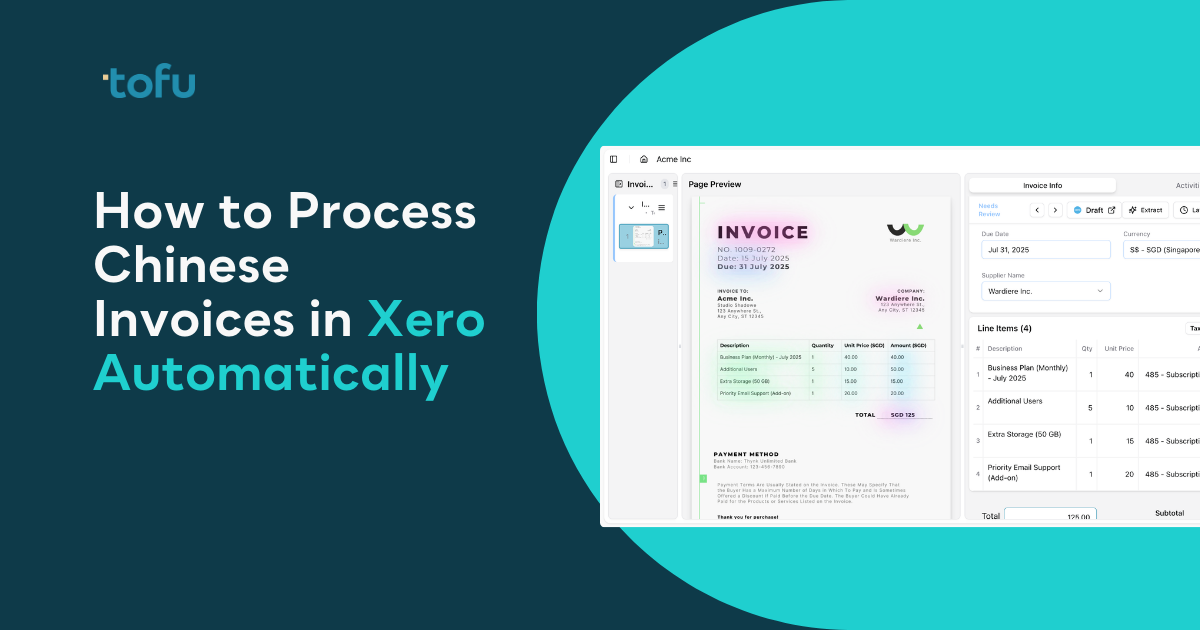
The extraction runs in seconds. You'll see the Chinese supplier name, invoice date, verification code, and line items with descriptions in both Chinese and English. Each line shows quantity, unit price, and auto-suggested account codes based on how you've coded similar items before.
Click any extracted field and the source document zooms to show exactly where the AI read that data. A bounding box highlights the Chinese characters. If the AI miscoded a line item, click to correct it. That correction teaches the system permanently for this client entity. Next time this supplier or similar description appears, the coding reflects your preference.
Review takes 30 seconds per invoice instead of 10 minutes of translation and typing. When you're satisfied, click publish. The coded transaction posts to Xero with the original fapiao PDF attached to the bill record. Your audit trail stays intact without separate file management.
Click any field in the extraction and the source document zooms to the exact location where the AI read that data. A bounding box highlights the Chinese characters. You're seeing the raw fapiao with visual confirmation that 办公用品 (office supplies) came from line 3, not a hallucination.
Chinese descriptions appear with English translations side-by-side. The supplier name 北京科技有限公司 shows as "Beijing Technology Co., Ltd." without leaving the review screen. You verify accuracy in seconds instead of switching between translation tools and your accounting software.
When you correct a miscoded line item, Tofu learns that coding rule for this client entity. The next Chinese invoice with similar descriptions codes correctly without re-teaching. Your knowledge persists even when staff turnover happens.
Duplicate detection flags invoices already processed. Chinese fapiao often have verification codes that vary slightly between original and copy versions. Tofu catches matching supplier, date, and amount combinations before posting to Xero. You get a warning with the original document reference.
Every posted transaction includes the original fapiao PDF attached to the Xero bill record. Auditors see the source document without requesting separate files.
Accounting firms with mainland China clients face a specific problem: each client has different suppliers, different chart of accounts structures, and different coding preferences. Client A might code 办公用品 (office supplies) to account 6100. Client B codes the same Chinese description to 5200. Tofu maintains separate knowledge for each client entity so corrections made for one client never affect another.
Create a unique inbox email address for each client entity. Your client sends their monthly fapiao batch to [email protected]. Tofu detects which entity the email belongs to and applies that entity's specific coding rules automatically. No manual sorting. No risk of cross-client contamination.
When you onboard a new mainland China client, Tofu reads their existing Xero chart of accounts and transaction history. The first few invoices might need corrections as the AI learns their preferences. After 10-15 invoices, the system codes new Chinese documents with 95%+ accuracy for that specific client. Your team can work across all clients simultaneously, and bulk upload works the same way: drop 40 invoices from 5 different clients into one PDF, and Tofu splits them by document boundaries and routes each to the correct entity.
We built Tofu to solve this problem. The system processes Chinese fapiao and English invoices without configuration or language selection. Upload a Chinese invoice and Tofu reads every field in seconds.
Connect your Xero account once. Tofu reads your chart of accounts, tax rates, and supplier history automatically. When a Chinese fapiao arrives, the AI extracts supplier names, verification codes, and line item descriptions in Chinese with English translations. Each line codes based on your historical patterns. The original PDF attaches to the Xero bill record when you publish.
Handwritten Chinese receipts work the same way. Tofu handles wet market receipts, thermal paper invoices, and multi-page bulk uploads. The system learns from every correction you make.
"Tofu cuts our invoice time nearly in half and nailed the translations — the learning curve is small compared with the payoff." — Leh Choon Wong, Head of GBS, GoGlobal
Manual translation and data entry turns simple invoices into 12-minute tasks your bookkeepers shouldn't be doing. Automatic processing for chinese invoices in Xero handles fapiao extraction, coding, and publishing in seconds instead of minutes. Your team reviews instead of types, and the AI learns your preferences with every correction. Start with a free trial and upload your first Chinese invoice.
Connect your Xero account to Tofu with two clicks, and the system reads your chart of accounts automatically. You can upload your first Chinese fapiao and start extracting within minutes — no language settings to configure, no templates to build.
Yes. Tofu processes handwritten Chinese receipts and invoices, including thermal paper receipts common at wet markets and small vendors. The system extracts text where traditional OCR tools return nothing usable.
Tofu extracts verification codes, tax authority stamps, QR codes, and all government-mandated fields automatically. The system reads both Chinese characters and alphanumeric codes without manual data entry.
Yes. Tofu maintains separate knowledge for each client entity. When you correct a Chinese supplier name or line item description, the system learns that coding rule permanently for that specific client without affecting your other clients' coding patterns.
The original fapiao PDF attaches to every Xero bill record automatically when you publish. Click any extracted field during review and the document zooms to show exactly where the AI read that Chinese text with a visual bounding box.