Jay Sen Lon
January 28, 2026

Every startup founder knows the frustration of managing books while trying to build a company. Manual QuickBooks categorization, waiting weeks for month-end close, and struggling to get real-time insights into cash runway can drain hours that should go toward growth.
Puzzle.io positions itself as the AI-native accounting solution that automates 85-95% of repetitive bookkeeping tasks while delivering real-time financial insights. Built by founders for founders, it promises to cut month-end close time in half and provide instant visibility into critical metrics like burn rate, runway, and ARR.
This detailed review looks at whether Puzzle accounting software delivers on those promises, who should consider it, and what alternatives might better serve your needs.
TLDR:
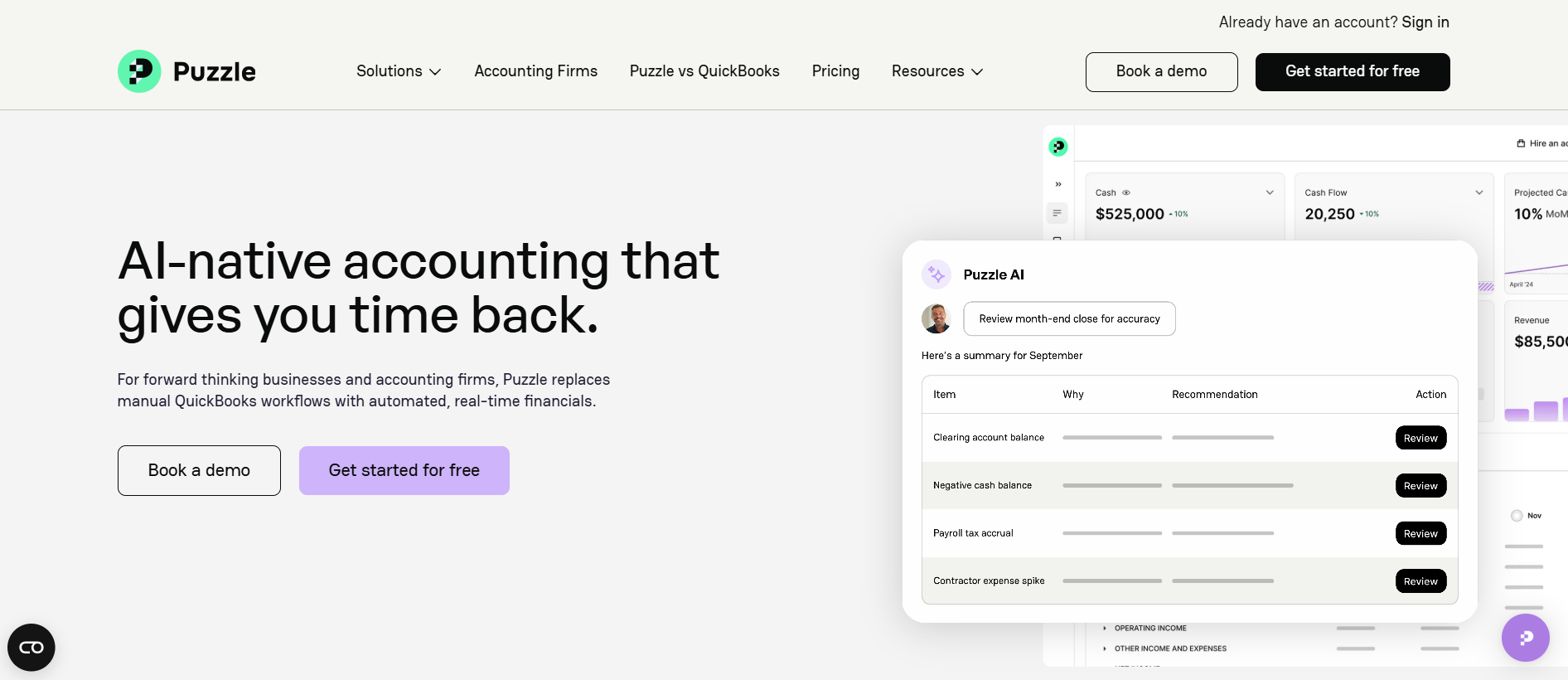
Puzzle is an AI-powered accounting platform designed expressly for startups and small businesses seeking to automate their bookkeeping workflows. Unlike traditional accounting software that requires extensive manual categorization and configuration, Puzzle uses artificial intelligence to automatically categorize transactions, manage accrual accounting, and generate real-time financial reports.
The platform integrates directly with popular startup tools like Stripe, Mercury, Ramp, Brex, Deel, and Gusto to maintain synchronized, real-time data. Puzzle supports both cash and accrual accounting simultaneously, eliminating the need for duplicate work or complex spreadsheets.
Founded by entrepreneurs who experienced bookkeeping pain firsthand, Puzzle raised $50 million in total funding (including a $30M Series A led by S32 and XYZ Capital) and has achieved 15% month-over-month customer growth. The company targets US-based startups and accounting firms looking to reduce manual bookkeeping workload.
| Category | Rating | Notes |
|---|---|---|
| Ease of Use | 4.5/5 | Clean interface praised by users |
| Features | 4/5 | Strong automation, missing basic customization |
| Pricing | 4.5/5 | Generous free tier, reasonable paid plans |
| AI Accuracy | 3.5/5 | 90-95% accuracy, manual override issues |
| Support | 3/5 | Mixed reviews, some onboarding issues |
| Overall | 4/5 | Excellent for non-accountant founders, concerns for pros |
Best for: US-based startups under $5M ARR with standard SaaS business models seeking automated bookkeeping with real-time dashboards.
Not ideal for: International businesses, companies needing extensive customization, accounting firms serving multiple clients with diverse needs, or businesses requiring multilingual document processing.
Puzzle's headline feature is AI-driven categorization that automatically classifies 90-95% of financial transactions. The system learns from patterns in connected accounts (Stripe, Brex, Ramp, Mercury, etc.) and applies categorization rules without manual configuration.
According to research from Beancount.io, users praise this automation for eliminating hours of manual work. However, the same analysis reveals a critical limitation: when AI miscategorizes transactions, users report difficulty making manual corrections. One Reddit user described being "pretty frustrated" because incorrect AI decisions are hard to override.
The AI continues learning over time, theoretically improving accuracy. But for accountants who need precise control over categorization decisions, this automation-first approach can create more work than it saves when corrections accumulate.
Puzzle provides a visual dashboard showing key startup metrics without waiting for month-end close. Founders can view:
This real-time visibility marks a major improvement over traditional accounting software where financial position becomes clear only after accountants complete monthly close processes. For founders making quick decisions about hiring, spending, or fundraising, having instant access to cash runway and burn metrics provides genuine value.
Unlike most accounting platforms that require choosing between cash or accrual basis, Puzzle maintains both accounting methods simultaneously. The system automatically handles:
This dual-method approach eliminates spreadsheet reconciliation and guarantees both cash flow visibility (for day-to-day decisions) and GAAP-compliant accruals (for investor reporting and tax preparation).
Puzzle claims to cut month-end close time by up to 50% through AI-powered automation on the higher-tier plans ($100/month and above). The Advanced Automation plan includes:
These features aim to reduce the manual reconciliation and review work that typically extends close processes. However, as Puzzle itself acknowledges, professional accountant review remains necessary before submitting financials to the IRS, investors, or auditors.
Puzzle connects with common startup tools through direct API integrations:
These integrations provide automatic transaction syncing, reducing manual data entry. However, the range of integrations remains smaller than well-known platforms like QuickBooks Online or Xero, which connect with hundreds of third-party applications.
Puzzle offers four pricing tiers with straightforward monthly and annual billing options. All plans include unlimited user seats and unlimited expense transactions.
The free tier provides core bookkeeping functionality:
Catch: Free for the first $20,000 in monthly transaction value. Once transactions exceed $20K/month, the price jumps to $25/month.
This generous free offering makes Puzzle attractive for very early-stage startups. As one user noted, the free tier is "way too generous" compared to competitors charging immediately for similar features.
Adds real-time financial intelligence:
Annual billing: $42.50/month (15% savings)
This tier targets founders who need day-to-day visibility beyond basic financials but don't require advanced automation.
Unlocks AI-powered workflow automation:
Annual billing: $85/month (15% savings)
According to Puzzle's website, this represents the most popular tier, suggesting startups value the AI-assisted close and accuracy monitoring despite the price increase.
Enterprise-level customization and automation:
Annual billing: $255/month (15% savings)
Pricing scales based on transaction volume and customization needs. This tier serves larger startups or those with complex accounting requirements.
Puzzle's pricing model avoids per-user fees, a real advantage over competitors charging $20-40 per additional user. However, consider these factors:
Professional review required: Puzzle automates bookkeeping but doesn't replace accountant oversight for tax filing, investor reporting, or audits. Budget for CPA review services.
Integration limitations: Connecting tools outside Puzzle's standard set of supported apps may require workarounds or manual imports, adding time costs.
Data migration: Moving historical data from QuickBooks or Xero into Puzzle may require professional services, adding one-time setup costs.
Genuinely simple user experience. The most consistent praise from users focuses on Puzzle's clean, intuitive interface. Non-accountant founders report understanding their financial position without extensive training. The dashboard presents complex accounting concepts in plain language accessible to business owners without accounting backgrounds.
Real-time insights eliminate waiting. Traditional accounting workflows require waiting days or weeks after month-end for financial visibility. Puzzle provides instant access to cash position, burn rate, and runway calculations, allowing faster day-to-day decisions.
Unlimited users included. Unlike QuickBooks Online charging $30+ per additional user, Puzzle includes unlimited seats at every tier. For teams where multiple people need financial visibility, this creates sizable savings.
Generous free tier for early startups. Companies processing under $20,000 monthly transaction value get full basic accounting functionality at zero cost. This substantially lowers barriers for bootstrapped founders.
Strong integration with modern startup stack. Direct API connections to Stripe, Mercury, Ramp, Brex, Gusto, and Deel cover the core tools most US startups use, reducing manual reconciliation.
AI override limitations frustrate professionals. When the AI miscategorizes transactions, users report difficulty making corrections. Accountants accustomed to precise control over every entry find this automation-first approach restrictive. Manual override workflows need improvement.
Product feels incomplete. Multiple reviewers describe Puzzle as an early-stage product "being built as they go." Users encounter missing basic features like transaction memo fields or advanced filtering that require workarounds or exports to Excel.
Customer support inconsistencies. Several users reported frustrating support experiences, including instances where Puzzle representatives didn't join scheduled onboarding calls. For companies relying on accounting software for critical financial functions, support reliability matters a great deal.
Complex initial setup despite automation promises. While Puzzle automates ongoing categorization, users note the initial configuration requires considerable effort to map chart of accounts, set up workflows, and configure integrations for optimal performance.
Limited customization compared to enterprise platforms. Businesses with complex entity structures, international operations, or specialized reporting needs find Puzzle's customization options insufficient. The platform optimizes for standard SaaS business models.
US-focused feature set. Puzzle's set of integrations, tax handling, and compliance features center on US businesses. International companies need multi-currency support, regional tax compliance, and multilingual capabilities that Puzzle does not treat as a top concern.
Not a complete accountant replacement. Despite automating 85-95% of bookkeeping tasks, Puzzle explicitly states professional review remains necessary for tax filings, investor reports, and audits. Budget accordingly for CPA services.
Puzzle lacks presence on major review platforms like G2 and Capterra, where it currently shows no customer reviews. This absence makes thorough rating analysis difficult compared to well-known competitors with hundreds of verified reviews.
Available feedback from Reddit, Twitter, and blog analyses reveals divided sentiment:
Early adopters and non-accountant founders express enthusiasm about the simplified interface and real-time insights. The dashboard's ability to show cash runway and burn rate without accounting expertise generates plenty of praise. Users appreciate avoiding QuickBooks' complexity and getting answers to basic financial questions immediately.
Professional accountants and firms express more reservation. Concerns center on AI accuracy, limited manual control, and the platform feeling immature for professional practice management. Accountants serving multiple clients need strong controls and customization that Puzzle's automation-first approach doesn't always provide.
Common positive themes:
Common complaint themes:
The overall sentiment skews positive among the target audience (early-stage startup founders) while generating skepticism from professional accountants needing precision and control.
For accounting firms and practices serving multiple clients, document processing automation creates more value than dashboard simplicity. Here's how Puzzle compares to Tofu, which specializes in bookkeeping automation for professional practices.
| Feature | Puzzle | Tofu |
|---|---|---|
| Setup Complexity | Requires workflow configuration | Zero-configuration setup |
| Document Processing | Bank feed categorization only | 200+ languages with line-by-line extraction |
| Language Support | English only | 200+ languages including Asian scripts |
| AI Approach | Transaction categorization | Document data extraction |
| Manual Override | Difficult per user reports | Full control over extracted data |
| PDF Handling | Not applicable | Automatic splitting of multi-invoice PDFs |
| Handwriting Processing | Not supported | Handles handwritten invoices |
| Pricing Model | $0-$300/month per company | $79-$199/month entity-based |
| Target User | US startup founders | APAC accounting firms |
| Multi-Client Management | Not designed for firms | Built for firms serving many clients |
| Integration Focus | Stripe, Brex, Mercury | Xero, QuickBooks |
| Document Types | Bank transactions | Invoices, receipts, bills, statements |
When Puzzle Makes SenseChoose Puzzle if you're a US-based startup founder who:
Choose Tofu if you:
The fundamental difference: Puzzle automates transaction categorization for individual startups, while Tofu automates document processing for accounting firms serving many clients. Firms processing thousands of invoices monthly in multiple languages find Tofu solves a different workflow bottleneck than bank feed categorization.
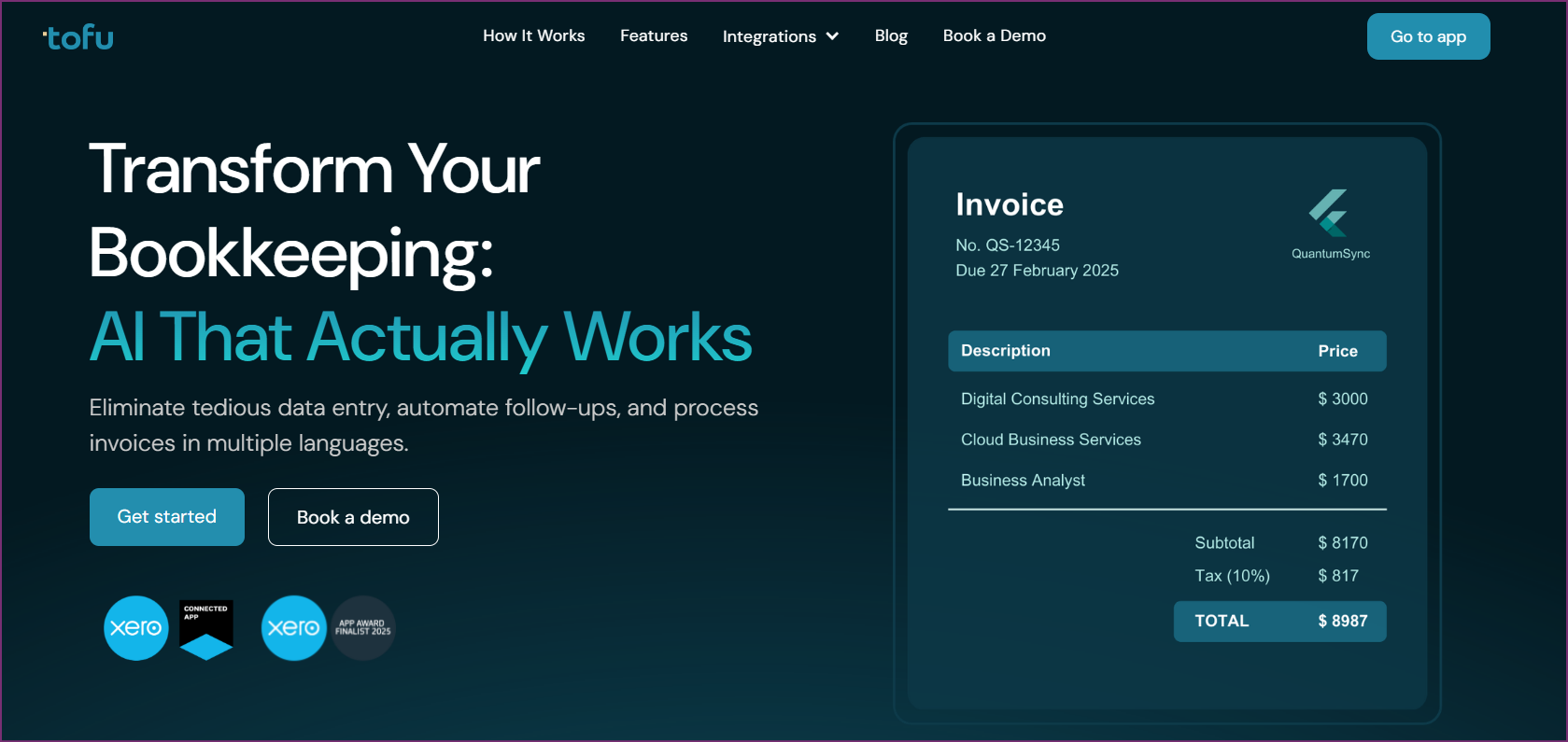
Tofu extracts structured data from invoices, receipts, and bills across 200+ languages for accounting practices. Unlike Puzzle's focus on startup dashboards, Tofu excels at handling documents line by line across a wide range of file types.
Key advantages:
Best for: Accounting firms serving clients across Southeast Asia, businesses processing multilingual documents, practices wanting document automation without dashboard complexity.
Pricing: Starter $79/month, Growth $199/month with entity-based model (no per-user fees).

QuickBooks Online remains the most widely adopted cloud accounting platform, with a full feature set and the broadest range of integrations.
Key advantages:
Limitations:
Best for: Businesses needing universal compatibility, complex accounting requirements, or extensive third-party integrations.
Pricing: Starting around $30/month per user, scaling to $200+/month for advanced features.

Xero provides strong cloud accounting with capable international features and unlimited users included on all plans.
Key advantages:
Limitations:
Best for: Growing businesses with international operations, teams needing many user seats, cloud-first organizations.
Pricing: Starter ~$15/month, Standard ~$42/month, Premium ~$78/month with unlimited users.

Pilot provides AI-powered software combined with dedicated bookkeepers who handle monthly close and provide expert advice.
Key advantages:
Limitations:
Best for: Well-funded startups wanting completely hands-off bookkeeping with expert support.
Pricing: Starting around $500+/month depending on transaction volume and services.
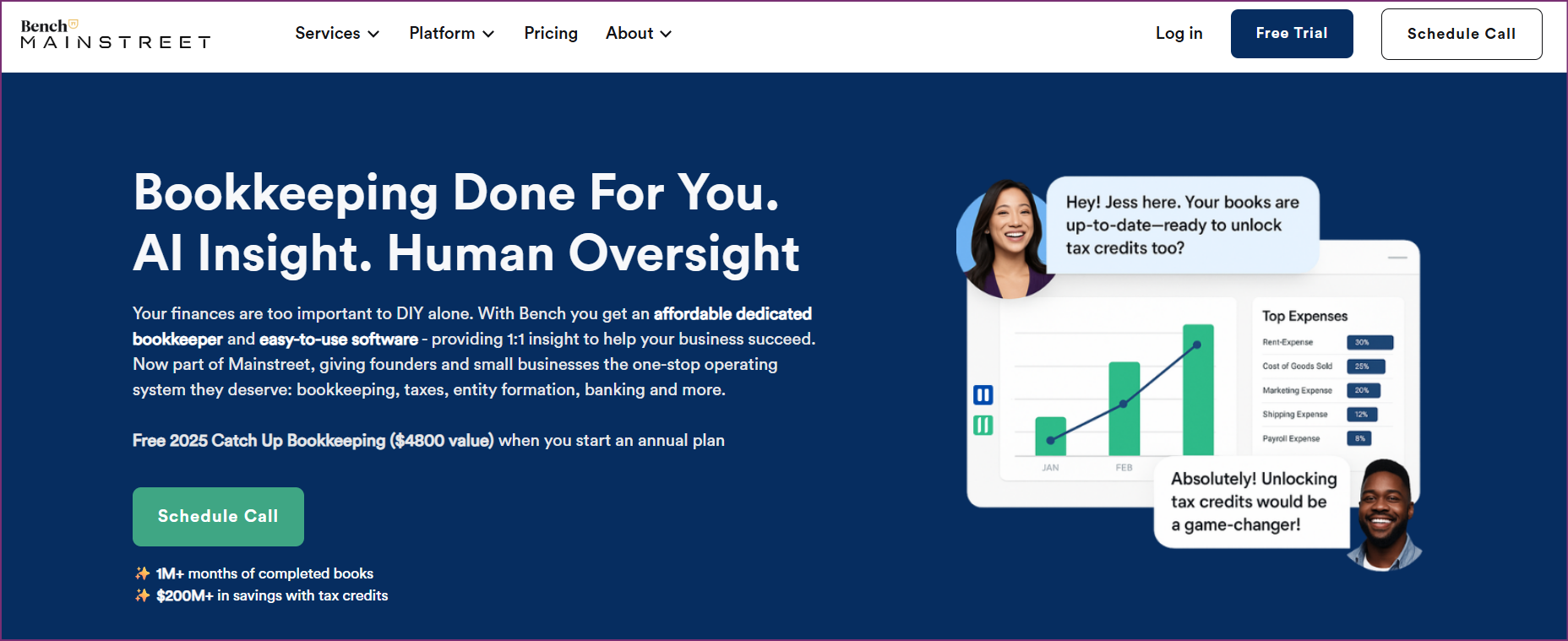
Bench combines proprietary software with human bookkeepers to deliver monthly financial statements without requiring business owner involvement.
Key advantages:
Limitations:
Best for: Small business owners wanting done-for-you bookkeeping without learning accounting software.
Pricing: Basic $249/month, Premium $399/month, Bookkeeping + Tax $599/month.
Early-stage SaaS startups under $5M ARR. Puzzle's sweet spot is venture-backed or bootstrapped SaaS companies in growth mode. The real-time ARR tracking, burn rate visibility, and Stripe integration align perfectly with subscription business models.
Non-accountant founders managing their own books. If you're a technical founder or CEO handling bookkeeping without formal accounting training, Puzzle's simplified interface and plain-language explanations reduce the learning curve dramatically compared to QuickBooks.
Teams needing unlimited user access. Companies where multiple team members need financial visibility (CFO, CEO, operations, department heads) benefit from Puzzle's unlimited users policy, avoiding per-seat fees that quickly accumulate on other platforms.
Businesses using modern startup banking and payroll. If your stack includes Stripe, Mercury or Brex banking, Ramp corporate cards, and Gusto or Deel payroll, Puzzle's direct integrations create smooth data flow.
Companies that put real-time business metrics first. Startups making frequent decisions about hiring, spending, or fundraising based on cash position and runway calculations get immediate value from Puzzle's live dashboard.
Puzzle isn't designed for practice management. Firms processing documents for many clients need multi-client workflows and document automation that Tofu provides instead.
International businesses with multilingual needs. Companies processing invoices in multiple languages or operating across different countries need multilingual document processing and international tax compliance beyond Puzzle's US-focused capabilities.
Businesses requiring extensive customization. Organizations with complex entity structures, specialized reporting requirements, or unique accounting policies find Puzzle's standardized approach limiting.
Companies needing professional-grade controls. Accountants who require precise manual override capabilities and granular transaction control encounter frustration with Puzzle's automation-first design that makes corrections difficult.
Businesses seeking complete accountant replacement. Despite automation claims, Puzzle explicitly requires professional accountant review for tax filings and investor reporting. Organizations seeking true self-service accounting without CPA involvement won't find it here.
Cost-conscious businesses beyond the free tier. Once transaction volume exceeds $20K monthly, Puzzle's pricing ($50-$300+/month) competes with full-service options like Bench ($249/month) that include human bookkeepers, potentially offering better value for the price.
Puzzle delivers on its core promise of simplifying bookkeeping for non-accountant startup founders. The clean interface, real-time financial dashboard, and AI-powered categorization genuinely reduce time spent on accounting tasks compared to traditional software like QuickBooks.
For early-stage SaaS companies using modern banking and payroll tools, Puzzle provides immediate value through instant visibility into burn rate, runway, and cash position. The generous free tier and unlimited user seats create compelling economics for bootstrapped startups.
However, the platform shows its early-stage nature through missing features, AI override difficulties, and inconsistent support. Professional accountants serving multiple clients need more control and customization than Puzzle's automation-first approach provides.
The bottom line: Puzzle works well for US-based startup founders who put simplicity and real-time metrics ahead of a fuller feature set. But accounting firms, international businesses, and companies needing multilingual document processing should weigh alternatives.
For accounting practices in particular, Tofu tackles different pain points than Puzzle. Instead of dashboard simplification, Tofu automates document processing across 200+ languages with zero-configuration setup, line-by-line extraction, and automatic PDF splitting. Firms processing thousands of multilingual invoices find this solves the actual workflow bottleneck in their practice.
The right choice depends on your specific needs: Puzzle for startup founders seeking simple dashboards, Tofu for accounting firms processing multilingual documents, QuickBooks for universal compatibility, or full-service options like Pilot and Bench for completely hands-off bookkeeping.
Puzzle is an AI-powered accounting platform that automates bookkeeping for startups and small businesses. It uses artificial intelligence to categorize transactions, manage accrual accounting, and provide real-time financial insights through a dashboard showing burn rate, runway, and key metrics.
Puzzle offers four pricing tiers: Accounting Basics ($0/month for first $20K in transactions, then $25/month), Insights ($50/month), Advanced Automation ($100/month), and Scale (starting at $300/month). Annual billing provides 15% savings. All plans include unlimited users and transactions.
Puzzle currently has limited presence on major review platforms like G2 and Capterra. User feedback from other sources shows positive sentiment among startup founders praising the simple interface and real-time metrics, while professional accountants express concerns about AI accuracy and limited manual controls.
Key limitations include difficult manual override of AI categorization errors, missing basic features like transaction memos, US-only focus limiting international use, and the requirement for professional accountant review despite automation. The platform also feels incomplete compared to mature alternatives.
Puzzle offers simpler interface and real-time metrics that many startup founders prefer over QuickBooks' complexity. However, QuickBooks provides deeper features, broader integrations, and universal acceptance by banks and investors. Choose Puzzle for ease of use, QuickBooks for its full range of capabilities and industry familiarity.
Puzzle isn't designed for accounting firms managing multiple clients. It optimizes for individual company use instead of practice management. Firms need multi-client workflows and document processing automation that tools like Tofu provide expressly for professional practices.
Puzzle focuses primarily on US-based businesses with limited multi-currency capabilities. It processes English-language documents and doesn't support the multilingual document processing (200+ languages) that international firms require. For multilingual needs, consider alternatives like Tofu.
Puzzle claims 90-95% AI categorization accuracy for transaction classification. However, users report challenges when the AI makes errors, noting that manual corrections can be difficult to implement. The AI improves over time but requires initial training and monitoring.
No. Puzzle explicitly states it doesn't replace professional accountant review. While it automates 85-95% of bookkeeping tasks, businesses still need CPA services for tax filing, investor reporting, audits, and complex accounting decisions. Budget for professional review costs alongside software fees.
Tofu serves accounting firms better than Puzzle by providing zero-configuration document processing across 200+ languages with line-by-line extraction, automatic PDF splitting, and handwritten document support. It's built expressly for practices serving multiple clients instead of individual company dashboards.