
Koki Fujiwara
July 8, 2026


If you've used bank statement extraction in tofu, you know it could already pull transactions out of a PDF. What it couldn't do was finish the job: split multiple accounts and currencies, assign account codes and tax rates, preserve double-entry structure, and prove the numbers tied out before you trusted them.
That's the overhaul. Extraction was never really the bottleneck, everything downstream of it was.
Pulling dates, descriptions, and amounts off a statement gets you raw data. It doesn't get you a postable entry. In most firms, closing that gap still meant:
None of that is extraction. All of it used to be your job anyway.
Native multi-account, multi-currency handling. A statement with several accounts or currencies is split and matched correctly inside a single upload, no manual separation beforehand.

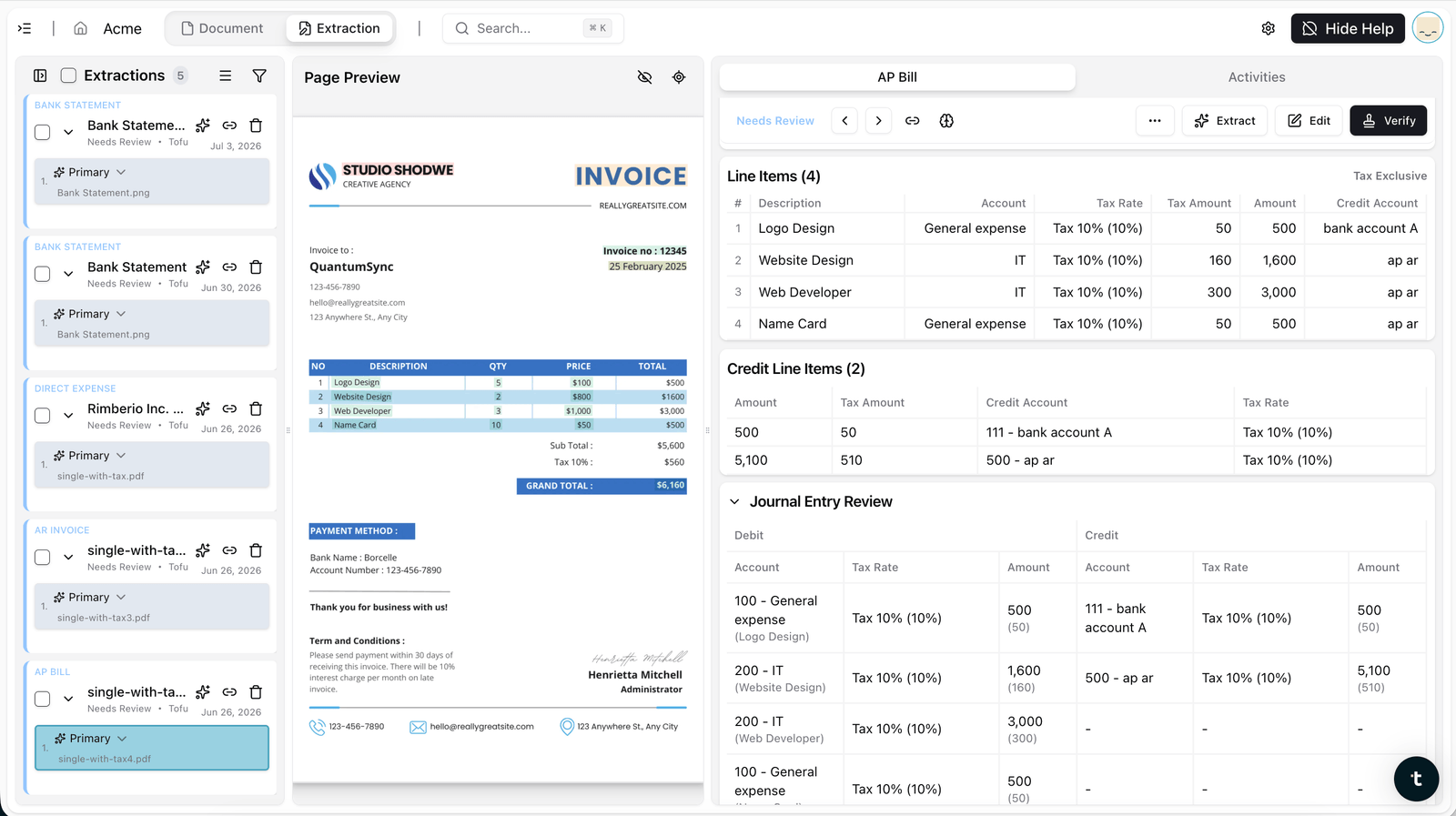
Line-level coding. tofu now assigns account code, tax rate, and tags to each transaction as it's extracted, not just amounts and descriptions.
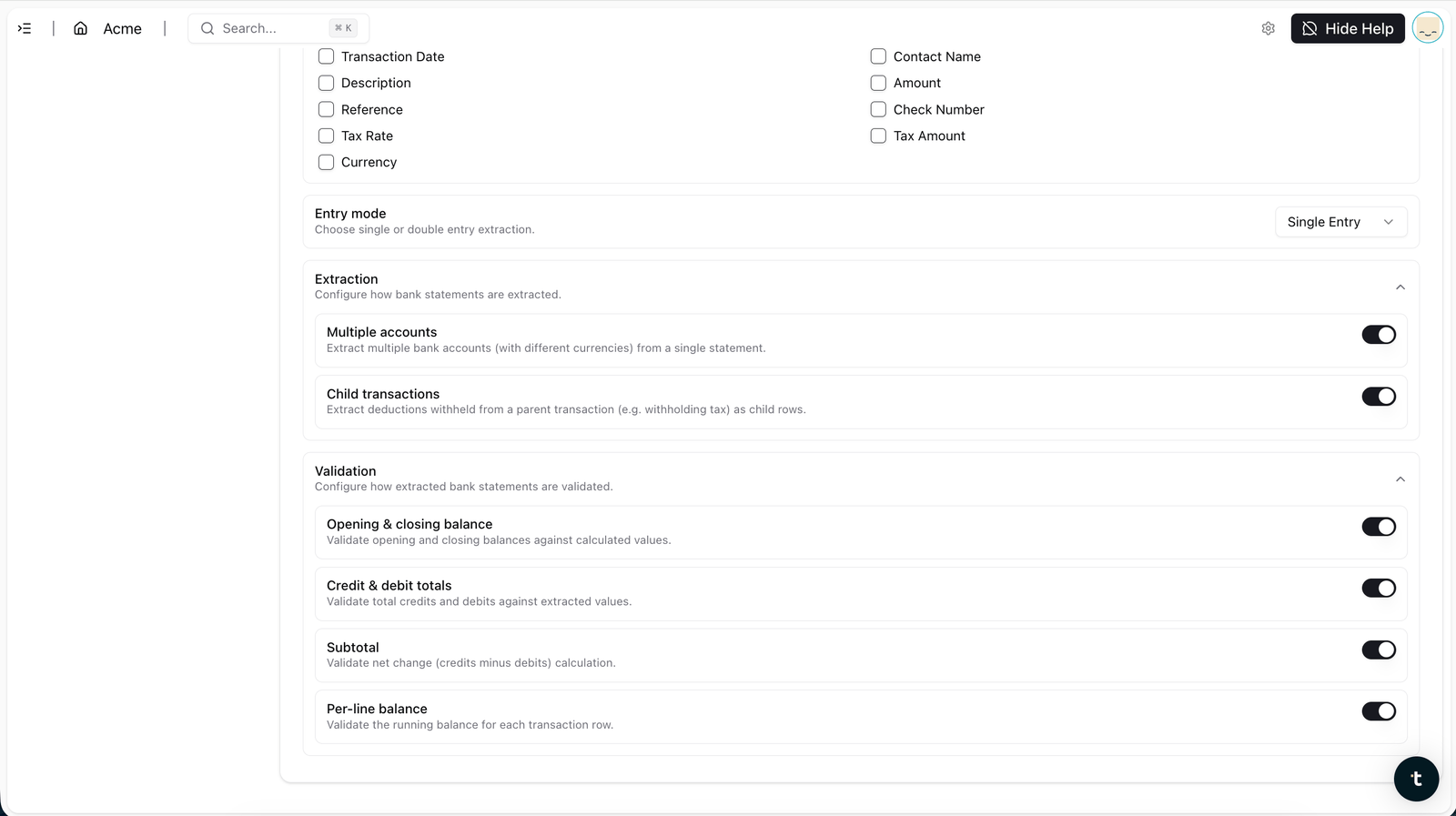
Double-entry, with child transactions. Parent and child lines keep their relationship, so the structure you need for proper bookkeeping is there from the start, not rebuilt afterward.
Multi-level validation. Opening and closing balances, transaction dates, credit and debit totals, and per-line running balances are all checked. If something doesn't reconcile, tofu re-extracts before handing anything back, rather than passing the problem to you.

Direct Xero integration. Validated entries post straight into Xero. No CSV export, no reformatting, no re-import.

Click any field and the document jumps to the exact spot it came from, so review is a confirmation, not a re-check.
Extraction alone answers "what happened." Coding, double-entry structure, and validation answer "is this ready to post." That second question is the one that used to cost hours, and it's the one this overhaul is built around.
If you've used bank statement extraction before, the upload hasn't changed. What comes out the other side has: coded, validated, and postable, with a direct line into Xero.
Want to see it in action? Book a demo or talk to the tofu team. For a step-by-step walkthrough, read our Help Centre guide on importing bank statements into Xero.
It now handles multi-account and multi-currency statements natively, extracts account code, tax rate, and tags per transaction, supports double-entry with child transactions, and posts directly to Xero without a CSV step.
Yes. A single upload can contain several accounts and currencies, correctly split and converted.
It codes each line, account code, tax rate, and tags, so the output is postable, not just readable.
tofu checks opening and closing balances, transaction dates, credit and debit totals, and per-line running balances before anything is handed back. If it doesn't reconcile, it re-extracts.
No. Validated entries post directly to Xero.
Yes, tested past 1,000 pages in a single upload, with no page limits.
Included in all plans from $79/month. No per-document or per-page fees, no volume limits, unlimited users on every plan.