Jay Sen Lon
October 2, 2026

Every receipt and invoice tool looks the same on the surface: upload a document, get structured data. The differences show up once you hit a 50-page bank statement, an invoice in Arabic, or a client who wants every line item coded, beyond the total. We compared AutoEntry and Tofu on exactly those situations, so you can tell which tool actually works for the clients on your desk right now.
TLDR:
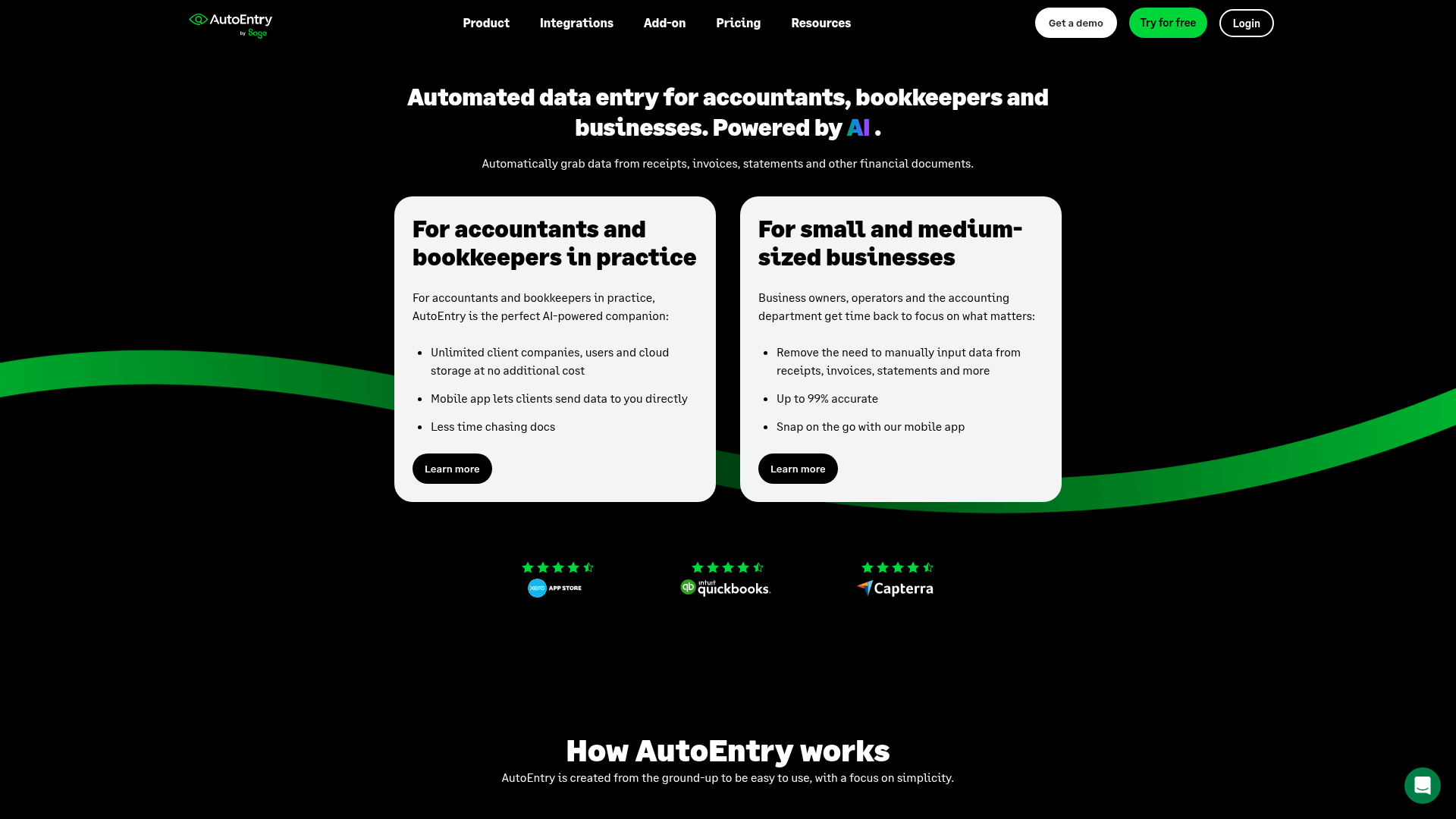
AutoEntry is a document capture tool, owned by Sage since 2019, that uses OCR to pull data from invoices, receipts, and bank statements and publish it into accounting software.
It runs on a credit system instead of a flat subscription. A basic invoice costs 1 credit, an invoice with line items costs 2 credits, and bank statements cost 3 credits per page, including blank ones. Plans range from Bronze at $13/month for 50 credits up to Sapphire at $480/month for 2,500 credits. A price increase in September 2025 hit all plans, including legacy fixed-price ones, and credits now expire after 90 days instead of sitting unused indefinitely.
AutoEntry is built for accounting practices managing multiple clients, not individual businesses doing their own books. Its deepest integration is with Sage, which makes sense given the ownership. It is strongest in Sage-heavy markets like the UK, Ireland, South Africa, and Australia, though AutoEntry's G2 reviews page shows no recent company responses, which may point to slower product updates, something which has UK firms increasingly researching AutoEntry alternatives in the UK.
Tofu is an AI document processing platform for accounting firms. It extracts every line item from invoices, receipts, and bank statements, learns the firm's chart of accounts, and publishes the structured data directly into Xero, QuickBooks Online, Zoho Books, or other accounting software.
Where tools built for single-document capture tend to stop at header totals, Tofu reads every line, handles documents across 200+ languages, and codes each line item to the right account before it reaches your ledger, a distinction worth weighing against other AutoEntry alternatives. The work left for you changes from retyping numbers to reviewing them.
"Can you Tofu it? If you can, please just load it in. Don't think." - Lucas Seah, Excellence Singapore
| Factor | AutoEntry | Tofu |
|---|---|---|
| Pricing model | Per-credit: Bronze $13/month for 50 credits up to Sapphire $480/month for 2,500 credits; credits expire after 90 days | Flat monthly fee: Starter $79/month or Growth $199/month (unlimited users, up to 50 clients) |
| Line item extraction | Costs extra: 1 credit for a basic invoice, 2 credits once every line item is pulled | Every line item extracted on every plan, no extra charge for depth |
| Language support | Rejects Arabic and Chinese-font invoices outright | 200+ languages, including non-Latin scripts and handwriting, with English translations shown side by side |
| Bank statement processing | 3 credits per page, including blank ones (a 15-page statement runs 45 credits); PDF upload only | Flat fee regardless of length; accepts PDF, JPG, PNG, or HEIC with no conversion step |
AutoEntry bills by credit: a Bronze plan starts at $13/month for 50 credits, scaling up to Sapphire at $480/month for 2,500 credits, and every credit resets to zero after 90 days under the September 2025 pricing change. That means your monthly cost changes with document mix: a stack of simple invoices burns credits slowly, while a run of multi-page bank statements or line-item-heavy invoices can empty a plan well before the month ends. Tofu runs on a flat monthly fee instead: Starter at $79/month or Growth at $199/month (unlimited users, up to 50 clients), with no credit meter counting down in the background. A firm processing three bank statements this month and thirty next month pays the same either way, because the fee is tied to the plan, not to pages or line items extracted. For a firm trying to forecast costs across a growing client roster, that predictability removes a variable AutoEntry's credit system adds back in every month.
Line item extraction is where the credit system actually bites. AutoEntry treats full line item detail as an upgrade: a basic invoice costs 1 credit, but pulling every line item doubles that to 2, so firms are stuck weighing cost against completeness on every document. Process header only to save credits, and your bookkeeper still types every line by hand, a tradeoff worth seeing laid out in full in the Tofu vs AutoEntry comparison. Pay double, and your Sapphire plan burns through its 2,500 credits that much faster.
That tradeoff gets expensive for firms handling wholesale, multi-department, or inventory-heavy clients, where invoices routinely run 20 to 50 or more line items. A 30-line wholesale invoice with mixed tax rates and department codes can eat 15 minutes of manual entry even with headers pre-filled, and AutoEntry's credit math doesn't remove that problem. It just prices it.
Tofu's line item extraction pulls every line item on every invoice, on every plan, with no extra charge for depth. Descriptions, quantities, unit prices, tax treatment, and account codes all come out the same way whether the invoice has 3 lines or 50. For firms processing high-volume, multi-department documents, that default behavior is the difference between reviewing data and re-keying it.
AutoEntry is built around English-language documents. It is documented to reject Arabic and Chinese-font invoices outright, which leaves firms with multilingual client portfolios stuck before the accounting software ever enters the picture. No amount of chart-of-accounts configuration fixes a document that never gets extracted in the first place.
That is the actual bottleneck for international client portfolios: the problem sits upstream, at intake, not inside Xero or QuickBooks. A supplier invoice in Mandarin or Arabic either gets read correctly or it doesn't, and if the tool in front of your ledger can't handle the script, every downstream feature becomes irrelevant for that document, a limitation that shows up again in the AutoEntry vs Dext comparison on pricing and language limits.
Tofu extracts from 200+ languages, including non-Latin scripts, with English translations shown side by side during review. Handwriting recognition covers handwritten receipts and annotations, common across Southeast Asia, Africa, and the Middle East, where legacy tools often return nothing at all, a gap covered in more depth in this roundup of OCR software for multi-language invoice processing. No language selection is required, and reviewers who don't read the original script can still verify extracted data against the translation this way:
Bank statements are where AutoEntry's credit model gets painful. Each page costs 3 credits, including blank ones, which makes a long statement the most expensive document type on the platform. A 15-page statement runs 45 credits before any line items get coded, and a firm processing statements for dozens of clients every month can burn through a Sapphire plan fast.
AutoEntry also requires PDF uploads for statements. A client who photographs a statement on their phone has to convert that image before it can go in, which is one more manual step before extraction even starts.
Tofu processes bank statements of any length at a flat fee, with no per-page penalty, which is worth weighing alongside how AutoEntry, Dext, and HubDoc compare on line item extraction. Upload a PDF, JPG, PNG, or HEIC file directly, and Tofu's bank statement extraction converts it to structured, transaction level data with no conversion step required. A 50-page statement costs the same as a 5-page one, and a photo from a phone works exactly like a scanned original.
AutoEntry makes sense for small, English-only practices with light volume and an existing Sage setup. Pay-as-you-go credits work fine if your invoices are simple and your statements are short. But that fit narrows the moment line items or languages multiply: "What used to take me 3-4 hours can be done in 30-60 minutes," says Tammy Tan at Klozer, describing the shift after moving off header-only extraction to full line-item coding on every document.
Once volume or complexity enters the picture, the credit model starts working against you. Multilingual clients get rejected outright. Long bank statements multiply in cost by the page. Full line-item extraction competes with your credit balance instead of coming standard. None of that is a pricing quirk; it is the architecture.
Tofu removes those constraints at the source. Every plan includes full line-item extraction by default. Documents in 200+ languages, including handwriting, get processed without rejection or manual translation first. Bank statements of any length cost the same flat fee, whether 5 pages or 50, and photos from a phone work the same as a scanned PDF.
For firms that want predictable monthly pricing instead of a shrinking credit balance, and that handle clients outside a narrow English-language, low-volume profile, Tofu is the better fit. If you're ready to move, you can see how to switch document capture tools without losing existing credits. You stop counting credits and start reviewing data that is already coded and ready to publish.
Once you add up what AutoEntry charges for line items, bank statement pages, and documents outside English, the per-credit model stops looking so simple. Tofu was built around the opposite idea: one flat fee, full extraction, and support for 200+ languages on every plan you pick. Your bookkeepers get coded data to review instead of blank fields to fill in, no matter how long the statement or how many languages your clients speak. Go ahead and put Tofu in front of your documents to see the difference for yourself.
Base the decision on document complexity and language mix: if your clients are English-only with simple invoices and you already run on Sage, AutoEntry's credit system can work fine. If you handle multilingual suppliers, long bank statements, or invoices with 20+ line items, Tofu's flat monthly fee removes the cost penalty AutoEntry attaches to that complexity.
AutoEntry's credit system treats full line-item detail as an upgrade: a basic invoice costs 1 credit, but pulling every line item doubles that to 2 credits. Tofu extracts every line item, including descriptions, quantities, unit prices, and account codes, on every plan with no extra charge for depth.
AutoEntry is documented to reject Arabic and Chinese-font invoices outright, which blocks extraction before any accounting software configuration can help. Tofu extracts from 200+ languages, including non-Latin scripts and handwriting, with English translations shown side by side during review.
AutoEntry fits small, English-only accounting practices with light document volume and an existing Sage setup, since its deepest integration is with Sage and credits work reasonably well at low usage. Firms with multilingual clients, long bank statements, or high line-item volume tend to find the credit system expensive and restrictive.
AutoEntry credits now expire after 90 days instead of carrying over indefinitely, following a September 2025 price increase that affected all plans, including legacy fixed-price ones. Tofu uses a flat monthly fee instead of a credit balance, so document volume and complexity, including 50-page bank statements, do not create an expiring-credit tradeoff.