Jay Sen Lon
February 27, 2026

Still manually re-keying Chinese supplier invoices while your English-language receipts process automatically? That gap, where OCR tools handle familiar scripts confidently but stumble on Mandarin, Arabic, or Thai characters, is where accounting firms lose hours every week. It is an industry-known challenge: rule-based OCR achieves 95-99% accuracy on Latin scripts, but accuracy on complex scripts like Arabic or Thai can drop considerably without script-specific model training.
Multi-language OCR has moved from a "nice to have" to a genuine business requirement for any firm or business trading across borders. The APAC market alone creates enormous document diversity: fapiao from Chinese suppliers, Bahasa documents from Indonesian vendors, Arabic invoices from Gulf partners, all arriving alongside standard English paperwork. China alone issues billions of fapiao annually, creating a structural volume problem for any firm still relying on English-only OCR tools.
Quick Answer: Tofu is our top-ranked multi-language receipt OCR tool for accounting in 2026, based on language breadth, extraction depth, and integration. Its zero-configuration AI handles 200+ languages without rules or templates, extracts line-by-line data (going beyond mere totals), and integrates directly with Xero and QuickBooks Online.
Transparency Note: This comparison is published on Tofu's website. While we believe Tofu is the strongest AI document processing tool for multi-language accounting use cases, we've conducted thorough research on all tools reviewed here so you can make an informed choice based on your actual needs.
TLDR:
Optical Character Recognition (OCR) software converts scanned or photographed documents - receipts, invoices, purchase orders - into structured data that accounting systems can use. The "multi-language" qualifier means the software can recognize and extract text written in scripts beyond Latin characters.
Standard OCR handles English, French, German, and similar Latin-script languages reliably. Multi-language OCR extends this to:
When a document arrives, multilingual OCR runs script detection first. Each text block is analyzed to identify its writing system: Latin, CJK (Chinese, Japanese, Korean), Arabic, Devanagari, or one of dozens of others. Once identified, that block is routed to the recognition model trained on that script. Latin text goes to one model; Traditional Chinese characters go to a CJK-trained model; Arabic text goes to a right-to-left-aware model built on Arabic training data. Layout analysis runs in parallel: it detects text direction (left-to-right vs. right-to-left), identifies vertical text common in Japanese invoices, and locates field boundaries within the page. This routing architecture is what allows a capable multilingual system to correctly process a mixed-script invoice (English company headers above Chinese line items) without applying a single language model to the whole page and producing errors on whichever script the model covers less well.
Xero and QuickBooks Online both work well for multilingual accounting when paired with an AI document processing tool that handles the extraction layer upstream. The accounting software manages the ledger; a tool like Tofu handles extracting and coding documents in 200+ languages before they reach the ledger. Without that upstream layer, the accounting software receives whatever a user types manually, which defeats the purpose of automation for Chinese, Arabic, or Thai supplier documents.
Traditional OCR matches pixel patterns against script-specific templates, requiring separate language packs and rule configuration per language. AI document processing understands document structure and field context, recognising that a column of numbers preceded by a currency symbol is pricing data regardless of whether the surrounding script is Chinese, Arabic, or Thai. That structural reasoning means new scripts and new suppliers are handled without per-language setup or ongoing maintenance.
Three structural problems explain most of the accuracy gap between Latin-script and non-Latin OCR. First, ligature complexity: Arabic characters change shape depending on their position in a word, creating connected, flowing text that pattern-matching approaches cannot reliably segment into characters. Second, word segmentation: Thai and Chinese are written without spaces between words, so boundaries must be inferred from context, not whitespace. Third, training data: the datasets used to build most OCR models are mostly English text rather than Thai, Swahili, or Hindi, producing weaker baseline accuracy on lower-resource languages. AI-based extraction addresses this partly by learning from corrections over time, but accuracy on low-resource scripts still starts lower and needs more document volume before it reaches reliable production-level output.
For accounting use, OCR needs to go beyond just recognizing characters. It needs to understand document structure - identifying vendor names, invoice dates, line items, totals, tax amounts, and currency - and output this in a format that flows into bookkeeping software.
Legal and compliance document processing: Law firms processing contracts, regulatory filings, or court submissions from international jurisdictions face the same script barrier. Arabic court filings, Chinese regulatory submissions, and EU multilingual legal instruments all require accurate text extraction before review or translation can begin.
Medical records and clinical documentation: Healthcare organizations digitizing patient records from international patients, or processing clinical notes across multinational hospital networks, need reliable recognition of local-language documentation to maintain complete patient histories.
Cross-border e-commerce and logistics: Import/export businesses processing customs declarations, shipping manifests, and supplier certificates of origin routinely receive documents written in the exporting country's language, where extraction errors carry compliance consequences.
Government and public sector: Immigration departments, customs authorities, and public agencies processing identity documents, visa applications, and official certificates in foreign scripts depend on OCR accuracy where errors affect legal outcomes.
This guide focuses on accounting and invoice processing use cases, where structured field extraction is the critical capability, going beyond text recognition alone.
Most OCR tools built for accounting use templates or rules. You define how a specific supplier's invoice is laid out, and the tool extracts accordingly. This works for high-volume relationships with consistent suppliers.
It breaks down when:
AI-powered OCR handles these limitations by learning document context, not by matching predetermined patterns.
When weighing tools for accounting use, these factors matter most:
1. Language breadth vs. language depth
Some tools claim "multi-language" but only handle 20-30 languages reliably. For true APAC coverage, 100+ languages including Chinese scripts is the threshold that matters.
2. Line-item extraction vs. totals-only
Many OCR tools extract only the total amount from a receipt. For bookkeeping accuracy - especially for VAT/GST/PPN calculation - you need every line item, description, unit price, and tax amount.
3. Zero-configuration vs. rule-based setup
Rule-based tools require heavy upfront setup and ongoing maintenance. Zero-configuration AI adapts to new documents without manual intervention.
4. Accounting software integration
The data needs to flow into Xero, QuickBooks, or other accounting software automatically. Manual export/import defeats the purpose of automation.
5. Handling of difficult documents
Real-world receipts include faded thermal paper, handwritten notes, crumpled paper, and photos taken at angles. OCR accuracy on these "difficult" documents separates good tools from reliable ones.
6. Confidence scoring per language and per field
Production-grade multilingual OCR surfaces a confidence score for each extracted field. For accounting use, a low-confidence result on a Chinese invoice field should be flagged for human review, not passed silently to the ledger. Ask any prospective tool: does it tell you when it's uncertain, and does that uncertainty flag apply to less common scripts as much as to English documents?
7. Layout awareness across document conventions
Document layout conventions differ by region. Arabic invoices read right-to-left with totals in different positions. Japanese invoices may use vertical text columns. Chinese fapiao follow government-mandated fixed fields. A multilingual OCR tool needs layout models trained on region-specific document conventions. Tools that apply Latin-format layout assumptions globally will misread field positions on non-Western documents even when character recognition is accurate.
| Tool | Languages | Line Items | Setup Required | Starting Price | Best For |
|---|---|---|---|---|---|
| 1. Tofu | 200+ | Yes | None (zero-config) | $79/month | APAC firms, Chinese fapiao, multi-language accounting |
| 2. Dext | Primarily Latin | Partial | Rules required | $31.50/month (5 users) | English-market firms with high document volume |
| 3. AutoEntry | English-focused | Partial | Some setup | $24/month (50 credits) | Small businesses on tight budgets |
| 4. Datamolino | European languages | Yes | Moderate | €29/month (100 docs) | Small European accounting firms |
| 5. HubDoc | English-focused | No (totals only) | Minimal | Free with Xero | Xero users wanting basic automation |
| 6. Lightyear | English-focused | Yes | Moderate | $169/month | AP automation for mid-size businesses |
| 7. ABBYY FineReader | 190+ | Limited for accounting | Technical setup | $199/year | General-purpose multi-language OCR |
The following tools are not accounting-native but are frequently reviewed by technical teams building custom multilingual OCR pipelines. They are included here for completeness; each requires integration development to connect to accounting workflows.
Developer and general-purpose multilingual OCR tools: quick reference
| Tool | Languages | Accounting-native | Deployment | Best For | Key Limitation |
|---|---|---|---|---|---|
| Tesseract OCR | 100+ (via language packs) | No | Self-hosted / open source | Developers building custom pipelines | No structured field extraction; outputs raw text only |
| PaddleOCR | 80+ (strong CJK) | No | Self-hosted / open source | Teams needing strong Chinese, Japanese, and Korean recognition | No accounting integrations; developer setup required |
| Google Document AI | 200+ | Partial (invoice parser available) | Cloud API | Enterprises with developer resources | Per-page pricing at scale; requires custom integration work |
| Azure AI Document Intelligence | 100+ | Partial (prebuilt invoice model) | Cloud API | Microsoft stack enterprises | Per-transaction pricing; integration development required |
If you need accounting-native multilingual OCR with direct Xero or QuickBooks integration and zero configuration, see the main comparison table above.
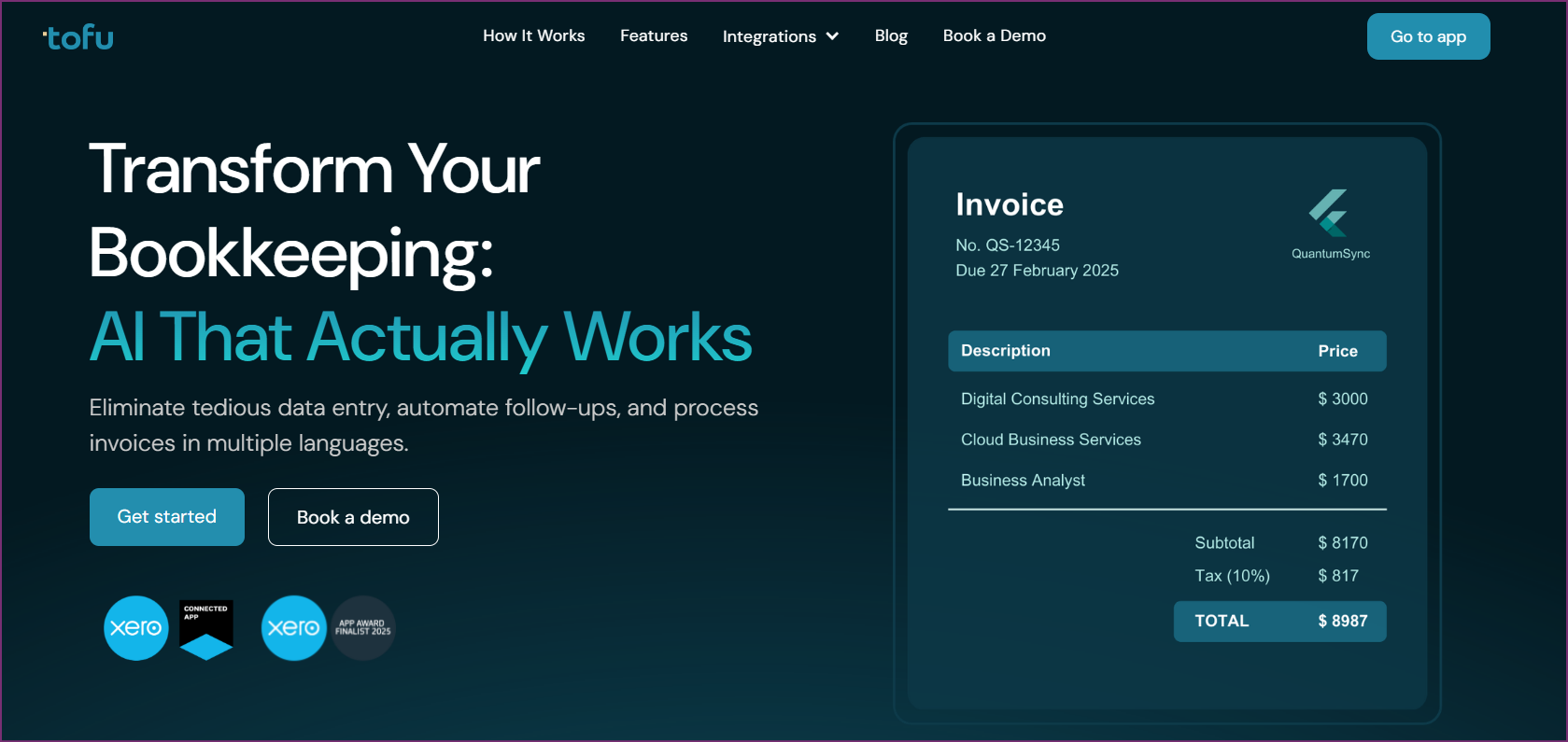
Tofu - Best Overall Multi-Language Receipt OCR
The fundamental difference between Tofu and every other tool on this list is architectural. Where competitors use rules, templates, and language packs, Tofu uses AI that understands document context in any language without requiring any configuration.
Upload a fapiao from a Shenzhen supplier, a handwritten receipt from a Bangkok market vendor, and an Arabic invoice from a Dubai distributor. Tofu processes all three correctly, without any pre-setup for any of these document types.
Traditional OCR tools for accounting require rule configuration: you tell the software where to find the date, vendor name, amounts, and line items on a specific supplier's invoice. When you add suppliers from new regions writing in different scripts, you need to create new rules. When suppliers change their invoice design, rules break.
Tofu's AI infers document structure from context. It recognizes that a column of numbers with a currency symbol following them is likely pricing, regardless of whether the surrounding text is in Chinese, Arabic, or Portuguese. This inference-based approach means:
Tofu processes 200+ languages, with particular strength in APAC scripts that matter for international accounting:
The zero-configuration approach means language processing is not a separate module to activate - it handles whatever script appears in the document automatically.
Many OCR tools for accounting extract only totals: the final invoice amount and perhaps the tax figure. For a single-item receipt, this is adequate. For multi-line invoices with itemized goods, services, or materials, totals-only extraction forces manual re-entry of every line.
Tofu extracts complete line-item data: item description, quantity, unit price, line total, tax code, and any reference numbers. This matters for:
Accounting documents are rarely perfect. Tofu's AI handles:
Both plans use entity-based pricing - no per-user fees. Your entire team, including client-facing accountants and admin staff, can access the platform within a single subscription. This contrasts with per-user tools where adding team members drives costs up quickly.
Note: Tofu does not charge per document - pricing is fixed monthly, providing predictable costs as document volume grows.
Tofu integrates directly with:
Pros
Cons
Best For
Accounting firms serving APAC clients, businesses importing from China or other Asian markets, multi-national businesses with diverse supplier document types, and any firm that has given up on rule-based OCR due to configuration overhead.

Dext (formerly Receipt Bank) is the most widely used accounting document processing tool in English-speaking markets. Its long history and deep integrations with Xero, QuickBooks, and other platforms have made it the default choice for many accounting firms.
Dext's extraction relies on supplier rules. When a new supplier document arrives, Dext reads it and you can set rules for how future documents from that supplier should be extracted. For high-volume relationships with consistent suppliers, this works well.
For firms with diverse, international suppliers - particularly those sending documents in Asian or Arabic scripts - the rule-based approach becomes a limitation. Dext's language support is weighted toward Latin scripts, and complex scripts require additional configuration or manual handling.
Dext's Business plan starts at $31.50/month for 5 users with 250 documents included. Annual subscriptions reduce this to approximately $25.21/month. Adding users costs extra and includes additional document allowances.
This document-included pricing model means firms processing high volumes need to monitor usage carefully to avoid overage charges.
Pros
Cons
Best For
UK, US, Australian, and New Zealand accounting firms processing primarily English-language documents with settled supplier relationships where the setup overhead is a one-time investment. For firms specifically evaluating alternatives to Dext for multilingual document processing, see our comparison of best Dext alternatives for multilingual invoices.
AutoEntry is a receipt and invoice capture tool that uses a credit-based pricing model, making it accessible for businesses with lower document volumes. Acquired by Sage in 2019, it maintains good integrations with Sage software as well as Xero and QuickBooks.
Credits apply to different document types at different rates (bank statements cost more credits per page than receipts).
AutoEntry handles English-language documents reliably.
For Asian languages or Arabic, accuracy drops and manual intervention is often required. This is a clear limitation for businesses with international supplier relationships.
Pros
Cons
Best For
Small businesses with English-language suppliers processing fewer than 100-200 documents per month who need a basic automation layer above manual entry.
Datamolino is a document processing tool with strong accuracy ratings and a document-volume pricing model that suits smaller European accounting firms. It handles European languages reliably and provides good line-item extraction for invoices.
Datamolino handles English, German, French, Spanish, Italian, Czech, Slovak, and other European languages well. Asian scripts and Arabic are not supported. This positions Datamolino firmly as a European-market tool.
Pros
Cons
Best For
Small UK, European, or Irish accounting firms processing primarily English and European-language documents with known monthly volumes.

HubDoc is included free with all Xero subscriptions, making it the default starting point for Xero-based accounting firms wanting automated document collection. It excels at fetching statements and invoices directly from supplier portals instead of scanning physical documents.
HubDoc's extraction captures total amounts from documents - it does not extract line items. For simple expense receipts where only the total matters, this is sufficient. For inventory-tracked businesses or those needing per-line tax calculation, totals-only is inadequate.
HubDoc was built primarily for English-language markets.
Its supplier fetch capabilities work with suppliers that have English-language portals. For multi-language document processing, HubDoc is not the right tool.
HubDoc is free with all Xero subscription plans. There is no standalone paid tier.
Pros
Cons
Best For
Xero users who primarily receive supplier documents digitally via portal fetch or email, and whose suppliers use English-language invoices with no line-item extraction requirement.
Lightyear positions itself as a full accounts payable automation tool, going beyond pure OCR. It combines document capture with approval workflows, purchase order matching, and supplier management - a broader feature set than pure OCR tools at a higher price point.
Lightyear's strength is in AP workflow automation for English-language businesses.
Its OCR extraction is focused on English and Western European documents. For businesses with Chinese, Arabic, or other Asian supplier documents, Lightyear is not designed for this use case.
Pros
Cons
Best For
Mid-size English-language businesses that need full AP automation: purchase orders, multi-level approvals, and supplier payment management beyond basic document capture.
ABBYY FineReader is a general-purpose OCR tool that is not specific to accounting. It handles 190+ languages with strong accuracy for document conversion, making it relevant here for businesses needing multi-language extraction that they then process manually or via custom integrations.
ABBYY FineReader PDF Standard starts at $199/year. Higher-tier plans with network deployment and additional features are available at higher pricing.
ABBYY FineReader is powerful for document conversion but is not designed for accounting workflows. It lacks:
It is relevant for businesses with specific technical requirements and custom development capacity to build their own extraction pipelines.
Pros
Cons
Best For
Technically sophisticated businesses building custom document processing pipelines who need a broad-language OCR engine as a component. Not suitable as a plug-and-play accounting OCR tool.
The accounting software market has recognized that language diversity is not an edge case for firms operating in global markets - it is the norm. Suppliers in China, Southeast Asia, the Middle East, and South Asia now make up large portions of supply chains for businesses worldwide. For firms processing multilingual invoices across Singapore and Southeast Asia, the practical implications of this gap are covered in our guide to multilingual invoice processing for Singapore firms.
Traditional OCR tools built for Western markets are adding language modules in response, but adding a "Chinese support" module to an English-language tool is architecturally different from building multi-language support from the ground up. Tools like Tofu that were designed for language diversity from the start have a structural advantage over retrofitted competitors.
The move toward AI-based extraction (understanding document context, not matching templates) is accelerating across the category. Firms still investing in rule-based OCR maintenance are increasingly questioning whether the configuration overhead is worth it when zero-configuration alternatives are available at comparable pricing.
Standard OCR was built primarily on Latin-script training data: English, French, German, and similar alphabets. It handles those reliably but produces errors on CJK (Chinese, Japanese, Korean), Arabic, and Indic scripts, often returning garbled output or skipping fields entirely. Multilingual OCR uses models trained on diverse script datasets combined with script-detection logic that identifies which writing system appears in each region of the document before applying the appropriate recognition model.
Most accounting-focused OCR tools genuinely support 20 to 40 languages, mostly Latin-script variants. Tools claiming 100+ languages often count regional Latin variants (French, Spanish, Portuguese) as separate languages. Before choosing a tool, verify that Chinese Simplified, Chinese Traditional, Arabic, Thai, and Bahasa Indonesia are explicitly listed, and are not bundled under a catch-all "Asian languages" label, then test the tool against actual supplier documents from those regions. Capability claims and real-world accuracy on non-Latin scripts can differ considerably.
Capable multilingual OCR tools detect script switches within a single document. This matters for real-world international invoices: a supplier document with English company headers, Thai product descriptions, and Arabic pricing notation is common in cross-border trade. Tools that process the entire page under one language model produce errors on the non-primary script. Script-switching detection handles each text block independently, preserving accuracy across both languages on the same page.
For leading tools on clean printed documents, Latin-script accuracy typically reaches 98 to 99%. CJK scripts on clean printed documents can reach 95 to 98% with well-trained models. Handwritten documents, thermal-faded receipts, and low-resolution photographs all reduce accuracy regardless of script. Look for tools that provide confidence scoring per extracted field. This flags low-confidence extractions for human review, stopping uncertain values from passing into your accounting system without review.
Template-based (rule-based) OCR requires you to configure extraction rules per supplier. When a new supplier sends documents in a script you have not configured, the tool fails. When a configured supplier redesigns their invoice layout, the rules break. AI-based OCR infers document structure from context, handling new document formats and new scripts without per-supplier setup. For firms with diverse international supplier bases, AI-based OCR removes the ongoing maintenance overhead that makes rule-based approaches unsustainable at scale.
Multi-language receipt OCR for accounting is a solved problem in 2026 - but only if you choose the right tool. The majority of the market still caters primarily to English-language Western businesses, leaving genuine gaps for APAC-focused and internationally-active firms.
For businesses that need reliable Chinese fapiao processing, Arabic invoice extraction, or mixed-language document handling alongside standard English receipts, Tofu is the clear front-runner. Its zero-configuration AI, 200+ language support, line-by-line extraction, and direct Xero/QBO integration make it purpose-built for the document diversity that modern accounting actually involves.
For English-market firms with simpler needs, Dext or AutoEntry handle high volumes reliably. For Xero users wanting a free starting point, HubDoc covers basic English document collection. For European firms, Datamolino's accuracy and pricing model is appealing.
The decision comes down to the languages in your document mix. If it's English and European languages only, several options work well. If it includes Asian or Arabic scripts, Tofu is the only purpose-built accounting OCR tool that handles these without configuration overhead.
Book a Demo with Tofu to see multi-language OCR processing for your specific document types.
Tofu is the best option for Chinese fapiao processing in accounting contexts. It handles Chinese Simplified and Traditional natively without configuration, extracting line-by-line data from fapiao and pushing it directly to Xero or QuickBooks Online. No other accounting-specific AI document processing tool on this list handles Chinese fapiao reliably without manual intervention.
Most OCR tools struggle with handwritten documents regardless of language. Tofu handles handwritten documents using AI that interprets context, without relying on clean printed character recognition. ABBYY FineReader also has some handwritten text support but requires more manual review.
Standard OCR tools recognize Latin-script characters (English, French, German, etc.) reliably. Multi-language OCR extends recognition to non-Latin scripts: Chinese, Arabic, Japanese, Korean, Thai, and dozens of other writing systems. For accounting use, multi-language OCR also needs to understand document structure in those languages - going beyond character recognition to identify that certain patterns represent price columns, date fields, or vendor names.
HubDoc is free with Xero but handles English-only and captures only totals. There is no free multi-language OCR tool that provides accounting-ready line-item extraction across Asian and Arabic scripts. The technical complexity of true multi-language AI extraction means solutions in this space are paid services.
Accuracy varies by tool and language. Tofu's zero-configuration AI approach provides consistent accuracy across all 200+ supported languages because it reasons about document structure, not by matching patterns. Traditional rule-based tools achieve high accuracy for configured suppliers but drop considerably for new or changed document formats.
Tofu, Dext, AutoEntry, Datamolino, HubDoc, and Lightyear all integrate with Xero. Of these, only Tofu provides true multi-language (200+) processing. HubDoc is included free with Xero. For multi-language needs in particular, Tofu is the clear choice among Xero-integrated options.
Without OCR, multi-language invoices require manual data entry - someone reads the invoice (or translates it) and types the information into the accounting system. This is time-consuming, error-prone, and unsustainable at scale. OCR automation, particularly zero-configuration AI like Tofu's, is the practical alternative.
Tofu's auto-split feature detects document boundaries within a single uploaded PDF and splits them into individual extraction records automatically. A batch of 20 supplier receipts submitted as one consolidated PDF processes as 20 separate extractions without any manual splitting. The same auto-split logic applies to AP bills, AR invoices, and direct expenses, removing the need to pre-sort documents before uploading.
Yes. Tofu's self-learning knowledge engine builds per-entity coding memory. Corrections made during review train the AI: after a few invoices from the same supplier, Tofu learns that supplier's layout, tax codes, and the firm's preferred account codes and applies them automatically. Users can also define rules in plain English via Tofi (Tofu's AI assistant) for non-standard coding logic that falls outside standard learned patterns.