SunTao Lai
April 14, 2026


When you open QuickBooks receipt capture, you get vendor, date, and total amount. That's the header. The rest of the invoice is still sitting there waiting for you to type it. If your clients send single-line expense receipts for coffee and parking, you're covered. If they send 30-line wholesale invoices with mixed tax rates and grouped subtotals, you're not. The difference between those two scenarios is the difference between a tool that saves time and a tool that just shows you a preview before you do the actual work manually.
TLDR:
QuickBooks Online's built-in Receipt Capture does exactly what it says. Snap a photo through the mobile app, or email a receipt to your QuickBooks inbox, and the tool reads the vendor name, date, and total amount. It then suggests an expense category and matches the transaction to your books.
For a solo business owner tracking coffee runs and client lunches, that's genuinely useful. Low volume, simple expenses, single-line receipts: QuickBooks handles this cleanly with no extra software required. If you're running your own books with 30 receipts a month, you probably don't need anything else.
The friction starts when receipts get more complex, volumes climb, or a third party (an accounting firm) is managing books for multiple clients at once.
QuickBooks Receipt Capture works well for the person it was built for: a single business owner managing their own documents. Accounting firms are a different animal entirely.
Here's where it breaks down:
| Feature | QuickBooks Receipt Capture | Tofu |
|---|---|---|
| Line item extraction | Header only (vendor, date, total amount). Multi-line invoices require manual entry line by line. | Full line-item extraction including descriptions, quantities, unit prices, and account codes across complex invoices with 50+ lines. |
| Multi-client management | Single-entity design. Toggle username off, switch client, toggle back on for each client switch. No multi-client dashboard. | Multi-client document queues where all incoming files from all clients land in one centralized place. |
| Language support | English-focused. Non-English documents get partial extraction requiring manual correction. | 200+ languages including handwritten receipts with no manual language selection required. |
| Bank statement processing | Cannot extract from PDF bank statements. Can only import bank feeds. | PDF bank statement processing for any bank, any format, any length. |
| Learning and memory | No memory across clients. Every new client starts from scratch with no shared coding knowledge. | Self-learning knowledge engine that remembers coding patterns across all clients and improves with every correction. |
| Setup time | Built into QuickBooks Online subscription. No additional setup required. | Reads existing chart of accounts and coding history immediately. Setup takes minutes. |
Recording that a vendor charged $4,800 is only half the job. The real work is recording what that $4,800 bought and coding each item to the right account. A wholesale invoice with 30 lines might include packaging materials, freight charges, a restocking fee, and taxable versus non-taxable items all mixed together. Each line belongs in a different place in the chart of accounts.
When QuickBooks Receipt Capture reads that invoice, you get the vendor name, the date, and $4,800. The rest is yours to figure out manually.
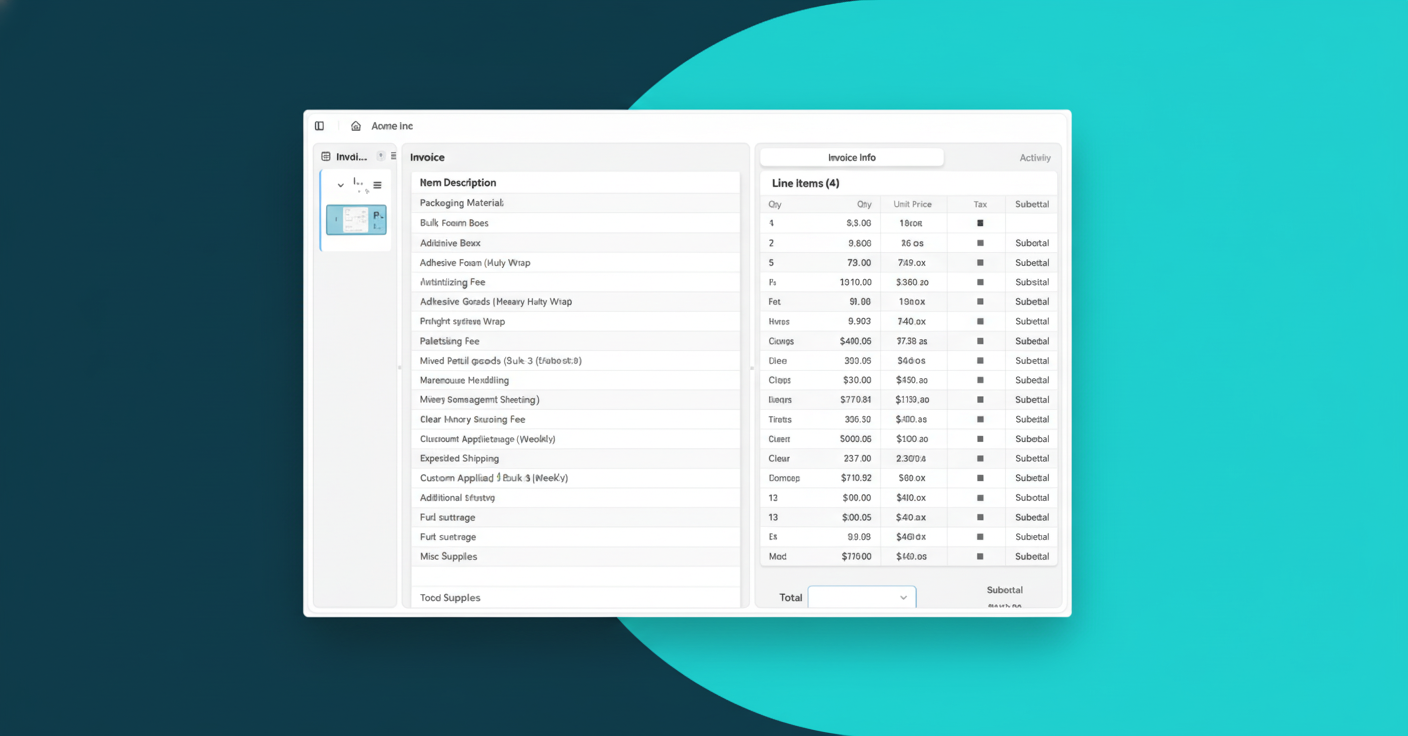
That's not real automation. That's a preview screen with extra steps.
"Our clients have been asking for line item extraction and we haven't been able to provide them. We were trying to push Dext for it for I believe about two years but nothing came out." - Tengku Adibah T. Kamarudin, Director, Accounting Superhero (Malaysia)
The problem compounds at firm scale. According to Mindee, line-item extraction from invoices is one of the hardest document AI problems precisely because invoice layouts vary so widely, with grouped subtotals, mixed tax rates, and bundled items. Header-only tools sidestep that complexity entirely, leaving the bookkeeper to absorb it manually.
Switching between clients in QuickBooks Receipt Capture is a workflow designed for patience. To send documents on behalf of a different client, you toggle your Accountant username off, switch to another client's QuickBooks account, toggle back on, and then send. For every client switch.
If you're processing documents across 10 clients in a morning, that's 10 rounds of this.
There's no multi-client dashboard, no bulk processing across entities, and no way to see all incoming documents from all clients in one place. The tool was built for a business owner photographing their own receipts, not for a firm handling 50 invoices from Client 1, 30 from Client 2, and 75 from Client 3 before lunch. At firm scale, that friction adds up fast.
QuickBooks Receipt Capture is included in your subscription, so it feels free. But the labor filling in what it misses is anything but.
Every invoice with line items that didn't extract means a bookkeeper manually re-enters them. Every non-English document that returns a partial read means someone opens the original and types it out. That time has a price. At $25/hour, just 2 extra hours per week in manual corrections adds up to $2,600 per year in labor per bookkeeper. Firms with three bookkeepers are effectively spending $7,800 annually to compensate for a tool they assumed was saving them work.
According to Run Eleven, AI-powered bookkeeping automation saves at least 40% of bookkeeping time. The gap between "technically captured" and "actually done" is where that 40% disappears.
This is opportunity cost. Every hour spent correcting partial extractions is an hour not spent onboarding a new client, reviewing financials, or advising on tax strategy. The tool appears free on the invoice. The labor cost shows up everywhere else.
QuickBooks Receipt Capture is genuinely the right call in some situations, and it's worth being honest about that.
It works well if:
If that describes your practice, the built-in tool covers it. No reason to pay for something that solves a problem you don't have.
The calculus changes once complexity enters the picture. Multi-line invoices, non-English documents, batch processing across dozens of clients, or bank statement extraction are a different use case entirely, and QuickBooks was never designed for them.
The gap between "captured" and "coded and posted" is where dedicated AI invoice processing lives.
Where QuickBooks stops at the header, tools built for accounting firms extract every line item, code each one to the chart of accounts, and publish directly to your accounting software with the source document attached. No separate upload, no manual export step.
A few things that change the workflow entirely:
The distinction worth noting is workflow completion. QuickBooks captures data. Dedicated AI processing takes it the rest of the way.
Tofu sits in front of QuickBooks, not instead of it. Your general ledger stays in QuickBooks. Tofu handles everything before that: extracting every line item, coding each one to your chart of accounts, and publishing directly to QuickBooks with the source document attached.
Where QuickBooks receipt capture stops, Tofu picks up:
Connect QuickBooks, and Tofu reads your existing coding history immediately. Setup takes minutes, and Tofu learns with every correction you make from there.
Firms that switch stop compensating for what their tools miss. They review. They post. They move on.
QuickBooks receipt capture was never designed for firms managing dozens of clients with complex invoices in multiple languages. It handles headers cleanly, then stops exactly where your real work begins. You can keep typing line items manually and calling it automation, or you can watch a two-minute demo of what happens when extraction actually finishes the job. The firms that switch stop compensating for partial reads and start reviewing completed entries instead.
QuickBooks receipt capture reads vendor name, date, and total amount only. It doesn't extract line items. AI invoice processing extracts every line from complex invoices, codes each to your chart of accounts, and publishes directly to QuickBooks with source documents attached.
No. QuickBooks captures header information like vendor and total, but a 20-line wholesale invoice still requires manual entry line by line. You'll need to type each item description, quantity, unit price, and account code yourself.
When you're managing more than 5 clients, processing multi-line invoices with complex coding requirements, handling non-English documents, or extracting PDF bank statements. The labor cost of manual corrections at that scale typically exceeds the cost of dedicated automation.
Tofu works with QuickBooks, not instead of it. Your general ledger stays in QuickBooks. Tofu handles extraction, line-item coding, and posting, then publishes completed transactions directly to QuickBooks with source documents attached.
Firms report processing times dropping from 3-4 hours to 30-60 minutes per client batch, and bank statement work falling from 30 minutes to 2 minutes per statement. The savings scale with document complexity and client volume.