Jay Sen Lon
October 2, 2026

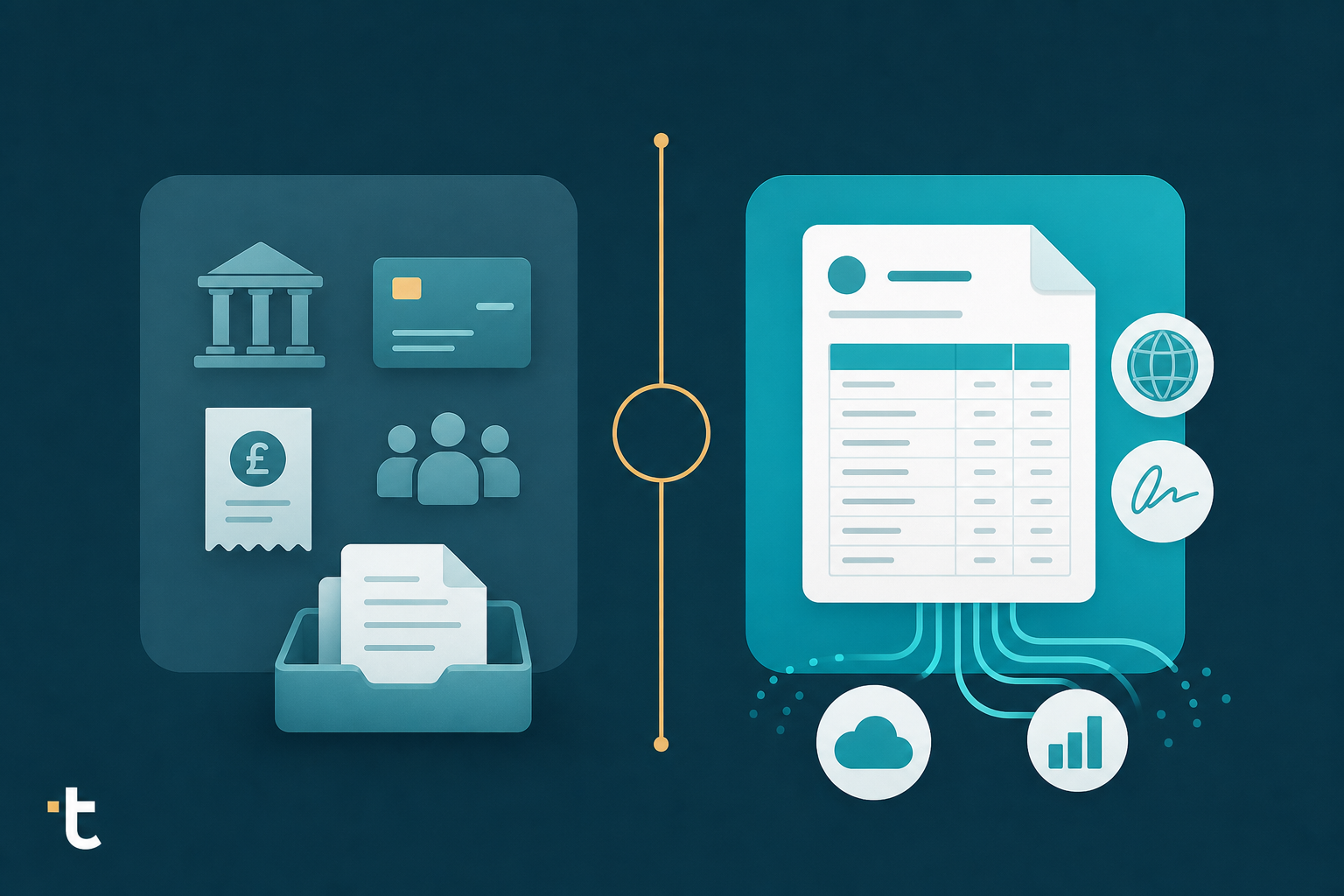
Everyone comparing Apron and a document processing tool eventually asks the same question: is this about payments or about getting invoices into the ledger correctly? They're built for different jobs, and mixing them up leads to picking the wrong tool for your firm. Here's how the two actually split the work, so you can match the choice to whatever's eating your time right now, whether that's bill pay or 50-line invoices in a language your software can't read.
TLDR:
Apron is a UK-focused business payments platform built around bill pay, payroll payments, expense cards, reimbursements, and payment links, with document capture folded in as one feature among several, not the core product. Instead of splitting bill payments, expense tracking, and bookkeeping across separate tools, Apron brings them into one connected workflow for businesses, accountants, and bookkeepers.
The document capture piece runs on what Apron calls William AI, which finds, extracts, categorizes, and publishes invoices and receipts while learning a firm's policies over time. Apron's marketing describes this in broad terms: it captures invoices, reads them, and routes the data into the bookkeeping workflow. What is not detailed publicly is how deep that extraction goes at the line-item level, so this is worth verifying directly before assuming it matches a document-extraction specialist's depth.
Positioning Apron accurately matters here when comparing Tofu vs Apron: it reads as a payments suite that happens to include document capture, not a tool built from the ground up to solve invoice and bank statement extraction at scale. That distinction shapes which firms it fits best.
Tofu is an AI document processing tool built for accounting firms. Upload invoices, receipts, and bank statements, and Tofu extracts every line item, going beyond supplier name and total, then learns the firm's chart of accounts and publishes structured data directly into the accounting software already in use.
Tofu works alongside Xero, QuickBooks Online, Zoho Books, and other accounting software as the document processing layer that sits before the ledger. It is not a replacement for payments, payroll, or the general ledger itself. The job it does is narrower than Apron's: read the document, code it, and publish it, so the accountant's role changes from typing data in to reviewing what Tofu already extracted.
That narrower scope is the point. Tofu is not trying to be a bill pay system or a payroll tool. It is built to solve one problem well: getting documents into the accounting software correctly, with every line item intact.
The gap between the two tools shows up clearest in how much of an invoice actually gets read. William AI captures and categorizes invoices and receipts, but Apron hasn't published what happens below the header: whether a 30-line wholesale invoice with mixed tax rates comes through as individual coded lines or just a supplier name and total that still needs manual splitting. That distinction matters because header-only capture isn't automation; it just moves the typing from the invoice to the software. Tofu extracts every line item by default on every document and every plan, including 50-plus line invoices, grouped subtotals, and mixed tax rates, with no extra credits or add-ons required for that depth. For a firm processing wholesale, inventory, or multi-department client invoices, that difference is the gap between reviewing coded data and still typing most of it in by hand.
Take a 32-line wholesale invoice with mixed tax rates. Header-only capture gives you a supplier name and a total, nothing else to review. Tofu reads it line by line: "14x Blue Widgets, $420.00, 20% VAT, coded to Inventory: Resale," "6x Shipping Pallets, $180.00, 0% VAT, coded to Freight & Delivery," "1x Late Payment Fee, $25.00, 20% VAT, coded to Bank Fees & Charges," with each line subtotaled by tax rate and matched to the chart of accounts before it ever reaches the accountant. The review becomes checking 32 coded lines against the source document, not typing them in from scratch.

Apron's marketing is built for the UK: HMRC references, UK payroll, Virgin Points rewards for spend. That is a reasonable fit if your client base is domestic, with UK suppliers invoicing in GBP, though it's worth checking Apron's 2026 pricing changes before committing. Apron does not publish multilingual or multi-currency document handling claims, so firms with cross-border clients are working outside what Apron has shown it does.
That gap matters because the hard problem in international bookkeeping is not inside the accounting software. Xero's multicurrency feature and QuickBooks Online's multicurrency feature already handle multi-currency conversion and foreign exchange gains and losses correctly, which is why choosing multi-currency invoice processing software matters most upstream of the ledger. The harder problem sits upstream: getting a foreign-language, foreign-currency invoice coded and into the ledger in the first place.

Tofu extracts from documents in 200+ languages, including handwriting recognition for non-Latin scripts, with English translations shown side-by-side during review. This is multilingual OCR, not interface multilingualism. A tool whose menus are translated into five languages has not solved the problem of a Bangkok supplier invoice arriving in Thai with no digital trail.
Multi-currency extraction works the same way: Tofu reads the invoice currency and line items, then feeds that structured data directly into the multi-currency engine already running inside Xero or QuickBooks Online, a distinction worth weighing in any Tofu vs Dext comparison. For a firm managing clients across borders, this is the layer that decides whether those invoices get processed at all, before any accounting software feature comes into play, as the Tofu vs HubDoc breakdown explains in more depth.
Apron folds document capture into the same subscription that covers UK bill pay, payroll payments, expense cards, reimbursements, and payment links, so firms pay one flat fee for the full payments bundle instead of a separate line item for invoice processing. Tofu's pricing works differently because the product does one thing: it charges a flat monthly fee for document processing alone, with every plan including full line-item extraction and 200+ language support instead of gating those capabilities behind higher tiers or extra credits. On integrations, Apron doesn't publicly detail which accounting platforms it connects to beyond the payments suite it was built around, while Tofu publishes directly into Xero, QuickBooks Online, and Zoho Books as native two-way integrations, with CSV export covering 20+ additional accounting platforms for firms running something else. That export coverage matters for firms juggling multiple platforms. It extends well beyond Tofu's three native connections, with no need to switch systems. The practical question for a firm comparing the two is whether payments and document capture bundled together are worth more than document processing built as the sole focus, since each pricing model reflects a different bet about where the firm's real cost center sits.
| Dimension | Apron | Tofu |
|---|---|---|
| Core focus | UK bill pay, payroll, expense cards, and payment links, with document capture as one feature among several | Document processing alone: invoices, receipts, and bank statements, published to the ledger |
| Line-item extraction | William AI captures and categorizes invoices, but extraction depth at the line-item level isn't publicly detailed | Every line item extracted by default, on every document and every plan, including 50+ line invoices |
| Language support | Not published; marketing is UK-focused (HMRC, GBP, UK payroll) | 200+ languages, including handwriting recognition for Thai, Chinese, and Arabic, with English translation |
| Accounting integrations | Connects into the bookkeeping workflow built around Apron's payments suite | Native two-way integrations with Xero, QuickBooks Online, and Zoho Books, plus CSV export for 20+ other platforms |
| Pricing model | One flat fee bundling payments, payroll, expense cards, and document capture together | Flat monthly fee for document processing alone, with full extraction and language support on every plan |
| Best fit | UK-only firms that want payments bundled with document capture | Firms processing multilingual, high-line-item documents across multiple clients and accounting platforms |
Apron makes sense if your firm is UK-only and wants bill pay, payroll, expense cards, and rewards bundled with document capture under one roof. For owner-operators looking to manage fewer vendors, that bundle has real value, and Apron delivers it cleanly.
But if the actual bottleneck in your firm is turning messy, multilingual, 30-line invoices into clean, chart-of-accounts-ready data across multiple clients and accounting platforms, that is a narrower and harder problem than payments bundling solves, and one covered directly in Tofu vs AutoEntry. Tofu was built to solve exactly that problem, and if you're currently locked into another tool, there's a guide on switching document capture tools without losing credits:
"What used to take me 3-4 hours can be done in 30-60 minutes." - Tammy Tan, Klozer
If you manage international clients, handle high-volume bank statements, or process invoices with 20 or more line items, try Tofu on the messiest document in your queue right now, the one with mixed tax rates, a foreign language, or 50 lines of wholesale detail. That is where the difference between document capture and document processing shows up fastest.
Both tools have a clear lane. Apron handles payments and payroll for UK based firms, and Tofu handles the harder upstream problem of reading messy, multilingual invoices and publishing clean data into your accounting software. Your decision really comes down to where the actual work is piling up on your desk. Take your most complicated invoice, the one with mixed tax rates or handwriting, and book a demo to see how it gets processed.
Choose based on which problem is actually costing you time: if your firm needs bill pay, payroll payments, and expense cards bundled into one UK-focused workflow, Apron fits that need. If the real bottleneck is turning multilingual, high-line-count invoices and bank statements into clean, chart-of-accounts-ready data across multiple clients, Tofu is built for exactly that extraction problem.
William AI runs inside Apron's broader payments suite, capturing and categorizing invoices as one feature among bill pay, payroll, and expense cards, with extraction depth that isn't publicly detailed at the line-item level. Tofu extracts every line item by default on every document, going beyond supplier name and total, so a 30-line invoice with mixed tax rates comes in fully coded instead of only header-captured.
Apron's marketing is built around UK-specific needs like HMRC references and GBP payments, with no published multilingual or multi-currency document handling claims. Tofu extracts from documents in 200+ languages, including handwriting recognition for scripts like Thai, Chinese, and Arabic, which matters because Xero and QuickBooks Online already handle multi-currency conversion correctly. The harder problem is getting a foreign-language invoice coded into the ledger in the first place.
Apron works well for UK-only businesses, accountants, and bookkeepers who want bill pay, payroll payments, expense cards, and document capture bundled under one connected workflow. If you're an owner-operator managing fewer vendors and your document volume doesn't involve complex multilingual or high-line-item invoices, Apron's bundled approach has real value.
Confirm your accounting software is covered by Tofu's native integrations (Xero, QuickBooks Online, Zoho Books) or the 20+ CSV export formats available for other systems, since Tofu sits upstream of the ledger instead of replacing it. Test Tofu on your messiest real document, one with mixed tax rates, a foreign language, or 50 line items, to see extraction depth before committing to a workflow change.