Saman Herath
February 23, 2026


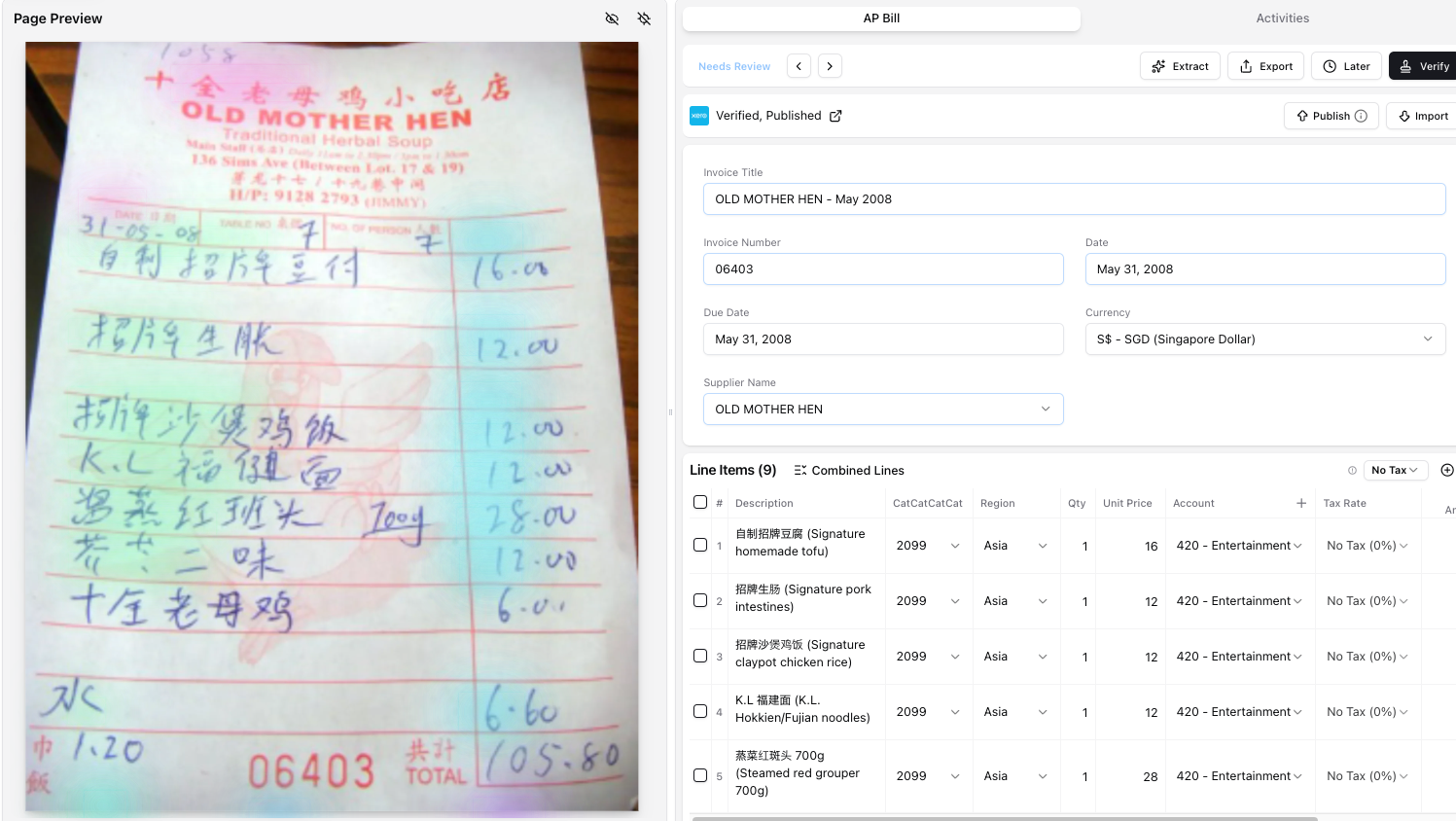
Your printed invoices process fine. Your handwritten receipts don't. When a client sends a wet market receipt with handwritten Chinese characters or an Arabic invoice where the vendor wrote everything by hand, your current tool returns nothing useful. You're typing those manually while watching your software breeze through clean English invoices. OCR for handwriting solves this by reading cursive, print, scrawl, and faded thermal paper across Latin, Arabic, Chinese, Thai, and 200+ other scripts. This comparison covers which tools actually extract line items from fully handwritten documents versus which ones just handle printed text with a handwritten signature field.
TLDR:
Handwritten document processing tools read handwritten text on receipts, invoices, and notes, then convert that into structured digital data for your accounting software.
Basic OCR works on printed invoices but fails when clients send handwritten receipts from market vendors, taxi drivers, or small shops. The text comes back garbled or missing entirely.
Specialized handwriting recognition tools use AI and computer vision trained to interpret different handwriting styles, languages, and document formats. They read cursive, print, messy scrawl, and faded thermal receipts.
For accountants working with clients in Southeast Asia, the Middle East, Africa, or any market where handwritten receipts remain common, this matters. Without handwriting OCR, you're typing those receipts manually while your tool processes clean printed invoices. That's selective automation that leaves you doing the hardest work yourself.
We ranked these tools based on what matters when processing handwritten receipts and invoices for client work:
This evaluation uses publicly available product documentation, customer reviews, and feedback from accounting firms using these tools in real workflows. We looked at what accountants experience when they upload a handwritten receipt from a taxi driver in Bangkok or a market vendor in Dubai.
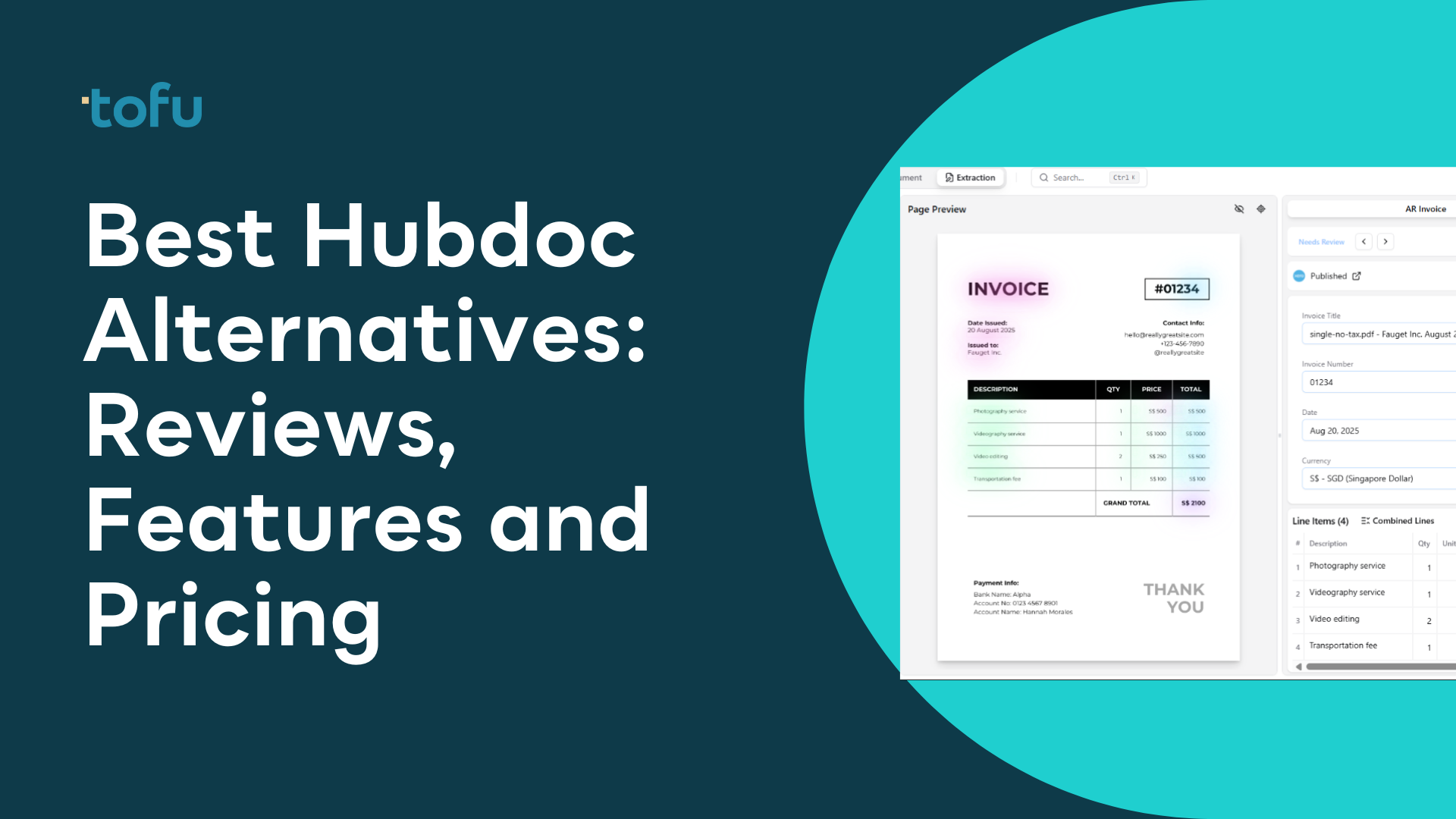
Tofu is built for accounting firms that process handwritten documents in markets where paper receipts remain common. It reads handwriting across 200+ languages and extracts every line item without configuration or training time.
What they offer
Tofu processes a handwritten Arabic receipt or Chinese fapiao the same way it handles a printed English invoice. You upload, review the extraction with click-to-verify, and publish. No separate workflow for handwritten documents.
Start processing handwritten documents with a free trial that includes up to 50 test extractions.
Dext is a receipt capture tool popular in English-speaking markets that focuses on clean, printed documents. The system uses rules-based OCR with manual configuration required for each client.
What they offer:
Good for: UK and Western accounting firms processing primarily English-language printed receipts with clean formatting who need brand recognition.
Limitation: Does not support handwriting recognition or non-Latin scripts. Requires hours of manual rule setup per client. Charges extra credits for line-item extraction. Pricing starts at approximately $235/month for 10 clients and scales to $849/month for 50 clients.
Bottom line: Dext works for English printed documents but lacks the handwriting recognition and multilingual capabilities required for firms serving clients in markets where handwritten receipts are common. The per-client pricing and credit system makes it more expensive than flat-rate alternatives.
Hubdoc is Xero's free document capture tool bundled with Xero subscriptions. It pulls header-level data like supplier name, date, and total, but extracts no line items. It cannot read handwriting at all.
What Hubdoc offers:
Good for Xero users processing simple printed receipts in English who can manually type every line item themselves.
Limitations: No handwriting recognition. English only. Xero confirmed no line item extraction is planned. Not available in all Xero markets, including Malaysia. Rated 3.5 stars on Xero App Store.
Bottom line: Hubdoc captures basic header data from printed documents but offers zero automation for handwritten receipts or line-item coding, leaving bookkeepers to type everything manually.
Veryfi is an OCR API provider focused on receipts and expense management with some handwriting recognition through their ICR (Intelligent Character Recognition) tech.
What they offer:
Good for expense management apps and receipt scanning for English and Western European languages where handwriting is limited to signature fields or simple annotations.
Limitations: Handwriting recognition works on Latin script print handwriting. Not built for fully handwritten invoices or non-Latin scripts like Chinese, Arabic, or Thai handwriting. No native accounting software integration (API only). Pricing requires demo.
Bottom line: Veryfi handles print handwriting in Latin scripts but fails on fully handwritten wet market receipts, Arabic invoices, or Chinese handwritten notes that accounting firms in APAC, the Middle East, and Africa see daily. The API-only approach requires development work to integrate.
ChatGPT and Gemini read handwritten text through their vision APIs but deliver extracted data as text you copy and paste yourself.
What they offer:
Good for developers building one-off document queries where manual copy-paste into accounting software is acceptable.
Limitations: No QuickBooks or Xero integration. No line-item posting. No audit trail or source document attachment. No duplicate detection. You manually type what they extract into your accounting system. No chart of accounts learning. Charged per API call with costs scaling unpredictably as document volume grows.
Bottom line: ChatGPT and Gemini interpret handwriting but stop at giving you text. You still do the data entry.
| Feature | Tofu | Dext | Hubdoc | Veryfi | ChatGPT/Gemini |
|---|---|---|---|---|---|
| Handwriting recognition | Yes | No | No | Limited | Yes |
| Non-Latin scripts (Arabic, Chinese, Thai) | Yes | No | No | No | Yes |
| Line-item extraction included | Yes | Credit-based | No | Yes | No integration |
| Accounting software integration | Yes | Yes | Yes | API only | No |
| Learns chart of accounts automatically | Yes | Manual rules | Manual rules | No | No |
| Pricing model | Flat monthly | Per client + credits | Free with Xero | API usage | API usage |
| Processes faded thermal receipts | Yes | No | No | Limited | Yes |
| Auto-attaches source documents | Yes | Varies | No | No | No |
Tofu extracts every line item from handwritten receipts and posts directly to your accounting software without rules or setup. Most OCR tools skip handwriting or require per-document credits. ChatGPT reads handwriting but gives you text to copy manually. Tofu handles extraction, coding, and publishing in one step across 200+ languages, including cursive and thermal receipts where the ink has faded.
Tofu is purpose-built for accounting firms processing handwritten documents across markets where paper receipts remain common. Other tools either skip handwriting entirely, require API development, or limit support to Latin-script print handwriting.
We read cursive, scrawl, annotations, and fully handwritten invoices in Arabic, Chinese, Thai, Korean, and 200+ other languages. Every line item gets extracted and coded to your chart of accounts automatically. No templates to build. No rules to configure. No language selection screens.
You connect Xero or QuickBooks, upload a handwritten wet market receipt or taxi chit, and watch Tofu extract every field with English translations displayed side-by-side. Click any field and the bounding box shows exactly where we read that data. One click publishes the coded transaction with the source document auto-attached.
The AI learns from your existing accounting history and every correction your team makes. When staff leave, the knowledge stays. Flat pricing at $79/month or $199/month. Unlimited users included.
Handwriting recognition for accounting needs to work on fully handwritten invoices in any language, not just signature fields on printed forms. If your OCR tool skips cursive Thai receipts or charges extra for line-item extraction, you're paying for selective automation that leaves the hard work on your desk. Tofu reads handwritten documents across 200+ scripts and publishes every line item directly to your accounting software without rules or training. Test it with your handwritten receipts to see the extraction accuracy yourself.
Start with what your clients actually send you. If you process receipts in multiple languages or from markets where handwritten documents are common (Southeast Asia, Middle East, Africa), you need full handwriting recognition across non-Latin scripts like Arabic, Chinese, or Thai. If you're mostly processing clean English printed invoices, basic OCR works. Check whether the tool extracts line items or just totals, and whether pricing scales with your client volume or nickel-and-dimes you per document.
Tofu reads handwriting across 200+ languages including Arabic, Chinese, Thai, Korean, and fully handwritten invoices without requiring language selection or translation steps. Veryfi handles Latin-script print handwriting but fails on fully handwritten receipts in non-Latin scripts. ChatGPT and Gemini interpret handwriting but stop at giving you text to copy manually into your accounting software.
Yes, but not all of them. Tofu processes fading thermal paper receipts common in retail and markets across Hong Kong, Singapore, and Southeast Asia before the data becomes unreadable. Standard OCR tools that work on printed invoices typically fail when thermal ink fades, leaving you to type those receipts manually.
Tools like HubDoc capture header information (supplier name, date, total amount) but leave you typing every individual line item yourself. A 30-line wholesale invoice still requires manual data entry for descriptions, quantities, unit prices, and account codes. Tofu extracts every line automatically with account coding, so you review and publish instead of typing.
Depends on the tool. Tofu publishes directly to Xero and QuickBooks with source documents auto-attached without any development work. Veryfi is API-only and requires custom integration. ChatGPT and Gemini have no accounting software integration at all, you manually copy their extracted text into your system.