Jay Sen Lon
June 15, 2026


Client invoices arrive as PDFs. You open them one by one, type the supplier details, type each line item, code everything manually, and post to Xero. It takes 5 to 15 minutes per invoice, and when you're managing 40 clients with monthly supplier invoices, that's where your week disappears. Xero invoice automation for UK accounting firms pulls all that data automatically, codes it based on how you've handled similar documents before, and gives you a pre-filled draft in Xero so you review instead of retype.
TLDR:
UK accounting firms are under real pressure in 2026. Client volumes are rising, staff costs are climbing, and HMRC's Making Tax Digital rollout means more digital records, more frequently. Invoice processing sits at the centre of that pressure.
The numbers reflect it. Accountants spend an average of 10 hours per week on manual data entry. Multiply that across a firm with five staff and you're looking at 50 hours a week spent typing information that already exists on a document.
Xero is the accounting software of choice for the majority of UK practices, but Xero alone doesn't extract invoice data. Someone still has to open the PDF, read the supplier name, read the date, read each line item, and type it in. Manual data entry hasn't changed.
Automating that step is where firms are finding the capacity to take on more clients without adding headcount.
When a client emails you a PDF invoice, the default Xero workflow is manual: you open the file, key in the supplier name, date, amount, and any line items, then save. Multiply that by 40 clients and 200 invoices a month and you can see where the time goes.
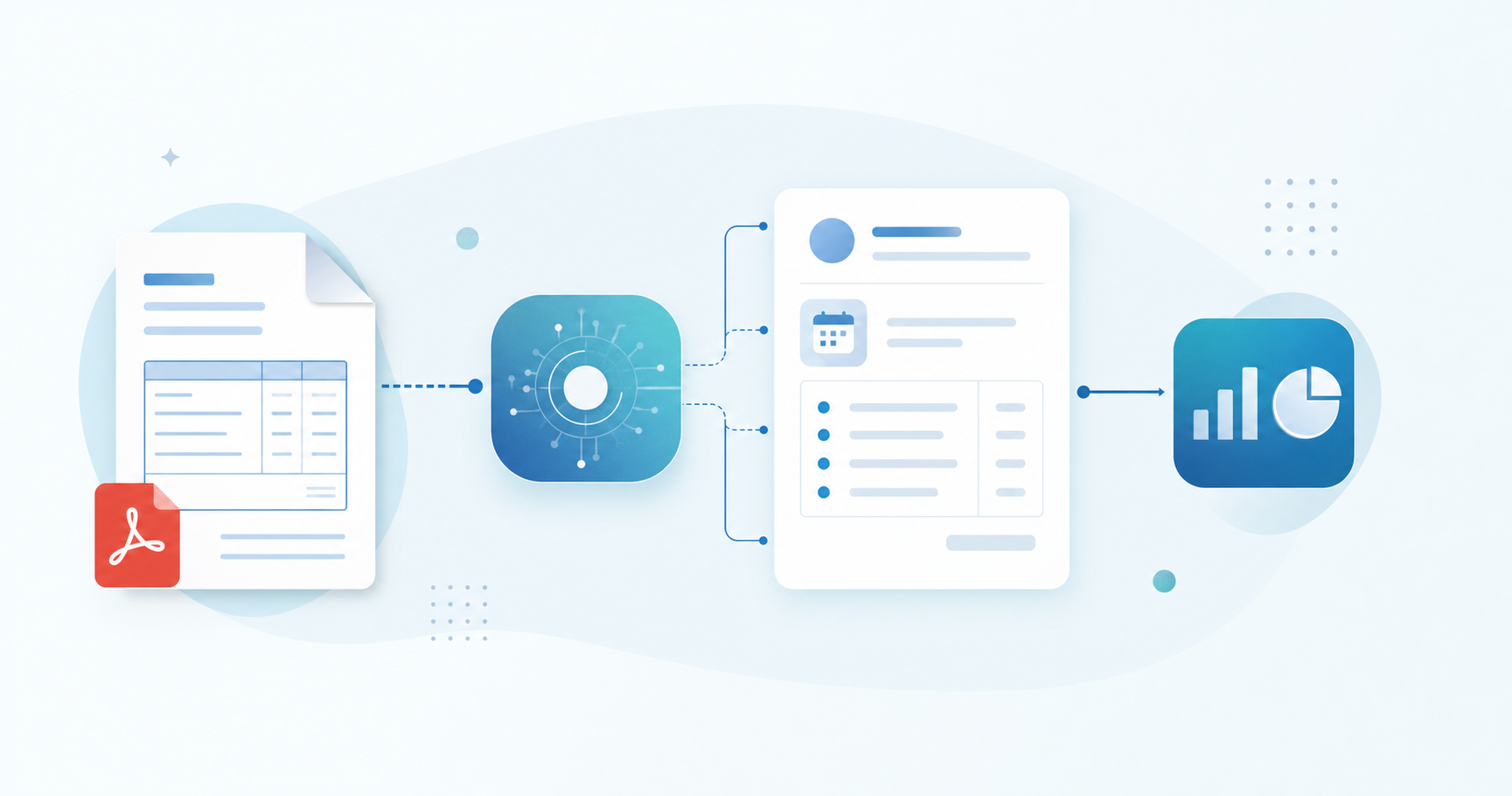
Xero invoice automation changes that sequence. Instead of typing, you review. The extraction happens first, the data arrives in Xero pre-populated, and your job becomes confirming it looks right instead of creating it from scratch.
There are a few distinct layers to what "automation" covers here:
Xero's built-in HubDoc integration handles the basics well for simple, single-page invoices in English. Where it runs into limits is multi-page documents, non-Latin scripts, and invoices with dense line-item tables. For UK accounting firms processing supplier invoices from international clients or handling high document volumes, that gap becomes a real bottleneck.
Manual invoice processing carries costs that UK accounting firms rarely track in full. The obvious one is time: a standard invoice takes between 5 and 15 minutes to key in by hand, check against source documents, and post to Xero. Across a firm handling hundreds of invoices per month, that compounds fast.
The less visible costs are harder to quantify but just as real:
For firms billing by the hour, the maths are straightforward. For firms on fixed fees, every minute spent on data entry is margin leaving the business.
Xero's built-in automation covers the basics well. You can set up repeating invoices, apply invoice reminders, and use bank rules to auto-match payments. For straightforward firms with clean, consistent documents, that's often enough.
Where it falls short is document intake. Xero doesn't extract line items automatically. You still open the PDF, read it, and type each line into Xero by hand. The "automation" stops at the ledger, not at the document.
Third-party tools fill that gap in different ways, and it's worth knowing what each actually does before choosing one.
HubDoc captures header-level data from invoices: supplier name, date, and total. It won't extract individual line items, so any invoice with multiple products or services still requires manual entry for the detail. It works well for simple receipts and single-amount invoices.
Dext works similarly at the header level by default, with line-item extraction available but counted against credit limits depending on your plan. For firms processing high volumes, those credits add up fast.
Tofu takes a different approach. It extracts every line item from a supplier invoice, maps each one to your chart of accounts based on how you've coded similar documents before, and publishes directly to Xero via native integration. It learns your coding preferences over time, so accuracy improves the longer you use it. It also handles documents in 200+ languages, which matters for UK firms with overseas suppliers or international clients.
| Tool | Line-item extraction | Xero integration | Learns from your history |
|---|---|---|---|
| Xero native | No | Native | No |
| HubDoc | No | Native | No |
| Dext | Limited (credit-based) | Native | No |
| Tofu | Yes, full extraction | Native | Yes |
The right choice depends on your document mix. If most of what you process is simple single-line receipts, Xero's built-in tools or HubDoc may be sufficient. If you're handling supplier invoices with multiple line items, foreign-language documents, or high monthly volumes, the gap between header-only capture and full extraction becomes a real time cost. If you're handling supplier invoices with multiple line items, foreign-language documents, or high monthly volumes, the gap between header-only capture and full extraction becomes a real time cost.
UK accounting firms have several routes for connecting Xero to an invoice automation workflow, and the right choice depends on how your firm handles volume, document types, and client variety.
Xero includes built-in invoice capture through HubDoc and its own file upload inbox. These work for straightforward setups: a single-entity client, clean PDFs, standard suppliers. Header and total data gets captured, but line-item detail is limited, and multi-language documents or handwritten invoices tend to fall over quickly.
| Tool | Xero integration | Line-item extraction | Learns coding preferences | Pricing model |
|---|---|---|---|---|
| HubDoc | Native | Header only | No | Included in Xero |
| Dext | Native | Yes (credit-based) | Limited | Per document |
| AutoEntry | Native | Yes | Limited | Per document |
| Tofu | Native | Full line items | Yes, per client | Flat monthly |
Tofu's flat monthly pricing matters at scale: there are no per-document penalties for high-volume months, and one subscription covers unlimited users and clients.
Xero does not process invoices on its own. It receives structured data and records it. The actual work of reading a document, extracting the right fields, and getting that data into Xero in the right format falls to whatever sits upstream of it.
There are two broad approaches UK accounting firms take here.
Xero includes a native feature called Hubdoc (acquired and integrated directly into Xero) that can capture bills and receipts via email forwarding or mobile upload. For firms with straightforward supplier invoices in English, this covers the basics: supplier name, date, total amount, and a suggested account code.
The limitations show up quickly in practice:
The more capable setup connects a dedicated AI document processing tool to Xero via its native API. Tofu works this way: you upload invoices individually or in bulk, Tofu extracts every line item, maps each one to your chart of accounts using your firm's coding history, and publishes the structured data directly into Xero as a draft bill ready for review.
The key difference from Hubdoc is line-item extraction. Where Hubdoc gives you a header, Tofu gives you every row, with account codes already applied based on how your firm has coded similar documents before.
Making Tax Digital for Income Tax (MTD for ITSA) is coming for sole traders and landlords earning above £50,000 from April 2026, with the £30,000 threshold following in April 2027. For UK accounting firms, that means a substantial increase in quarterly digital record-keeping obligations across your client base.
Invoice automation connects directly to MTD for ITSA readiness. Xero is HMRC-recognised software for MTD, and when invoices are processed and coded accurately into Xero in near real-time, your clients' quarterly submissions become a matter of review, not reconstruction.
MTD for ITSA raises the frequency of compliance touchpoints without increasing the hours in your team's day. Getting invoice data into Xero accurately and promptly is one of the more concrete ways to stay ahead of that pressure.
UK accounting firms running Xero invoice automation for the first time tend to hit the same friction points. Knowing where they are keeps you from hitting them mid-month-end.
Most problems fall into one of three areas:
The first month is your calibration window. Track rejection rates, coding mismatches, and any invoices that needed manual correction. If a document type consistently causes problems, that is a signal to adjust your extraction settings or create a dedicated rule for that supplier category. After 30 days, most firms find the volume of manual corrections drops sharply as the system builds history with your specific client base and chart of accounts.
When you first set up automated invoice processing in Xero, the system has no context about how your firm codes documents. It doesn't know that your client in Manchester always routes delivery charges to account 5010, or that a particular supplier's invoices should never hit the default purchase account. That learning has to come from somewhere.

This is where AI document processing tools earn their keep. Each time you review and confirm a coding decision, the system records it. Over time, it builds a firm-specific coding history that it applies to new documents automatically.
There are a few ways this learning gets built up:
Tofu works this way across every document you process. It learns your chart of accounts mappings, your preferred tax codes, and your supplier history, and carries that context forward indefinitely. There's no session limit or periodic reset.
As Lucas Seah from Excellence Singapore put it: "Can you Tofu it? If you can, please just load it in. Don't think."
That kind of trust doesn't come from a one-time setup. It comes from a system that gets more accurate the longer you use it.
Tofu connects directly to Xero through a native integration, sitting between your incoming documents and your ledger. You upload an invoice, receipt, or bank statement, and Tofu extracts every line item, maps it to the right account code, and publishes it to Xero without you retyping a thing.
What separates Tofu from alternatives like HubDoc or Dext is that it processes the full document: header, total, and every line item. Every line item, every tax field, every supplier reference gets extracted and coded according to how your firm has handled that client's books before.
The more documents you run through it, the more accurately Tofu codes them. It learns each client's chart of accounts and your firm's coding preferences over time, so a supplier your firm has invoiced thirty times gets coded correctly without you touching it.
For UK accounting firms managing multiple Xero clients, that learning carries across your portfolio. Tofu builds a separate processing history for each client, so the coding rules for one entity never bleed into another.
One firm that switched from manual entry reported cutting a 3 to 4 hour process down to 30 to 60 minutes per client. That kind of time reduction compounds across a full client roster.
You're either typing invoices or you're reviewing them. One takes 10 hours a week per person, the other takes a fraction of that and gives you capacity to grow. The accounting software handles your ledger, but it doesn't read documents or learn how your firm codes them. Upload your worst supplier invoice and watch Tofu extract every line item with the account codes you would have picked anyway.
Yes. Tofu connects to Xero through native integration and sits between your incoming documents and your ledger: you don't switch platforms, you automate the document processing layer upstream of Xero. Your chart of accounts, client data, and historical records stay exactly where they are.
Manual entry at 5 to 15 minutes per invoice compounds fast across a 50-client roster, consuming 10+ hours weekly on data entry alone. Automated extraction cuts a 3 to 4 hour invoice batch down to 30 to 60 minutes by eliminating the typing step entirely: you review AI-extracted data instead of creating it from scratch, which matters when MTD for ITSA quarterly deadlines hit.
Tofu extracts every line item from supplier invoices: descriptions, quantities, unit prices, and account codes, plus header totals. Each line gets mapped to your chart of accounts based on your firm's historical coding patterns, so a 12-line invoice arrives in Xero fully coded and ready for review without manual entry for each row.
HubDoc captures header-level data (supplier name, date, total amount) but won't extract individual line items, so invoices with multiple products or services still require manual entry for the detail. Third-party tools like Tofu extract full line-item data with account code mapping, handle documents in 200+ languages including handwritten invoices, and learn your coding preferences over time, capabilities HubDoc doesn't offer.
If you're managing sole traders or landlords hitting the £50,000 threshold (April 2026) or the £30,000 threshold (April 2027), quarterly digital record-keeping obligations mean invoice data needs to flow into Xero accurately and promptly throughout each period instead of being reconstructed at submission deadlines. Automating invoice processing now spreads that compliance work evenly across the year without compressing it into four crunch periods.