Jay Sen Lon
March 16, 2026

You can't scale a firm when bookkeepers spend 250+ hours per month typing invoices. The right way to automate invoice entry in Xero handles line-item extraction, plus header data. Most tools pull supplier names and totals, then stop. You're still manually entering 15 rows per invoice with descriptions, quantities, account codes, and tax treatments. Full line-item extraction reads every row, codes it to your chart of accounts, and publishes the transaction directly to Xero. That's what actually frees up your team to take on more clients without adding headcount.
TLDR:
You open an invoice. You type the supplier name into Xero. Then the date. The invoice number. The total amount. If there are line items, you add each one: description, quantity, unit price, account code, tax treatment. One by one.
Manual invoice processing takes 10 to 30 minutes per invoice and costs between $12.88 and $19.83 per invoice depending on company size. For a firm processing 20 clients with 50 invoices each month, you're looking at 250+ hours of data entry per month.
The bottleneck gets worse from there. Month-end closes drag because invoices pile up in the final week. Staff burnout climbs when bookkeepers spend entire days typing instead of reviewing or advising clients. Error rates creep up when people rush to meet deadlines. Clients miss early payment discounts because invoices sit in the queue waiting to be entered.
You can't scale this way. Taking on five new clients means hiring another bookkeeper or asking your current team to work weekends. The math doesn't work. Meanwhile, 55% of firms are raising fees to combat rising complexity and costs, which only works if you can actually deliver more value per client without burning out your team.
Manual invoice entry does more than slow you down. It caps how many clients your firm can handle without adding headcount.
Invoice automation means the software handles everything from upload to posting in Xero. Reading the invoice, then doing the work a bookkeeper would do manually.
The full workflow looks like this: you upload invoices through drag-and-drop, email forwarding, or cloud storage sync. The invoice data extraction software extracts every field from the document including supplier name, date, invoice number, line items, tax codes, and amounts. It matches each line to your Xero chart of accounts based on historical coding patterns. It checks for duplicates before posting. Then it publishes the transaction directly into Xero with the source document attached.
Basic receipt capture tools only grab header information: supplier name, date, and total amount. If your invoice has 15 line items, you're still typing all 15 manually.
Line-item extraction pulls every description, quantity, unit price, account code, and tax treatment from the invoice. Each line gets coded to your chart of accounts without you touching the keyboard.
Xero lets you forward invoices to a dedicated email tied to your account. The invoice appears in your inbox within Xero, where you can review it and manually create a bill. This works if you just need a central place to collect documents, but Xero doesn't extract data from the PDF. You still type every field yourself.
Good for firms that want document storage inside Xero without paying for third-party tools. Not automation.
Apps like HubDoc, Dext, and AutoEntry are among the best invoice capture software that connect directly to Xero through the App Store. They extract basic invoice data (supplier, date, total) and some offer line-item extraction as an add-on. Most require rule-building before first use. Pricing typically runs per user or per document, and accuracy varies on non-English or handwritten invoices.
Good for firms already using one of these tools or needing basic header extraction. Watch for setup time and per-seat costs.
Tools like Tofu use OCR software for invoice processing and connect to Xero via API to extract every line item without configuration. Upload an invoice in any language, including handwritten documents, and the software reads your historical Xero data to learn coding patterns. Corrections teach the AI permanently. Flat monthly pricing covers unlimited users.
Good for firms processing high volumes, multilingual invoices, or complex line-item documents where manual entry takes 15+ minutes per invoice.
| Tool | Line-Item Extraction | Setup Time | Language Support | Pricing Model | Best For |
|---|---|---|---|---|---|
| Xero Email Forwarding | No extraction, manual entry required for all fields including header data | Under 5 minutes to set up email forwarding | Not applicable, no data extraction occurs | Included with all Xero plans at no additional cost | Firms that only need centralized document storage inside Xero without automation |
| HubDoc, Dext, AutoEntry | Varies by tool and plan; line-item extraction may require add-on credits or configuration depending on the provider | Requires rule-building and configuration before processing first invoice | Primarily English and Latin alphabet languages, limited support for other scripts | Per-user or per-document pricing that scales with team size and volume | Firms already using these tools or needing basic header extraction only |
| Tofu | Full line-item extraction for every row including description, quantity, unit price, account code, and tax treatment | Minutes to connect and start processing, no configuration or rule-building required | 200+ languages including Chinese, Arabic, Thai, Malay, and handwritten documents | $79/month (annual plan): Pro plan covers 800 entries/month, unlimited users, unlimited entities, no client cap | Firms processing high volumes, multilingual invoices, or complex multi-line documents where manual entry takes 15+ minutes per invoice |
When picking a tool that connects to Xero, start by checking what it actually extracts. Header-only tools capture supplier name, date, and total amount. Line-item extraction tools pull every row: description, quantity, unit price, account code, tax treatment. If your invoices run 10+ lines, header-only extraction barely helps. Confirm whether line items are included or cost extra.
Test with your own invoices before signing up. Upload a sample with mixed tax rates, grouped subtotals, or footnotes. If the tool fails during trial, it will fail after you pay.
Check language and handwriting coverage if you work with non-English documents or handwritten receipts. Tools built for English-only markets break on Chinese, Arabic, Thai, or Malay invoices.
Look for native Xero integrations that publish transactions with one click and attach source documents automatically. CSV export means downloading files and importing manually.
Some tools need hours of rule-building before processing the first invoice. Others read your Xero history and start working immediately. If staff changes often, pick software that learns from corrections instead of storing setup knowledge in someone's head.
Compare pricing models. Per-user pricing grows every time you add staff. Per-document pricing punishes high-volume months. Flat monthly rates let you process unlimited documents with unlimited users for one fixed cost.
Connect your chosen tool to Xero through the App Store or direct API integration. Most tools walk you through authorization in under two minutes. You'll grant read/write permissions so the software can pull your chart of accounts, contact list, and tax rates, then publish bills directly.
Set up your document ingestion method. Email forwarding gives each client entity a unique inbox where suppliers or clients can send invoices. Cloud storage sync pulls documents automatically from Google Drive or SharePoint folders. Direct upload works for ad-hoc batches. Pick what fits how invoices arrive at your firm.
Run a test batch using 10 to 20 historical invoices you've already posted in Xero. Compare the tool's extraction against your manual entries. Check line-item accuracy, account code assignments, and tax treatment. Correct any mistakes. Most AI tools learn from these corrections and improve on the next batch.
Set review checkpoints before publishing to Xero. Decide who approves extractions, what error threshold triggers manual review, and whether certain invoice types always need human sign-off before posting.
Line-item extraction reads every row on an invoice, including the header. That means description, quantity, unit price, account code, and tax treatment for each line. Header-only tools grab supplier name, date, and total amount, then stop.
Here's why that gap matters in Xero. A wholesale supplier sends you a 20-line invoice with office supplies, computer equipment, and catering costs mixed together. Header extraction gives you the total. You still type all 20 lines into Xero manually, assigning each one to the right account: office expenses, equipment, staff welfare. Line-item extraction does that coding for you.
The same applies to tax treatment. One invoice might include GST-exempt items, zero-rated services, and standard-rated goods. Each line needs the correct tax code in Xero. Line-item tools handle that per row. Header-only tools don't.
Job costing and inventory tracking depend on line-level detail. Without it, you can't allocate costs to projects or update stock levels correctly.
Connect Tofu to Xero through the App Store and you're extracting invoices in minutes. No templates to build. No rules to configure. Tofu reads your existing chart of accounts, tax rates, and supplier history from Xero, then starts processing immediately.
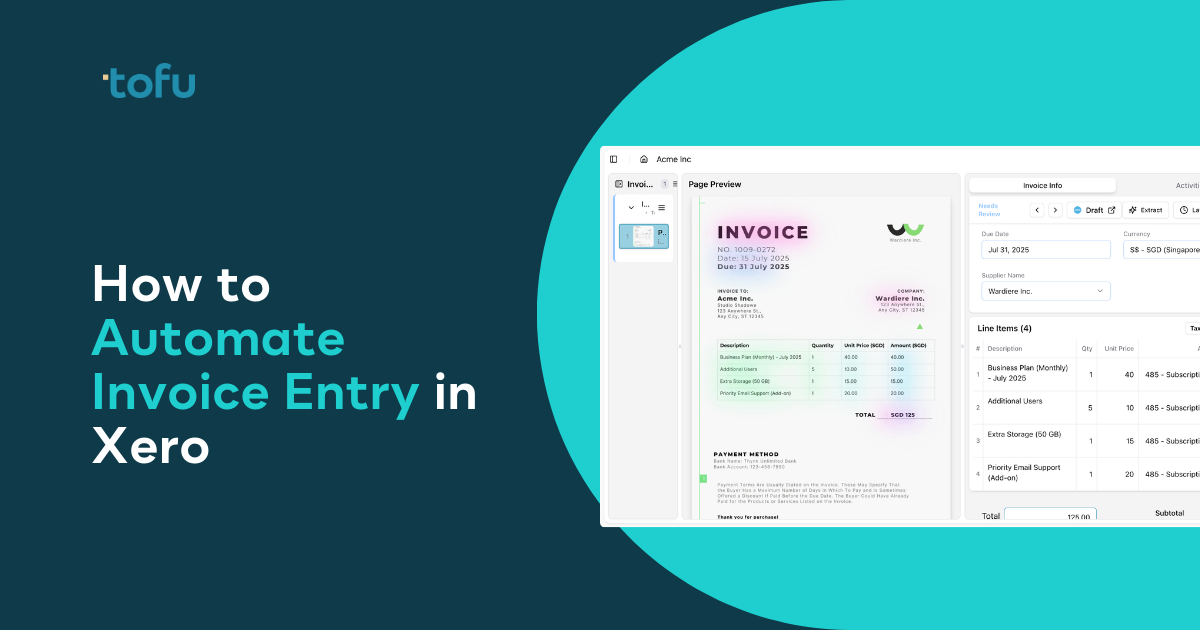
Upload an invoice and Tofu extracts every line item: description, quantity, unit price, account code, and tax treatment. Each line gets coded to your chart of accounts based on how you've coded similar transactions before. Review the extraction, correct anything wrong, and publish directly to Xero with one click. The source PDF attaches automatically to the transaction record.
When you correct the AI, it learns. Vendor-specific knowledge builds over time and survives staff turnover, similar to how AI bookkeeping software improves with use. New hires benefit from coding decisions made years ago.
"Before using AI, it would take me between 3 to 4 hours to input and review a client's invoices. With Tofu, I can now complete the process in just 30 to 60 minutes." - Tammy Tan, Bookkeeper, Klozer
The same workflow applies across all your Xero clients. One setup, unlimited entities, unlimited users.
The firms handling 50+ clients without burning out their teams aren't hiring more bookkeepers. They automate invoice entry in Xero so their people can focus on advisory work, not transcription. Manual entry doesn't scale, and your clients don't pay you to re-type what's already on the invoice. Pick a tool that learns from your corrections and actually posts transactions instead of exporting CSV files you still have to import manually.
Most firms connect their tool to Xero and start processing invoices within minutes. AI-powered tools like Tofu read your existing chart of accounts and learn from your historical coding patterns immediately, so there's no rule-building required before you extract your first invoice.
Header-only extraction captures supplier name, date, and total amount, then stops. Line-item extraction reads every row on the invoice: description, quantity, unit price, account code, and tax treatment. If your invoice has 20 lines, header-only tools still make you type all 20 manually into Xero.
Some can, but most legacy OCR tools fail on documents outside English or Latin alphabets. Tools built with multilingual AI can process invoices in Chinese, Arabic, Thai, and 200+ other languages without requiring translation. Handwriting recognition varies by tool, so test with your actual documents before committing.
Yes, third-party invoice automation tools connect to Xero through the App Store or API and work with any Xero subscription. The automation happens in the third-party software, then publishes directly to your Xero account with proper permissions. Email forwarding within Xero itself is available on all plans but doesn't automate data extraction.
Firms using line-item extraction report cutting invoice processing time from 3-4 hours down to 30-60 minutes for a full batch of client invoices. Individual invoice time drops from 10-30 minutes of manual entry to under 2 minutes of review and publishing, depending on invoice complexity and tool accuracy.