Jay Sen Lon
June 9, 2026

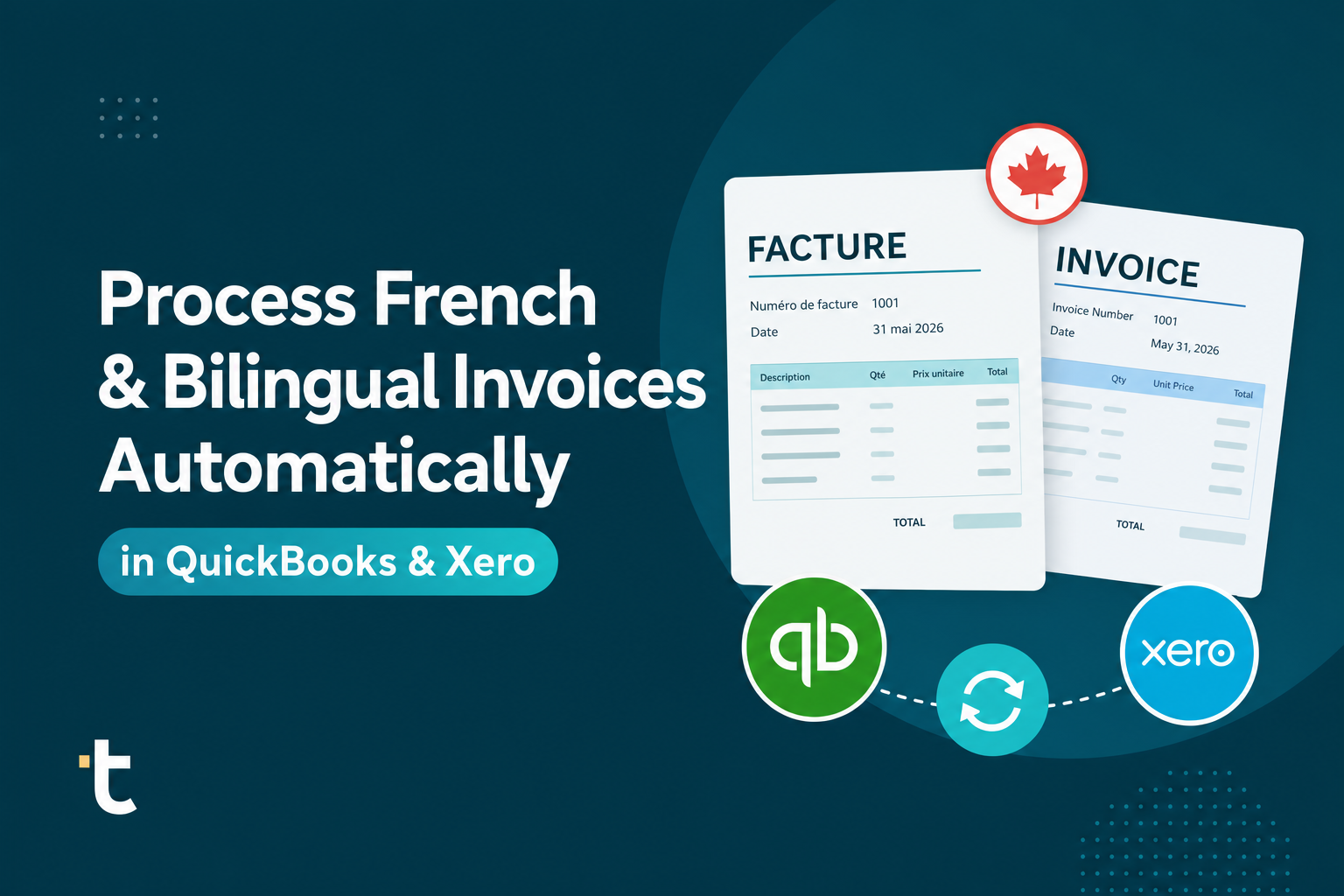
Processing French invoices in your Canadian firm probably looks like this: a supplier document arrives from Quebec, you open it, you read the French tax labels, you type the supplier name and line items into Xero or QuickBooks, you assign account codes, and you move to the next one. If you're working with bilingual clients in Montreal or Ottawa, this happens dozens of times a week. Both QuickBooks and Xero handle outbound bilingual invoicing well, but neither was built to read inbound French supplier documents and extract the data automatically. The gap matters because manual French invoice processing in QuickBooks and Xero means your firm spends hours every month on data entry that could run on its own. We're going to show you the workflow Canadian firms use now to process French and bilingual invoices automatically, without changing how you code accounts or restructuring your client setup.
TLDR:
Canadian accounting firms serving bilingual clients face a documentation reality that most invoice processing tools were never built for. Quebec-based suppliers, francophone businesses in New Brunswick, and clients with cross-border operations regularly send invoices written entirely in French, or in mixed French-English formats where field labels, tax descriptions, and line item terminology shift between languages within a single document. Statistics Canada reports that 45.4% of Quebec establishments required bilingualism for some positions in 2023, reflecting the practical reality of French-English business documentation in the province.
Recent industry data from CPA Canada shows that French is the primary business language for over 22% of Canadian businesses, concentrated heavily in Quebec but present in francophone communities across Ontario, Manitoba, and the Atlantic provinces. For accounting firms in Montreal, Quebec City, or Ottawa, the proportion of French-language supplier invoices can run well above two thirds of incoming documents, making multilingual accounting software a core requirement, not a nice-to-have.
The problem is more than reading French. It is that invoice processing tools built primarily for English-language documents misread French tax terminology, misidentify field structures, and fail on common Quebec invoice formats. "TPS" and "TVQ" are Quebec's GST and QST equivalents, but generic OCR tools frequently mislabel them, skip them, or throw extraction errors. When that happens, someone at your firm has to open the original PDF, decode it manually, and re-enter the data by hand.
For a mid-sized Canadian firm processing 300 to 500 invoices a month, even a 15% French-invoice error rate means correcting 45 to 75 documents every billing cycle, a problem that AI bookkeeping software should solve instead of create. That is not a minor inconvenience. It is a recurring time cost baked into your workflow by the limitations of tools that were never designed with bilingual Canadian accounting in mind.
Both QuickBooks Online and Xero give Canadian firms solid tools for sending bilingual invoices to clients. You can set the invoice language to French, add bilingual payment terms, and configure templates that meet Quebec's language requirements under the Charter of the French Language. That outbound workflow is well-covered.
Inbound document processing is a different story.
When a French-speaking supplier sends your firm a PDF invoice, neither QuickBooks Online nor Xero was built to read it, extract the line items, and map those items to your chart of accounts automatically. The native document upload features in both products capture header-level data at best: supplier name, date, total amount. Line items, tax codes, and account code suggestions require manual entry regardless of the invoice language.
This gap matters more in bilingual firms because the volume of French-language supplier documents tends to be higher. A firm serving clients in Quebec or New Brunswick may process hundreds of French invoices per month, each requiring the same manual steps: open the document, read the French field labels, type the data into the correct fields, assign account codes, and move on.
There are a few reasons this gap exists:
The result is that bilingual and French-first firms end up doing more manual work per invoice than their English-only counterparts, even though their accounting software otherwise handles the bilingual context well.
Canadian accounting firms handling bilingual clients have settled into three distinct workflow patterns, each with different tradeoffs depending on client volume, document language mix, and how much manual review the firm can absorb.
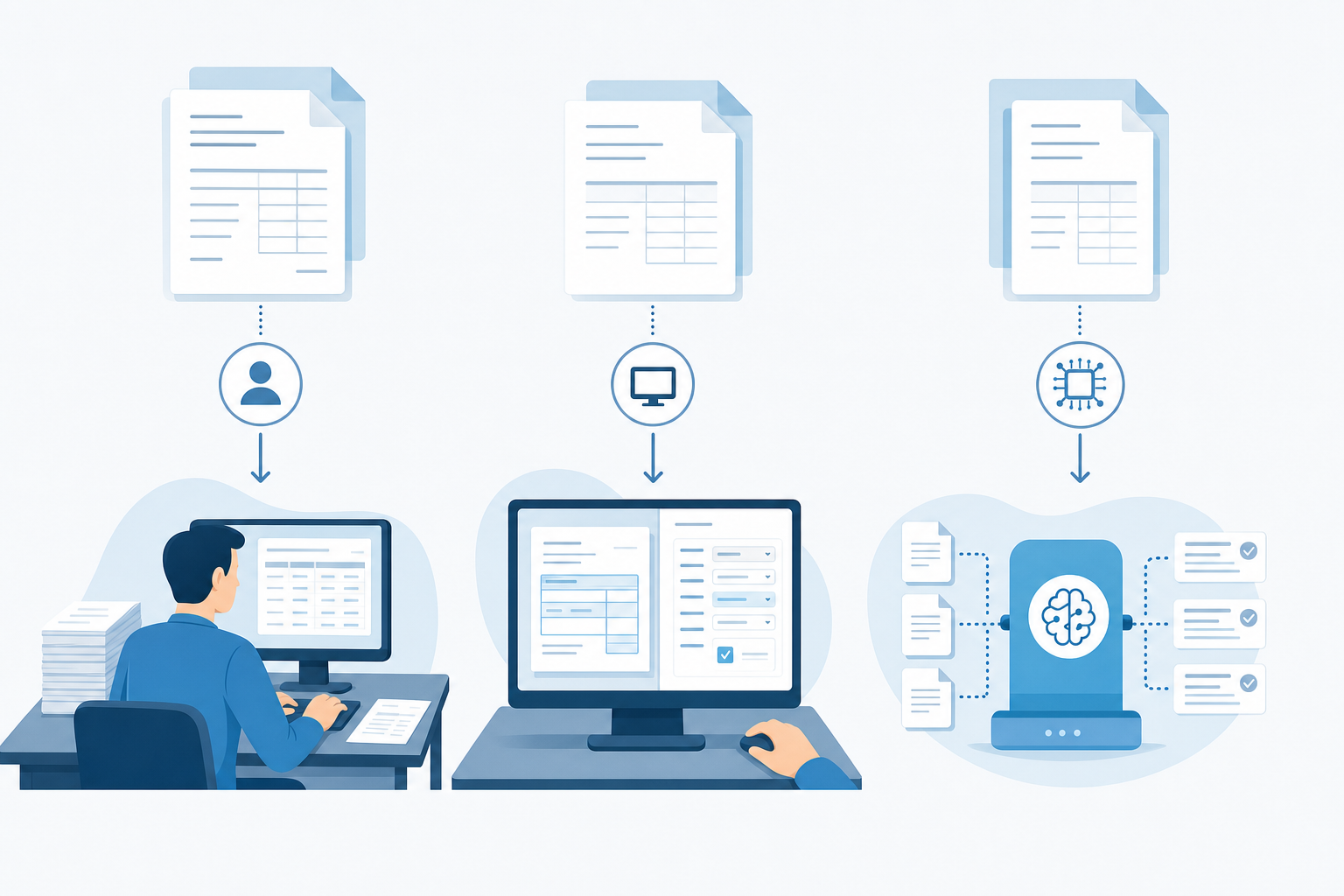
The most common approach at smaller firms. A French invoice arrives, a staff member opens a translation tool, copies vendor names and line items one by one, then keys everything into QuickBooks or Xero. For firms with only a handful of French-language clients, the volume is manageable. For firms with dozens, it consumes hours every week that could go toward actual accounting work.
Firms using tools like Hubdoc or Dext get partial relief. The software captures header-level data reasonably well for English documents, but French invoices introduce accuracy problems: accented characters get mangled, vendor names from Quebec suppliers come through garbled, and line-item extraction either fails or requires substantial correction before the data is usable in Xero or QuickBooks. Canadian firms looking for Dext alternatives often cite this gap as the reason for switching.
A smaller but growing segment of Canadian firms routes invoices directly through a multilingual document processing tool without any pre-configuration. The tool extracts every line item, maps it to the firm's chart of accounts, and publishes to Xero or QuickBooks without a manual translation step in between. Review happens after extraction, not before it.
The gap between patterns one and three is measured in hours per month, per client.
| Workflow Pattern | How It Works | French Line Item Handling | Best For |
|---|---|---|---|
| Manual translation and entry | Staff member opens translation tool, copies vendor names and line items one by one, then keys everything into QuickBooks or Xero | Bilingual bookkeeper reads French invoice and enters English equivalent manually | Smaller firms with only a handful of French-language clients where volume is manageable |
| OCR capture with manual correction (Hubdoc, Dext) | Software captures header-level data reasonably well for English documents but French invoices introduce accuracy problems with accented characters and vendor names | Line-item extraction either fails or requires substantial correction before the data is usable in Xero or QuickBooks | Firms willing to accept partial automation with manual cleanup on French documents |
| AI document processing with automatic language handling (Tofu) | Tool extracts every line item, maps it to the firm's chart of accounts, and publishes to Xero or QuickBooks without manual translation step | AI extracts French line by line without language configuration, handles mixed French and English documents in same batch | Canadian firms with dozens of French-language clients where hours per week of manual work becomes unsustainable |
Quebec tax notation follows its own French-language conventions, and if you're processing invoices from Quebec clients, the terminology gap between English and French documents is real enough to cause mismatches in Xero and QuickBooks.
In English Canadian invoices, you'll see GST (Goods and Services Tax) and PST (Provincial Sales Tax) or HST (Harmonized Sales Tax). Quebec invoices replace those with TPS (Taxe sur les produits et services) and TVQ (Taxe de vente du Québec). The rates differ too: TPS sits at 5%, while TVQ is 9.975%, giving a combined rate of 14.975%.

The practical problem arises when your accounting software or document processing tool encounters "TPS" on an invoice and doesn't map it to the GST tax code in your chart of accounts. The same applies to TVQ versus QST (Quebec Sales Tax), which is the English-language equivalent term some firms use interchangeably. If your document processing layer isn't trained on both notations, you end up with mismatched tax lines or manual corrections on every Quebec invoice.
There are a few specific notation patterns worth knowing:
Understanding these distinctions matters before you automate anything, because the mapping has to be correct at the source.
Canadian accounting firms typically follow the same core setup steps, whether they're working in Xero or QuickBooks Online. The difference is mostly in where the documents enter the workflow and how the firm has structured its chart of accounts for bilingual clients.
There are a few ways firms approach this, each with different tradeoffs.
Most firms already have a document intake method: a client portal, a shared inbox, or a folder in a cloud drive. The first step is routing those documents through an AI document processing tool like Tofu before they reach Xero or QuickBooks. Tofu sits between your document source and your accounting software, extracting line items and supplier data regardless of whether the invoice is in French, English, or both.
Once connected, the system learns how your firm codes specific suppliers and expense categories. For bilingual firms, this matters because the same vendor may appear with French and English name variants across different invoices. Tofu's AI learns from your review decisions over time, so corrections made in the first few weeks reduce manual review considerably as volume grows.
"What used to take me 3-4 hours can be done in 30-60 minutes," says Tammy Tan from Klozer, describing the shift from manual invoice processing to automated extraction.
Tofu reads the invoice the way a bilingual accountant would: in whatever language it arrives in, without any translation step on your end.
When a French-language invoice comes in, Tofu identifies the document language, extracts every line item including descriptions written in French, and maps each one to the correct account in your chart of accounts. The same applies to bilingual invoices where supplier details appear in French and English side by side. You don't flag the language, configure a separate workflow, or run anything through a translation tool first.
There are a few specific things Tofu handles that matter for Canadian firms:
Over time, Tofu learns your coding preferences per supplier, per document type, and per client. The more invoices it sees, the less you review.
You're paid to advise clients, not re-type supplier invoices that are already in front of you. The difference between spending three hours on invoice entry and thirty minutes on review is a document processing layer that actually reads French. Tofu extracts line items from Quebec invoices the same way it handles English ones, learns how you code each supplier, and publishes directly to Xero or QuickBooks. See it process French invoices before you manually enter another TPS line.
Yes. Tofu reads French invoices directly and extracts all line items, tax codes, and supplier details without any translation step on your end. The system recognizes TPS and TVQ fields automatically, maps French descriptions to your chart of accounts, and publishes directly to QuickBooks Online or Xero without requiring you to convert the document to English first.
Route incoming documents through Tofu before they reach your accounting software. Tofu extracts line items from French, English, and mixed-language invoices in the same batch without pre-sorting or manual language flagging. Connect once via native Xero or QuickBooks Online integration, and extracted data publishes directly to your draft bills queue with TPS/TVQ already mapped to the correct tax codes.
Tofu reads TPS (5%) and TVQ (9.975%) fields natively, so Quebec provincial sales tax extracts correctly and maps to the GST and QST tax codes in your chart of accounts. The system also recognizes notation variants like "TPS/TVQ incluses" (tax-included pricing) and older compounding methods, preventing double-counting errors that generic OCR tools create when they misread French tax terminology.
Manual entry requires opening each French invoice, translating vendor names and line items, then typing everything into QuickBooks or Xero one field at a time. Tofu extracts every line item from the French document directly (supplier details, descriptions, amounts, tax codes) and publishes to your accounting software without translation. For firms processing 300+ French invoices monthly, that difference is measured in hours per week.
Most Canadian firms connect their accounting software and start processing French invoices within 15 to 30 minutes. Tofu reads your existing chart of accounts and tax configuration from Xero or QuickBooks Online automatically, so there's no template building or rule configuration before first use. The system learns your coding preferences for French suppliers over the first 10 to 15 invoices, with accuracy improving to 95%+ as volume grows.