Jay Sen Lon
June 15, 2026

You've probably tried bookkeeping automation before. It worked great in the demo: clean invoice, typed text, everything coded perfectly. Then you uploaded your actual client documents. A scanned receipt with handwriting. A 50-page bank statement. An invoice from a German supplier with line items your old tool couldn't parse. The software either skipped them entirely or extracted the header and left you to manually code every single line anyway. AI bookkeeping software for UK accounting firms has changed enough in 2026 that the failure cases which made earlier tools frustrating are largely solved, but only if you know which capabilities actually matter when you're processing real documents under real deadline pressure.
TLDR:
The category label "AI bookkeeping software" covers a wide range of tools doing very different things. Some capture document headers and totals. Others extract full line items, learn your chart of accounts, and publish directly to Xero or QuickBooks. For UK accounting firms managing dozens of clients across multiple document types, that distinction matters.
At its core, AI bookkeeping software processes the documents that flow into an accounting firm daily: supplier invoices, receipts, bank statements, and credit notes. The AI reads each document, extracts the relevant data, and routes it to the right place in your accounting software, without someone typing it in manually.
The work breaks down into three areas:
For UK firms, where VAT treatment, multi-currency clients, and high document volumes are routine, the difference between shallow and deep extraction is measured in hours per week.
The direction of travel is clear. ICAEW research shows that the majority of UK accounting firms plan to adopt AI tools in the near term, yet most have not moved beyond pilot programmes. The gap between intention and action is where most firms are sitting right now.
The pressure driving that gap is real. UK firms are handling more complex client work, tighter deadlines under Making Tax Digital requirements, and a labour market where hiring junior bookkeepers has become both expensive and unreliable. Bookkeeping automation removes the manual data entry that once consumed junior staff hours. Something has to give.
The shift is less about AI arriving and more about it becoming reliable enough to trust with production work. Earlier generations of bookkeeping automation stumbled on anything outside a clean, typed PDF. Handwritten receipts, multi-currency invoices, documents in non-Latin scripts, 50-page bank statements from a client who ignored you for three months: these were the cases that sent work back to a human every time.
The best AI bookkeeping software available in 2026 handles those cases differently. AI document processing that learns from your firm's coding history, adapts to new document types, and publishes directly to your accounting software means the failure modes that made earlier tools frustrating are largely gone.
The question for UK firms in 2026 is not whether to adopt AI bookkeeping tools. It's knowing what to look for so the tool you choose actually holds up on your real client work.
Most bookkeeping tools capture the header of an invoice: supplier name, date, and total. That's enough to file the document. It's not enough to do the accounting.
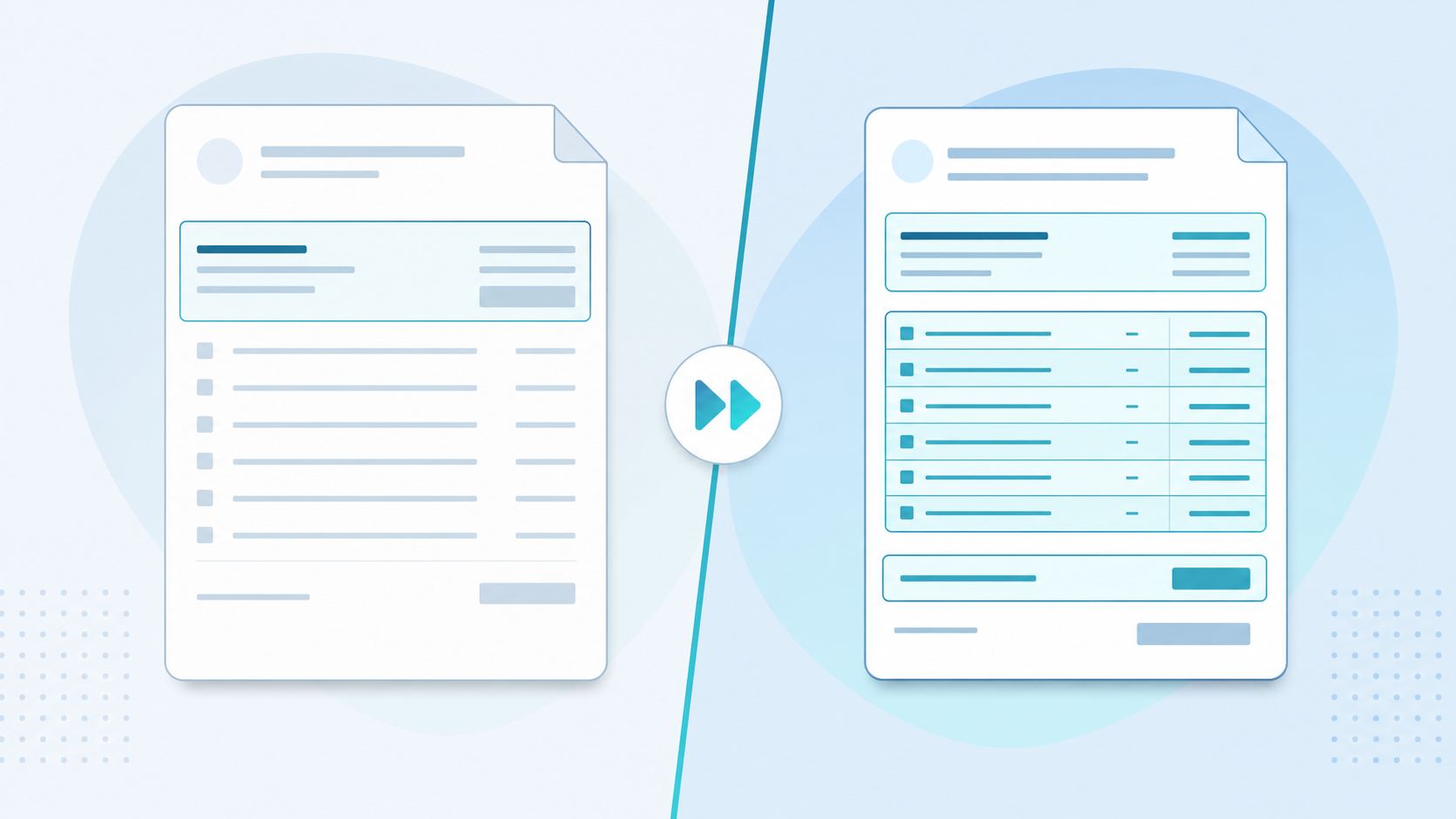
When a supplier sends a 34-line invoice, each line needs its own account code, tax treatment, and description. Header-only capture leaves that work entirely to you. You're still opening every document, reading every line, and typing each entry manually.
AI bookkeeping software worth considering in 2026 should extract every line item (summary and detail rows alike) and map each one to the correct account code automatically.
| Tool | Line-Item Extraction | Multi-Language Processing | Pricing Structure |
|---|---|---|---|
| Tofu | Extracts every line item including summary and detail rows with automatic account code mapping | Processes documents in 200+ languages including non-Latin scripts and handwriting | Flat monthly rate with no per-user or per-document fees |
| HubDoc | Header-only extraction captures supplier name, date, and total without line-item detail | Primarily supports Latin-alphabet documents with limited multi-language capability | Per-user subscription with monthly or annual billing |
| Dext | Line-item extraction available but charged as extra credits beyond base allowance | Supports multiple languages but requires manual language selection for non-English documents | Credit-based system where multi-page statements consume credits faster than single invoices |
| AutoEntry | Line-item extraction available but charged as extra credits beyond base allowance | Handles common European languages but limited support for non-Latin scripts | Credit-based system with overage rates applied when monthly allowance exceeded |
| DOKKA | Full line-item extraction with coding but architecture designed for single-entity use | Supports major European languages with some Asian language support | Per-entity pricing model not built for multi-client accounting firms |
The difference matters more than most buying guides admit. Rule-based tools ask you to configure every supplier, tax code, and coding pattern upfront. For firms with 20+ clients, that setup can stretch weeks before anyone sees return on the investment.
Self-learning systems work differently. They read your existing chart of accounts and supplier history on connection, then begin extracting accurately from that baseline. Understanding how to use AI for bookkeeping means knowing which setup approach your firm can actually maintain long-term. Every correction you make during review trains the system on future documents, so accuracy compounds over time without depending on rules you configured once and never touched again.
There are two things worth checking in any self-learning system:
AI accuracy in bookkeeping is not a fixed number. It varies by document type, document quality, and how long the software has been working with your specific client files.
Early in the setup process, most AI bookkeeping tools will sit somewhere in the 80 to 90% accuracy range on first pass. That figure rises as the system learns your chart of accounts, your recurring suppliers, and how your firm codes specific transaction types. For UK accounting firms with consistent client bases, that learning curve tends to compress quickly.

There are a few distinct things worth separating out here:
When comparing AI bookkeeping software, ask vendors to separate these three accuracy dimensions. For firms handling international clients, checking multi-language OCR capabilities separately from English-only accuracy is worth doing upfront. A headline accuracy figure that bundles all three together tells you very little about how the tool will actually perform on your messiest supplier invoices.
A tool that surfaces its own uncertainty is more useful than one that pushes through at 95% confidence when it should not.
UK accounting firms live inside Xero, QuickBooks, and Sage. Any AI bookkeeping tool you bring in needs to publish directly to those systems, or it creates a second job instead of removing one. Reviewing bookkeeping software options alongside document processing tools helps clarify which integrations you actually need working day one.
Xero and QuickBooks Online both support native integrations with the better-known document processing tools on the market. Sage is more complicated. Sage 50 and Sage 200 often require CSV export workflows, meaning processed data gets exported to a spreadsheet and manually imported, which reintroduces exactly the kind of manual step you were trying to avoid.
"What used to take me 3-4 hours can be done in 30-60 minutes." - Tammy Tan, Klozer
When a vendor lists "Sage integration," ask which version and how it actually works:
Tofu offers a native integration with Xero and QuickBooks Online, with Sage and additional accounting software integrations actively in development. For firms already on Xero, the complete guide to invoice automation in Xero covers the full native workflow from upload through to published transactions. For firms not yet covered by a native connection, CSV export is available as a fallback. It's worth asking any vendor you're considering to confirm exact integration status in writing before signing anything.
UK accounting firms increasingly handle clients who send documents in multiple languages: invoices from European suppliers, receipts in Mandarin or Arabic, bank statements from overseas branches. Firms working primarily in Xero should review Xero-specific OCR invoice processing tools to see which handle non-English documents natively. Most bookkeeping tools were built for Latin-alphabet documents and quietly fail on everything else.
AI bookkeeping software worth considering in 2026 should process documents in 200+ languages, including non-Latin scripts, without requiring manual workarounds or separate translation steps before upload.
Handwriting recognition matters too. Many smaller UK clients still submit handwritten receipts or partially hand-filled forms. If the software skips those, someone on your team ends up typing them manually anyway.
Bank statements are where bookkeeping automation earns its keep or quietly fails. A tool might handle clean supplier invoices well, but multi-page bank statements with hundreds of transactions are a different test entirely.
Look for software that goes beyond basic import. You want automatic transaction categorization against your chart of accounts: actual coded entries, not a raw data dump you still have to sort manually. Strong tools handle both invoices and bank feeds with the same level of intelligent coding. The better tools learn from how your firm codes transactions over time, so each client's history shapes future suggestions without starting from scratch every month.
There are a few specific capabilities worth testing before you sign anything:
The learning curve on categorization is worth factoring into your evaluation. Some tools reach usable accuracy quickly; others take several months of corrections before they perform reliably. Ask vendors for typical accuracy ranges across their UK client base, and treat any answer that sounds like a guarantee with appropriate skepticism.
UK accounting firms operating under Making Tax Digital (MTD) and standard VAT rules face real compliance risk when duplicate transactions slip through, and AI bookkeeping software should be catching these before they reach your client's ledger.
Good duplicate detection goes beyond matching identical amounts. Look for software that flags near-duplicates: same supplier, similar date range, slightly different invoice numbers. These are the entries that fool manual review but create problems during VAT reconciliation.
For firms already on MTD for VAT, the audit trail matters as much as the numbers. AI bookkeeping software with automated invoice capture should log every automated decision with enough detail that you can show HMRC exactly how a transaction was coded and why, without reconstructing it from memory.
The firms managing 50+ VAT-registered clients need this working across all of them simultaneously — every account, every week.
AI can get bank feeds, invoices, and receipts processed quickly, but the question firms ask most often is: how much can you actually trust the output?
The honest answer is that you should not trust it blindly, at least not yet. Even well-trained AI bookkeeping tools carry an error rate, and in accounting, a misallocated transaction or a duplicated entry can ripple through to a client's tax return. The right question to ask any vendor is not "how accurate is your AI?" but "where does it fail, and what does your review workflow look like?"
A well-designed AI bookkeeping tool should make exceptions obvious, not buried. Look for:
The 100% trust question is worth taking seriously. Some vendors will tell you their accuracy rates run above 95%. That sounds reassuring until you consider that on a 500-transaction month-end, 5% still means 25 errors your team has to find. The goal is not to eliminate review, but to make sure your team is reviewing the right things.
Pricing structures vary more than the feature lists do, and the gap between what you pay and what you actually get per document can be substantial depending on how a vendor counts "usage."
Most UK-focused AI bookkeeping tools charge per document, per page, or per credit, with credits often consuming faster than expected when processing multi-page bank statements or itemised invoices. A 50-page bank statement might burn through 50 credits on one tool and count as a single document on another. Before signing anything, ask vendors exactly how they count consumption.
The economics shift considerably if a tool charges flat monthly fees regardless of volume. For firms processing high document counts, flat-rate pricing tends to work out cheaper per entry. For smaller firms, pay-as-you-go may be more predictable.
The cost-per-entry calculation matters because it determines whether automation actually reduces your cost to serve each client, or just moves the manual work around.
Many UK accounting firms work with clients who operate across borders — receiving invoices in euros, bank statements in Polish, or supplier documents in Mandarin. Standard bookkeeping tools weren't built for this, and the manual workaround (copy, translate, retype) quietly consumes hours every week.
Tofu processes documents in 200+ languages, including non-Latin scripts, and learns how your firm codes each supplier over time. Upload a French invoice or a Japanese receipt, and Tofu extracts every line item, maps it to your chart of accounts, and publishes directly to Xero or QuickBooks Online.
You can keep typing invoices line by line, or you can let AI handle the extraction and coding while your team focuses on review and advisory work. The difference between those two futures is choosing software that actually extracts every line item, learns how your firm codes suppliers, and publishes directly to your accounting software. Tools that skip line-item extraction or require manual CSV imports are not solving the problem, they are just moving it around. If you want to see what full automation looks like on your real client documents, book a demo and bring your messiest supplier invoice or bank statement.
Yes. Modern AI bookkeeping software should process documents in 200+ languages without requiring manual translation or language selection upfront. Tofu handles invoices in Thai, Arabic, Mandarin, Polish, and other non-Latin scripts automatically, extracting line items and publishing to your accounting software regardless of the document language.
Basic OCR tools capture header information only: supplier name, date, and total, leaving you to type every line item manually. AI bookkeeping software built for UK accounting firms extracts every line item, learns your chart of accounts coding patterns, and publishes directly to Xero or QuickBooks. The difference is measured in hours per client, per week.
Initial accuracy on unfamiliar supplier formats typically sits around 80 to 90% depending on document quality and type. That figure rises as the system learns your firm's coding patterns and recurring suppliers. On documents from suppliers the AI has processed multiple times, accuracy improves noticeably within the first few weeks. Low-confidence extractions should be flagged for review instead of published automatically.
Native integration means extracted data publishes directly to your accounting software with no manual steps: line items, account codes, and VAT treatments post automatically. CSV export requires someone to download the file, format it correctly, and import it manually. For high-volume workflows, native integration removes the bottleneck entirely; CSV export reintroduces manual steps you were trying to eliminate.
Frame ROI against labor cost, not software cost. A bookkeeper processing 500 invoices manually at £2,500/month equals £5 per entry. AI bookkeeping software at £180/month for 2,500 entries equals £0.07 per entry. With MTD for ITSA driving higher document volumes from April 2026 onwards, the capacity question matters more than the accuracy question: can your team absorb the volume surge without adding headcount? To see what those numbers look like on your own client volume, book a demo and bring your busiest month's document count.