SunTao Lai
March 31, 2026

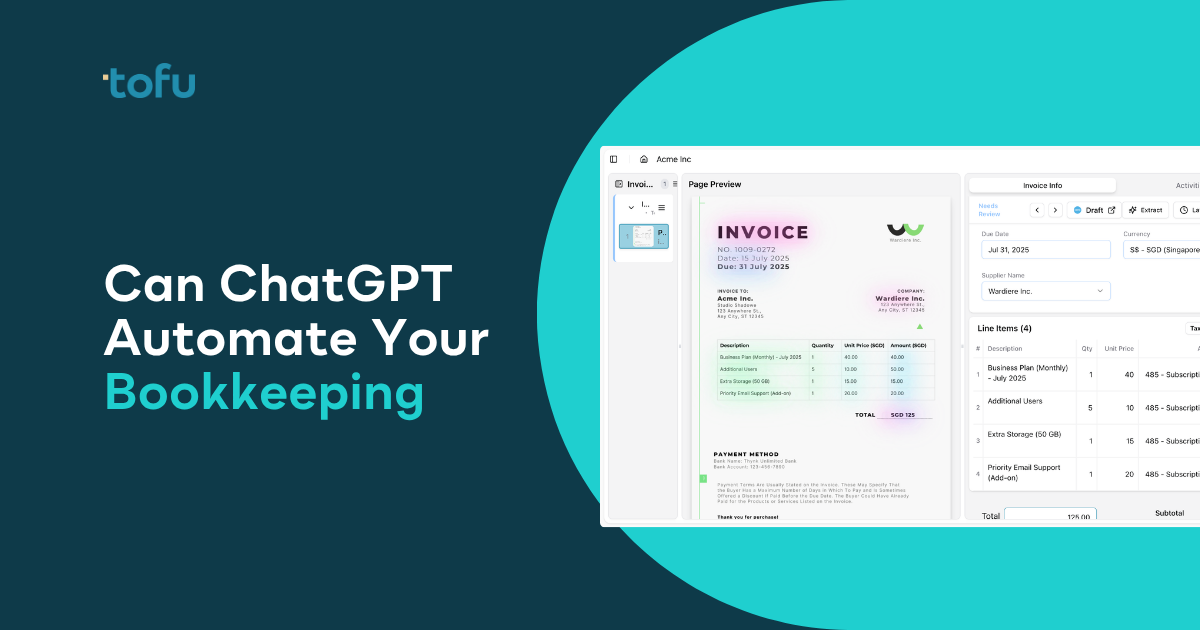
When you test ChatGPT for accounting work, it handles knowledge tasks brilliantly. Client communication? Done in 30 seconds. Excel formulas? Working syntax on the first try. But paste in a 10-page bank statement with 200 transactions and watch what happens. You'll spend more time splitting it into chunks, processing each piece separately, and stitching results back together than you would have typing it manually. ChatGPT works when you need text, not when you need transactions posted at scale.
TLDR:
ChatGPT and similar AI chatbots have become real working tools for accounting firms. AI usage in accounting jumped from 9% to 41% in a single year, and there's a reason for that spike. These tools handle certain knowledge tasks well.
Need to draft a client email explaining why you're requesting missing invoices for the third time? ChatGPT writes it in 30 seconds, striking the right tone between professional and persistent. Stuck on a nested Excel formula that pulls tax rates based on supplier location? Paste your data structure and you'll get working syntax back. Building a month-end close checklist for a new client in construction? ChatGPT generates a solid starting template covering depreciation schedules, WIP calculations, and retention tracking.
You can also use it to create invoice templates, translate accounting terminology into plain language for clients who don't know what "accrued liabilities" means, or summarize a 40-page financial statement into three decision-ready paragraphs.
These are knowledge tasks for AI bookkeeping: writing, explaining, formatting, structuring. ChatGPT excels here because it's trained on billions of text examples and can generate coherent, context-appropriate responses almost instantly.
But there's a hard boundary between knowledge work and production work. That's where the gaps start to show.
Here's what actually happens when you try to process invoices with ChatGPT.
You upload a single invoice PDF. ChatGPT reads it and gives you the supplier name, date, invoice number, line items, and amounts in a structured format, but dedicated invoice data extraction software handles this better. Copy that data into Xero or QuickBooks. Attach the PDF manually. Done. For one invoice, it works.
Now try 50 invoices. You can't batch-upload them. ChatGPT processes one at a time, and each response needs to be copied into your accounting software separately. There's no one-click publish, no auto-attachment of source documents, and no connection to your chart of accounts.
ChatGPT also has interaction limits. A detailed invoice with 30 line items might be fine. A 10-page bank statement with 200 transactions? You'll need to split it into chunks, process each separately, then manually stitch the results back together.
It also forgets. ChatGPT doesn't remember that you always code consulting fees to account 5200 or that supplier ABC always splits 60/40 between two departments. Every invoice starts from zero. You're re-teaching the same rules daily.
For a handful of one-off invoices, ChatGPT gives you a readable extraction. For recurring client work at volume, you need proper invoice capture software.

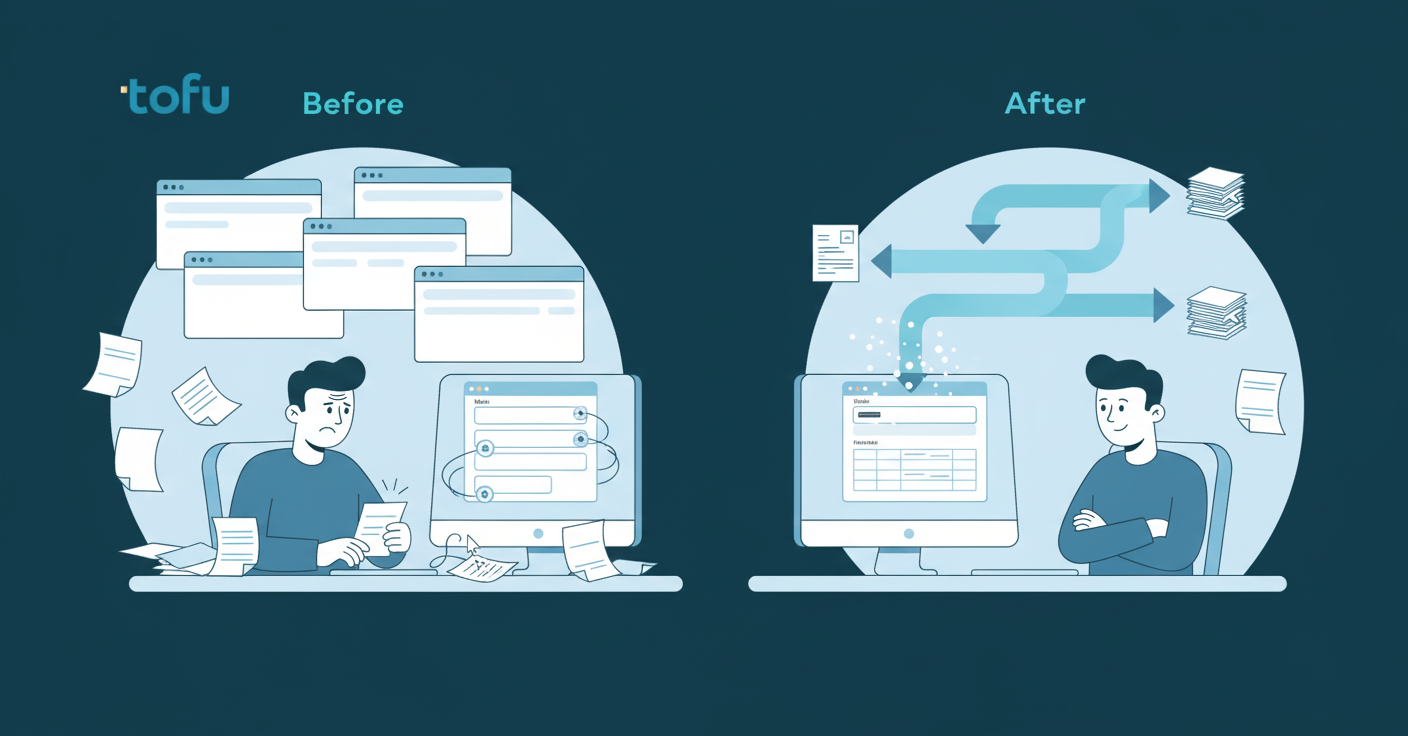
ChatGPT doesn't connect to Xero or QuickBooks. Every extracted field needs to be manually copied into your accounting software. Supplier name, date, invoice number, each line item, account codes, tax rates. The extraction saves you from reading the PDF line by line, but you're still typing it all in.
There's no memory. ChatGPT doesn't learn your chart of accounts or remember how you code vendors. You coded Supplier A to account 5200 last week? Next week, you'll tell it again. Manual chart of accounts mapping has to happen every time. The AI resets after every session. Your coding rules and supplier patterns don't carry over.
Bulk processing doesn't exist. If a client sends 50 invoices or a 200-line bank statement, you're processing each one individually. No batch upload. No bulk publish. For firms handling 300+ documents monthly across clients, the workflow breaks down.
Non-English document handling is inconsistent. ChatGPT can translate, but accuracy on complex multilingual invoices varies. Specialized multi-language OCR software handles this better. You'll catch errors during manual re-entry, which is the whole problem.
Client data privacy is the quiet risk. Fewer than 10% of accounting firms have proper AI governance. Pasting client invoices into a chatbot means sensitive financial data leaves your controlled systems. No audit trail. No data processing agreement. No compliance proof if a client or regulator asks.
The same gaps apply to Claude, Gemini, and Microsoft Copilot. The limitation isn't ChatGPT-specific. It's architectural.
All four tools are conversational AI assistants built for language tasks, not automated document intake pipelines. They answer questions, draft text, analyze content, and generate output you can copy. What they don't do is connect to accounting software, remember your chart of accounts, or turn 50 invoices into posted transactions without manual intervention.
Claude handles text analysis well and processes longer documents than ChatGPT, but there's no integration with Xero or QuickBooks. Automated invoice capture systems provide that integration. You still copy-paste extracted data line by line.
Some firms use Gemini as a workaround, particularly if they're already working in Google Workspace. But the volume workflow problem remains. One invoice? Fine. Fifty? You're manually processing each one.
Microsoft Copilot lives inside Microsoft 365, which sounds convenient until you realize there's no direct path from a Word document or Outlook attachment to a coded, posted transaction in your accounting software. It drafts emails and summarizes documents. It doesn't publish journal entries.
They're helpful productivity tools. But treating them as invoice processing systems means you're still doing the data entry yourself. That's where OCR software built for bookkeeping comes in.
| Feature | ChatGPT | Claude | Gemini | Microsoft Copilot | Tofu |
|---|---|---|---|---|---|
| Direct Xero/QuickBooks integration | No integration. Manual copy-paste required for every field extracted | No integration. Manual copy-paste required for every field extracted | No integration. Manual copy-paste required for every field extracted | No integration. Manual copy-paste required for every field extracted | Direct integration. One-click publish to Xero or QuickBooks with source document auto-attached |
| Bulk document processing | One document at a time. No batch upload or overnight processing capability | One document at a time. No batch upload or overnight processing capability | One document at a time. No batch upload or overnight processing capability | One document at a time. No batch upload or overnight processing capability | Bulk upload and processing. Handle 50+ invoices in one batch with automated extraction and coding |
| Chart of accounts memory | No memory between sessions. Re-teach coding rules for every new document processed | No memory between sessions. Re-teach coding rules for every new document processed | No memory between sessions. Re-teach coding rules for every new document processed | No memory between sessions. Re-teach coding rules for every new document processed | Learns and remembers your chart of accounts, supplier coding patterns, and client-specific rules permanently |
| Multilingual document support | Can translate but extraction accuracy varies on non-Latin scripts and complex formats | Can translate but extraction accuracy varies on non-Latin scripts and complex formats | Can translate but extraction accuracy varies on non-Latin scripts and complex formats | Can translate but extraction accuracy varies on non-Latin scripts and complex formats | Reads 200+ languages including Arabic, Chinese, Thai, and handwritten documents with verified accuracy |
| Line item extraction | Extracts line items but requires manual entry of each line into accounting software separately | Extracts line items but requires manual entry of each line into accounting software separately | Extracts line items but requires manual entry of each line into accounting software separately | Extracts line items but requires manual entry of each line into accounting software separately | Extracts every line item with description, quantity, unit price, account code, and tax treatment automatically |
| Best use case for accounting firms | Drafting client emails, Excel formulas, explaining financial concepts, process documentation | Analyzing longer documents, drafting complex client communications, research summaries | Integration with Google Workspace for document summarization and email drafting | Productivity tasks within Microsoft 365 like meeting summaries and email drafts | Invoice processing, bank statement extraction, receipt capture, multilingual document workflows at scale |
ChatGPT works when you need knowledge, not when you need transactions posted. Use it for client communication drafts, Excel formulas, explaining financial concepts to clients who don't speak accounting, process documentation, and staff training materials. These are one-time knowledge tasks where copy-paste makes sense.
For invoice extraction, bank statement processing, multilingual document handling, bulk client workflows, and direct Xero or QuickBooks integration, you need software that automates invoice data entry. That's where tools like Tofu come in. They connect to your accounting software, learn your chart of accounts, remember supplier coding rules, and publish transactions directly without manual re-entry.
The two aren't competitors. A firm running both has ChatGPT handling knowledge work and dedicated software handling production workflows. A firm running only ChatGPT for documents is still doing manual data entry, just with an AI assistant reading the invoice out loud first.
If you're drafting an email explaining a late payment policy, use ChatGPT. If you're processing 50 invoices for month-end close, don't.
Do you process more than 50 client documents per month? If yes, the copy-paste workflow breaks. ChatGPT doesn't batch process. You need accounting automation instead. You're handling each invoice individually, copying field by field into your accounting software. What saves 3 minutes per document at low volume costs 2.5 hours weekly at 50 documents. That's 10 hours monthly spent copying AI output into Xero or QuickBooks.
Do your clients send invoices in non-English languages or handwritten formats? General AI chatbots handle typed English invoices reasonably well. Arabic invoices, Chinese fapiao, Thai receipts, or handwritten contractor bills? Accuracy drops and you're correcting more than you're saving. If your client base is multilingual or includes cash-basis businesses that hand you paper receipts, you need extraction built for that.
Does data need to flow directly into accounting software without manual re-entry? If you're re-typing extracted data, you haven't automated anything. You've added a reading step before the same data entry work. Real automation means upload, review, publish. One click from document to posted transaction with the source PDF attached.
Answer yes to any of these and you've outgrown what a chatbot can handle. Scale is the constraint that matters most.
Tofu was built to close the gaps ChatGPT can't. Where a chatbot gives you extracted data to copy-paste, Tofu connects directly to Xero and QuickBooks and publishes transactions with one click. Source documents attach automatically. No re-entry.
A 30-line wholesale invoice? ChatGPT requires 30 separate prompts or manual line-by-line copying. Tofu extracts every line in one pass: description, quantity, unit price, account code, tax treatment. It codes each line to your chart of accounts automatically.
It reads 200+ languages and handwritten documents without configuration. Arabic invoices, Chinese fapiao, Thai receipts, contractor notes scribbled on thermal paper. Upload and process. No language selection required.
Tofu learns your coding rules and remembers them permanently. When you correct the AI, it saves that decision for every future document from that supplier. Knowledge doesn't reset. Staff turnover doesn't erase your setup.
Bulk workflows let you process 50 client invoices overnight instead of one at a time during business hours. Upload a 50-page multi-invoice PDF and Tofu splits, extracts, codes, and queues everything for review.
That's the difference between a conversational assistant and document processing software built for accounting firms at scale.
Can ChatGPT do accounting? It handles knowledge work well, but not production workflows. When you're running month-end for multiple clients, copy-pasting AI output into your accounting software still counts as manual data entry. You need something that publishes transactions directly and remembers your coding rules. See how this actually works in a live demo.
No. ChatGPT extracts data you can read, but you still copy each field manually into your accounting software: supplier name, date, line items, account codes. There's no direct integration or one-click publish.
Tofu connects directly to your accounting software, extracts every line item automatically, learns your chart of accounts, and publishes transactions with one click. ChatGPT gives you text output you need to manually re-type for each document.
All conversational AI tools share the same limitations: no accounting software integration, no memory of your coding rules, and no bulk processing. They help with knowledge tasks like drafting emails, not production workflows like posting 50 invoices.
If you process more than 50 client documents monthly, the copy-paste workflow breaks down. At that volume, you're spending 10+ hours monthly re-typing AI output instead of letting software publish directly to your accounting system.
Yes. Use ChatGPT for client communication, Excel formulas, explaining financial concepts, and training materials. Use dedicated tools like Tofu for invoice extraction, bank statement processing, and direct accounting software integration where manual re-entry kills your time.