SunTao Lai
April 14, 2026

You're paying for QuickBooks receipt automation, but your team is still spending hours on data entry every week. The tool captures the invoice header and stops, or it works fine on clean English PDFs and fails on everything else your clients actually send. This breakdown compares six tools on what separates real automation from half-finished extraction: line-item capture, multilingual support, how long setup takes, and whether pricing stays flat or spikes when volume goes up.
TLDR:
QuickBooks receipt automation software uses AI and OCR to capture, extract, and categorize data from invoices, receipts, and bank statements, then sync it directly into QuickBooks Online. Instead of manually typing vendor names, dates, amounts, and line items, you upload a document and the software handles the rest.
For small businesses and accounting firms processing high volumes of receipts, the math is straightforward. Manual entry is slow, error-prone, and eats hours that could go toward actual advisory work. Automation cuts that time, reduces posting mistakes, and keeps your QuickBooks records clean without requiring someone to sit and type all day.
We ranked each tool using publicly available information: product documentation, user reviews, pricing pages, and QuickBooks App Store listings. No vendor briefings. No sponsored placements. Here's what we measured:
Each dimension matters for different reasons. A tool that syncs natively to QuickBooks saves you from manual imports. One that captures only totals forces your bookkeeper back to the invoice anyway. And per-document pricing sounds reasonable until a busy month arrives and your bill triples.
These criteria also explain why the rankings fall the way they do.
Tofu is built for accounting firms and bookkeepers managing client documents at volume. Upload invoices, receipts, and bank statements in any format, and Tofu extracts every line item, codes transactions to your chart of accounts, and publishes directly to QuickBooks Online with source documents attached automatically.
Most tools in this category capture the invoice header and total, then leave the rest to your bookkeeper. Tofu extracts every line. That distinction matters most on complex invoices with 30+ lines, mixed tax rates, or grouped subtotals.
"Before using Tofu, it would take me between 3 to 4 hours to input and review a client's invoices. With Tofu, I can now complete the process in just 30 to 60 minutes." - Tammy Tan, Bookkeeper, Klozer
Connect QuickBooks Online and Tofu reads your existing chart of accounts, supplier history, and tax rates right away. When you correct an extraction, the AI remembers permanently, so that knowledge stays even when staff changes.
Vic.ai targets mid-market and enterprise finance teams running ERP systems like NetSuite, SAP, and Oracle. It's an accounts payable automation tool built around approval workflows, purchase order matching, and predictive GL coding.
There are a few things worth knowing before considering it for small business QuickBooks workflows.
Good for internal finance departments processing 500+ invoices monthly who need ERP-level AP workflows. Not a fit for accounting firms managing multiple QuickBooks clients.
Pricing starts at $1,490/month, with custom enterprise pricing above that. There's no native QuickBooks Online integration, so small business workflows require workarounds. The architecture assumes a single corporate AP department, not a firm juggling 20 or 50 client entities.
If you're an accounting firm using QuickBooks, Vic.ai's pricing and ERP focus will feel like a mismatch from the start.
DOKKA is an Israel-based AP automation tool built for mid-market finance teams running enterprise ERPs like NetSuite and SAP Business One.
Pricing starts at $400/month and scales with invoice volume. Language support covers English, Hebrew, Italian, and Spanish only, with no evidence of Chinese, Arabic, or handwritten document processing. Bank statement handling breaks down on scanned copies or unsupported formats. Deployment runs 7 to 14 days.
If your firm processes diverse client documents through QuickBooks, that combination of limited language support and slow setup creates friction from day one.
AutoEntry is a credit-based receipt capture tool owned by Sage, with its strongest user base in the UK and Ireland.
Here is what it covers:
It works reasonably well for UK-based Sage users processing English receipts at moderate volumes. The credit pricing structure is where things get costly. Line-item extraction costs 2 credits per invoice instead of 1. Bank statements run 3 credits per page, so a 50-page statement burns 150 credits. Arabic and Chinese documents get rejected outright, with no refund for the attempt. Processing can take 2 to 6 hours before documents are ready to review.
If your firm handles multilingual documents or processes bank statements regularly, AutoEntry's pricing model works against you.
Hubdoc is Xero's bundled document capture tool, free with most Xero subscriptions. That price point makes it appealing, but what you get reflects it.
Good for Xero users processing clean English receipts at low volumes who only need supplier name, date, and total.
The limits are real, though. Hubdoc captures the invoice header and stops there. Xero has confirmed no plans to add line-item extraction. No multilingual support. No handwriting recognition. Rated 3.5 stars on the Xero App Store, with users flagging frequent misreads and no learning from corrections. Not available in all Xero markets, including Malaysia.
If your firm processes multi-line invoices, your bookkeeper is still typing every line after Hubdoc "automates" the capture.
Dext is one of the older receipt capture tools in the market, with integrations across 30+ accounting apps and a feature set that includes expense management and mileage tracking. The pricing model is where things get complicated.
Here is a quick breakdown of what Dext offers:
Pricing starts around $235/month for 10 clients and scales to $849/month for 50 clients, before credit costs. Line-item extraction requires toggling on per supplier and pulls extra credits from your monthly allowance, making bills unpredictable.
One customer put it plainly: they tried pushing Dext for line-item extraction for two years with no result. Each new client also requires hours of manual rule building before extractions become reliable, and non-English and handwritten documents get limited support at best.
Here's how each tool stacks up across the criteria that matter most for QuickBooks workflows.
| Feature | Tofu | Vic.ai | DOKKA | AutoEntry | Hubdoc | Dext |
|---|---|---|---|---|---|---|
| QuickBooks Online integration | Yes | No | No | Yes | Yes | Yes |
| Line item extraction included | Yes | Yes | Yes | No | No | Credit based |
| Multilingual support | 200+ languages | Limited | English/Hebrew/Italian/Spanish | English only | English only | Limited |
| Handwriting recognition | Yes | No | No | No | No | No |
| Bank statement processing | Unlimited | Limited | Limited scanned support | 3 credits/page | CSV only | Credit based |
| Setup time | 15 minutes | 7-14 days | 7-14 days | Hours per client | Minutes | Hours per client |
| Pricing model | Flat monthly | Custom enterprise | Usage based $400+ | Credit based $13+ | Free with Xero | Per client $235+ |
| Auto document splitting | Yes | No | No | No | No | Limited |
| Source document attachment | Automatic | Manual | Archive based | Manual | Automatic | Varies |
A few patterns stand out. Tofu and Dext both connect to QuickBooks Online, but Dext prices per client starting at $235+, while Tofu runs on a flat monthly rate. Hubdoc is free with Xero but does not connect to QuickBooks Online natively. AutoEntry and DOKKA skip handwriting recognition entirely, which matters if your clients send handwritten receipts.
Four gaps separate Tofu from everything else on this list, and no other tool closes all of them at once.
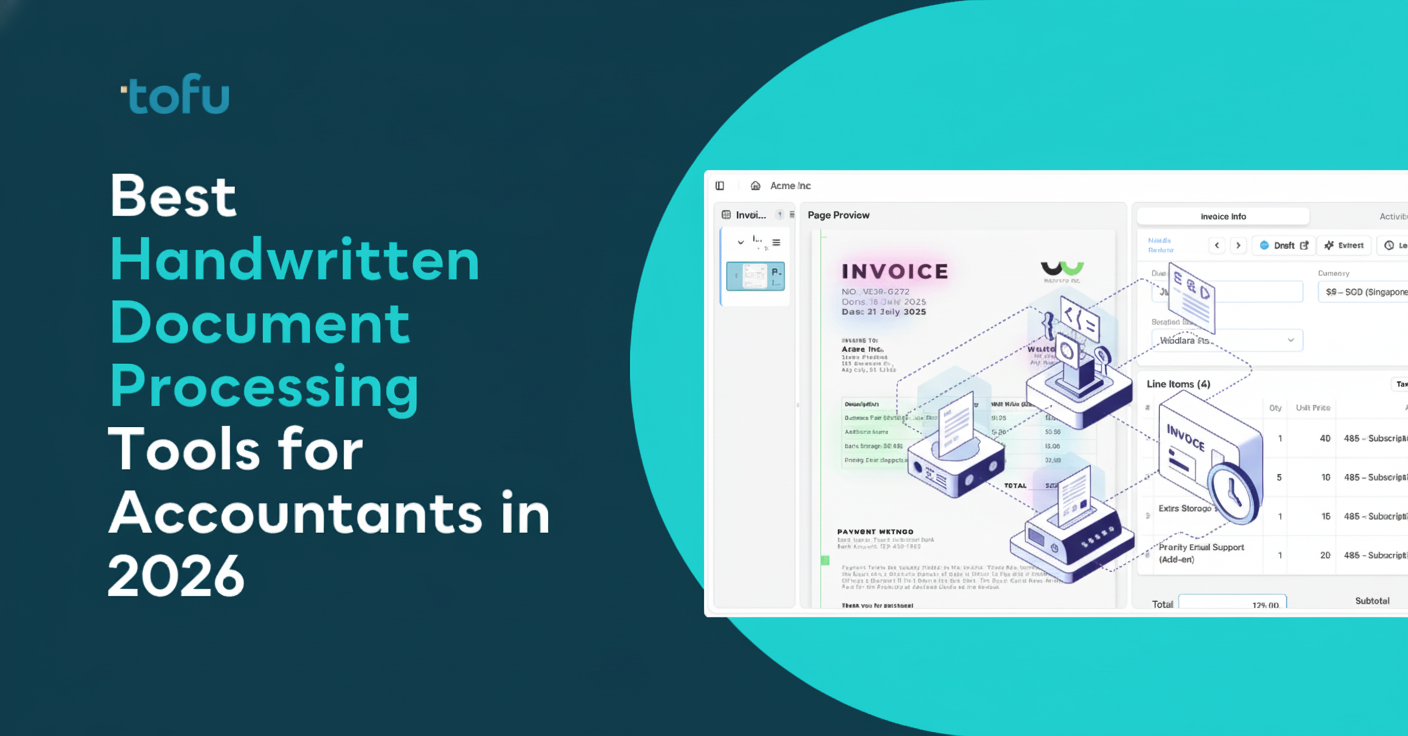
Line-item extraction is included by default. Where Dext requires per-supplier toggling and Hubdoc stops at the invoice total, Tofu pulls every line automatically. For a 30-line wholesale invoice, that difference is the entire job.
Setup takes 15 minutes. Connect QuickBooks and Tofu reads your existing coding history immediately. No rule builders, no templates, no per-client configuration hours that add up across a growing firm.
Language and handwriting support removes the ceiling on which clients you can take on. Arabic invoices, Chinese fapiao, handwritten receipts from field staff: none require workarounds.
Pricing holds at scale too: $199/month for 50 clients with unlimited users. Dext runs $849/month for equivalent coverage, before credit costs. AI-driven document processing that learns from corrections and never charges per seat is a different model entirely, and it's why firms that switch rarely go back.
Between tools that only read English invoices and ones that charge per document, finding QuickBooks receipt automation that actually scales with your firm gets complicated fast. Your bookkeepers shouldn't need to hand-type line items after the software claims it automated the work. Upload a sample invoice and see how complete extraction looks with your chart of accounts already mapped. The right software pays for itself in the first week when month-end close happens in hours instead of days.
Tofu processes 200+ languages including handwriting, with automatic English translations. Most alternatives like Hubdoc and AutoEntry only support English, while DOKKA covers English, Hebrew, Italian, and Spanish.
Flat pricing works best when you process high volumes or unpredictable document types like bank statements. Credit-based models (AutoEntry, Dext) cost more per document and spike during busy months, making budgeting harder.
Header extraction captures supplier name, date, and total only. Your bookkeeper still types every line. Line-item extraction pulls descriptions, quantities, unit prices, and account codes for each line automatically, saving hours on complex invoices.
Tofu processes bank statements of any length with full transaction extraction. Hubdoc requires manual CSV conversion, while AutoEntry charges 3 credits per page. Most other tools skip bank statements entirely or handle them poorly.
Tofu connects in 15 minutes and reads your existing QuickBooks coding patterns immediately. Dext and AutoEntry require hours of per-client rule building, while DOKKA and Vic.ai take 7-14 days to deploy.