Jay Sen Lon
February 16, 2026

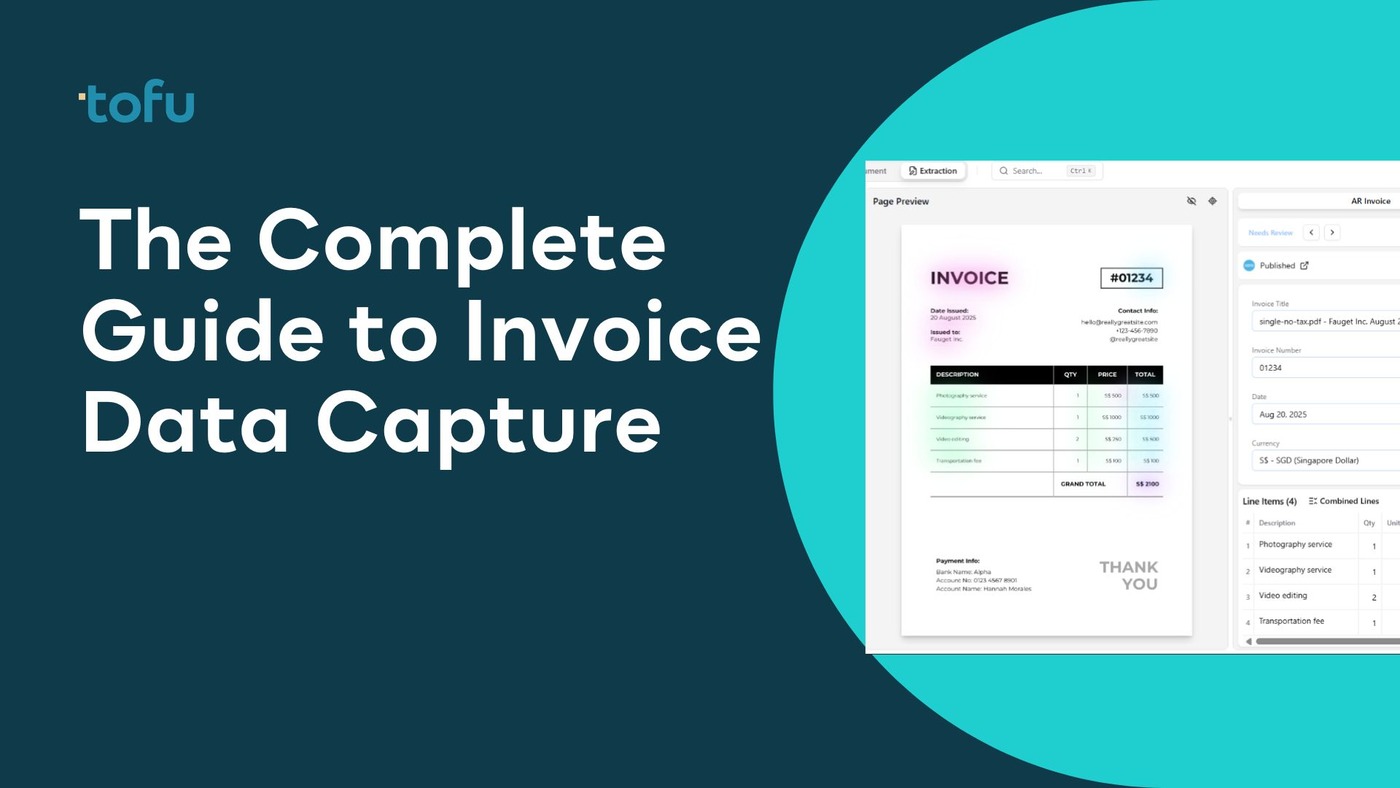
Every business that pays suppliers has invoices arriving through its doors - PDFs by email, paper copies by post, photos of receipts, and sometimes scanned images sent through client portals. Invoice capture is the process of taking those documents and extracting the useful data from them: supplier name, invoice date, invoice number, amounts, tax figures, and line items.
At a small scale, a bookkeeper does this manually - reading each invoice and keying the figures into an accounting system. At larger volumes, this approach becomes impractical. An accounting practice processing several thousand invoices per month cannot afford the time or risk of errors that come with manual data entry. Invoice capture software automates this extraction, reading the relevant fields from documents and pushing them directly into platforms like Xero or QuickBooks Online.
Understanding what invoice capture is, how the technology works, and what to look for in a solution is increasingly important for accounting firms and finance teams facing growing document volumes and increasing supplier diversity.
Quick Summary: Invoice capture refers to the extraction of structured data from supplier invoices. This guide covers how the process works, the difference between manual and automated capture, the technologies behind modern capture tools, and how Tofu makes capture work across any document format or language without configuration.
Invoice capture is the process of reading supplier invoices and extracting the data they contain into a usable, structured format. An invoice is a document. Invoice capture turns that document into data.
In practical terms, invoice capture means taking a PDF invoice emailed by a supplier and extracting fields like:
Once captured, this data flows into an accounting system where it creates a bill, purchase record, or expense entry - ready for approval, coding, and payment.
The term invoice data capture is sometimes used interchangeably, emphasizing that the goal is the data within the document, not the document itself. Invoice scanning and data capture refers to the same process when physical documents are digitized before extraction.
Without a capture process, invoices sit as unread files or physical papers until someone keys the data manually. This creates delays, errors, and backlogs that affect cash flow visibility, supplier relationships, and audit trail completeness.
With capture in place - whether manual or automated - invoices become actionable data faster. Finance teams can see what is owed, approve payments, and reconcile accounts without waiting for data entry to catch up with incoming documents.
For accounting firms serving multiple clients, invoice capture efficiency directly determines how many client entities a practice can manage and how quickly month-end close can be completed.
The invoice capture process follows a consistent sequence regardless of whether it is done manually or by software:
Step 1: Document receipt. The invoice arrives. This might be as a PDF email attachment, a photo taken by a client, a scanned paper document, or a structured electronic data file. The intake channel varies but the document is the starting point.
Step 2: Document preparation. For physical documents, digitization is needed first - scanning or photographing the invoice creates a digital file. For existing digital files, this step is skipped. Some capture systems accept documents in poor condition (blurry photos, angled scans) while others require cleaner inputs.
Step 3: Data extraction. The relevant fields are read from the document. In manual capture, a bookkeeper reads the invoice and types the fields. In automated capture, software reads the document image or PDF and identifies the data fields programmatically.
Step 4: Validation. Extracted data is checked for completeness and accuracy. Manual processes rely on human review. Automated systems may flag low-confidence extractions for human verification while passing high-confidence extractions automatically.
Step 5: Posting to accounting system. The extracted data is entered into the accounting software as a bill, purchase record, or expense entry. This may happen automatically in connected systems or require a manual import step.
Step 6: Coding and approval. The posted record is assigned to the correct account codes, cost centers, or projects and approved for payment according to the business's workflow.
Invoice capture covers Steps 1-5. What happens in Step 6 is accounts payable workflow management, which is a related but separate function.
The contrast between manual and automated invoice capture defines most of the buying decisions firms make in this category.
In manual capture, a staff member reads each invoice and enters the data into the accounting system. This is the default starting point for most small businesses and accounting practices before automation is introduced.
Strengths of manual capture:
Weaknesses of manual capture:
When manual capture is appropriate:
Manual capture works for businesses processing fewer than 50-100 invoices per month, where automation cost exceeds the time savings. It also remains necessary for genuinely unusual documents that automated systems cannot handle.
Automated capture uses software to read documents and extract data without human keying. The degree of automation varies by tool and technology, from semi-automated systems that read documents but require human review to fully automated systems that post data without any intervention.
Strengths of automated capture:
Weaknesses of automated capture:
When automated capture is the right choice:
For accounting practices processing 200+ invoices per month, or any firm handling invoices from diverse or international suppliers, automated capture typically delivers clear time and cost savings within the first month.
Three distinct technology approaches underpin modern invoice capture tools. Understanding the differences helps in evaluating what a tool can actually handle.
OCR converts document images into machine-readable text by recognizing character shapes. The technology has existed for decades and forms the foundation of most capture tools.
Standard OCR works reliably on typed text in standard fonts on clean documents. It struggles with handwriting, documents photographed at angles, unusual fonts, and text in non-Latin scripts.
OCR alone cannot understand document structure - it recognizes that a number appears on a page but not whether it is the invoice total, a line-item amount, or a phone number. Additional logic layers determine field meaning after OCR reads the text.
AI models trained on large datasets of invoice documents understand field semantics - they recognize invoice totals as invoice totals because they understand invoice structure, not because they matched a pattern. This contextual understanding enables AI tools to extract correctly from supplier formats they have never seen before.
AI-powered capture requires no supplier-specific configuration. A new supplier's invoice is processed as accurately as a regular supplier's on the first document the system encounters. This zero-configuration capability is the key practical advantage of AI over template-based approaches.
AI models also handle more of the real-world document quality spectrum - angled scans, faded thermal receipts, and documents with non-standard layouts extract with higher confidence than with pure OCR.
Large Language Models (LLMs) bring a deeper level of language understanding to document processing. LLMs can reason about ambiguous field labels, understand context across the whole document rather than field by field, and handle document types with complex or irregular structures that confuse standard AI models.
LLM-powered capture is the current frontier of the technology, offering the highest accuracy on difficult document types - handwritten content, mixed-language invoices, documents with unusual layouts, and highly variable formats common in certain industries.
Tofu applies AI and LLM-based approaches to invoice capture, enabling processing of 200+ languages without requiring any configuration per supplier or document type.
Invoice capture requirements vary by industry because supplier bases, document formats, and volume patterns differ.
Accounting practices deal with document diversity at scale. Each client brings a different supplier mix, different industries, and often different document languages. A construction client submits invoices from subcontractors - often handwritten or on bespoke layouts. A retail client submits supplier invoices from Asia in Chinese or Japanese. A hospitality client submits a mix of food supplier invoices, maintenance receipts, and utility bills.
For practices handling this variety, the capture tool needs to work correctly on all of it without bespoke configuration per client. AI-powered tools that learn from document structure rather than templates are the practical fit for this use case.
Property management generates high volumes of maintenance, utilities, and service invoices from a diverse and frequently changing set of contractors. New properties bring new service providers. Seasonal maintenance generates invoice spikes. The supplier base is local - contractors who often provide handwritten or simple PDF invoices rather than structured electronic documents.
Capture tools for property management need to handle high supplier diversity and document quality variation, including photographs of physical invoices taken on mobile devices.
Construction businesses receive invoices from subcontractors, materials suppliers, equipment hire companies, and service providers - often with complex line-item structures covering multiple cost codes or project phases. Line-item extraction is particularly valuable in this sector, where materials and labor costs need to be allocated to specific project budgets.
International construction operations add language complexity when subcontracting in multiple countries.
Online retailers sourcing from international manufacturers commonly receive invoices in Chinese, Korean, or Vietnamese alongside standard English suppliers. Volume is high and supplier bases are broad. Automated capture with multilingual support removes the manual review step for foreign-language invoices, which would otherwise require specialized staff.
Law firms, consulting practices, and other professional services businesses receive invoices from a relatively consistent set of suppliers - office suppliers, software vendors, professional associations, and service providers. Volume is moderate and supplier diversity is lower. Basic automated capture tools work adequately here; the primary benefit is time saving rather than handling complex document variety.
Beyond the technology stack, invoice capture methods differ in how documents enter the system and how extraction results are handled.
Email capture processes invoices that arrive as email attachments. Most capture systems include a dedicated email address where invoices are forwarded. Some connect directly to inbox integrations to pull attachments automatically.
Upload-based capture lets users upload individual documents or batches through a web interface or mobile app. This works for documents collected outside of email - physical receipts photographed, documents downloaded from supplier portals, or documents gathered by clients.
Bulk PDF processing handles multi-document files where a single PDF contains multiple invoices. Some capture tools require manual separation of these files. AI-powered tools like Tofu split multi-invoice PDFs automatically, processing each document separately.
Portal-based capture connects to supplier portals or EDI systems where electronic invoices are available for automated retrieval. This is common in larger enterprise supply chains but less relevant for accounting practices serving SMEs.
Mobile capture lets clients or staff photograph physical invoices or receipts using a mobile app. The captured image is sent to the capture system for extraction. Image quality varies significantly with mobile capture, making AI-powered extraction with robust image handling important.
Accounting firms serving multiple clients see the benefits of invoice capture most directly because the process scales across their entire client base simultaneously.
Time savings are the most immediate benefit. A practice processing 1,000 invoices per month across its client base saves hundreds of hours annually by eliminating manual data entry. Staff time redirects from keying numbers to reviewing exceptions, advising clients, and performing higher-value work.
Accuracy improvement reduces the rework associated with data entry errors. Errors in posted invoices create reconciliation problems, supplier disputes, and month-end delays. Automated capture with confidence scoring surfaces low-accuracy extractions for review before they become downstream problems.
Faster month-end close follows from faster invoice processing. When invoices are captured and coded as they arrive rather than in a batch at month-end, close timelines shrink and financial visibility improves between reporting periods.
Scalability without proportional hiring allows practices to grow client rosters without a corresponding increase in bookkeeping headcount. This changes the unit economics of firm growth: invoice volume scales, but labor costs do not scale at the same rate.
Multilingual document handling without specialist staff. For firms serving APAC, Middle Eastern, or European clients whose suppliers issue invoices in local languages, automated multilingual capture removes the language dependency from the extraction workflow.
Audit trail completeness is an underrated benefit. Automated capture systems log every extraction with timestamps and field-level detail. This record supports compliance, internal review, and client queries far more reliably than manual notes or reconstructed memory.
Digital invoice capture refers to the full process of converting paper or semi-digital invoices into structured digital data. The "digital" distinction matters because many businesses still receive a mix of physical and electronic invoices, and capture workflows need to handle both.
For physical invoices, the digitization step requires scanning or photographing the document before extraction can begin. Mobile apps that accept photographs make this accessible to clients without scanning hardware. OCR or AI reads the resulting image.
For electronic invoices already in PDF or image format, digitization is not needed - the file is already digital. The capture system reads directly from the PDF.
Fully electronic invoice formats - structured data standards like EDI, UBL, or PEPPOL - skip the extraction step entirely because the data is already machine-readable. These formats are common in larger enterprise supply chains and some government procurement systems but represent a small proportion of the invoice mix for most SME-focused accounting practices.
For most accounting firms in 2026, digital invoice capture means software that can receive PDFs and images, extract the relevant fields accurately, and post that data to Xero or QuickBooks without manual intervention.
Tofu is an AI-powered invoice capture platform designed for accounting firms processing diverse document types from international supplier bases. It connects to Xero and QuickBooks Online and starts extracting data from the first document uploaded - no supplier templates to configure, no rules to define, no setup period.
Zero-configuration AI processes any supplier invoice on the first encounter. New client onboarding does not require a setup backlog for existing suppliers.
200+ language support handles Chinese fapiao, Arabic invoices, Malay documents, and any other language in the global invoice mix. For APAC accounting firms and practices serving businesses with international supply chains, this removes the language limitation that affects most competing tools.
Line-item extraction pulls each row from the invoice table - not just the total - enabling downstream matching and cost allocation workflows that header-only extraction cannot support.
Automatic PDF splitting processes multi-invoice PDFs by splitting them into individual documents automatically, removing a manual preprocessing step that consumes significant time in high-volume workflows.
Entity-based pricing keeps costs predictable as firms grow. No per-user fees mean the cost structure stays constant as team members are added to the account.
Xero App Store: 5/5 stars - View Reviews
Trusted by 7 of the Top 10 Global Accounting Networks including Baker Tilly, BDO, and Deloitte.
Book a Demo with Tofu to see how it handles your document types.
Selecting the right capture tool comes down to matching capability to document reality.
Start with your document mix. List the document types your clients actually submit: types of PDFs, physical receipts, photos, multi-page files, and any non-English documents. The tool you choose needs to handle the full range, not just the clean cases.
Check language requirements. If any documents arrive in non-English languages, verify specific language support rather than accepting a general claim. Test with actual examples if possible.
Evaluate line-item vs. totals-only extraction. Ask the vendor specifically whether line items are extracted or only header totals. This single distinction eliminates many tools from consideration for firms with PO matching requirements.
Understand the configuration burden. Ask how many steps are required before the tool starts working correctly for a new supplier. A tool requiring template setup per supplier has a hidden ongoing labor cost that does not appear in the subscription price.
Review pricing structure. Calculate the cost at your actual document volume and team size, not the entry-level example. Per-user and per-document pricing models scale in ways that flat or entity-based pricing does not.
Test with real documents. Request a demo using actual invoices from your client base, including the difficult ones. A tool that performs well only on clean, ideal documents will create exceptions in production that erode the time savings.
Invoice capture is the step of extracting data from an invoice document. Invoice processing is the broader workflow that follows - including approval routing, coding, purchase order matching, and payment. Capture produces the data; processing determines what happens with it.
Invoice data capture software automates the extraction of data fields from supplier invoices, receipts, and related documents. It replaces manual data entry by reading documents electronically and transferring extracted fields into accounting or ERP systems. Tools range from basic OCR scanners to AI-powered platforms that handle hundreds of document formats without configuration.
They overlap but are not the same. Invoice capture is a component of accounts payable automation, covering the step of extracting data from incoming documents. Accounts payable automation also includes approval workflows, supplier communication, payment scheduling, and reconciliation. Some platforms (like Tofu) specialize in the capture step, while others offer a more complete AP platform.
Modern AI-powered capture achieves 95-99% accuracy on clean documents. Accuracy on difficult documents (poor quality photos, handwriting, unusual formats) varies by tool. Most systems use confidence scoring to flag low-accuracy extractions for human review before they post to the accounting system.
Traditional OCR tools cannot read handwriting reliably. AI and LLM-powered tools can handle handwriting with varying accuracy depending on legibility. Tofu specifically supports handwritten document processing as part of its AI model capabilities.
Most tools accept PDF files and common image formats (JPEG, PNG, TIFF). Some also accept scanned documents directly from connected scanners. Email attachment processing is standard. More advanced tools handle multi-page PDFs and automatically split them when they contain multiple invoices.
Invoice capture reduces the time staff spend on manual data entry, which is one of the highest-volume repetitive tasks in accounting practice operations. This time saving allows practices to serve more clients, complete month-end close faster, and redeploy staff to advisory and relationship-building work. For APAC or internationally-focused firms, multilingual capture tools like Tofu remove the language barrier from the extraction workflow.
Digital invoice capture refers to the complete process of converting paper or electronic invoices into structured digital data - from document receipt through extraction to posting in an accounting system. It encompasses both the digitization of physical documents and the extraction of data from already-digital files.
HubDoc is available free with Xero subscriptions and handles basic English-language invoice capture. Its limitations include totals-only extraction (no line items) and limited language support. For firms needing more capability, paid tools start at around $24-29 per month.
Invoice scanning and data capture refers to the two-step process of digitizing physical invoices and extracting data from them. "Scanning" describes the digitization step - converting a paper invoice to a digital image using a scanner or mobile phone camera. "Data capture" describes the extraction step - reading the relevant fields from that digital image. Modern capture tools handle both together: you photograph or scan the invoice, and the software extracts the data automatically.
Most invoice capture tools connect to Xero and QuickBooks Online via API integration. Once connected, extracted invoice data flows directly into the accounting platform as draft bills, purchase records, or expense entries. The connection allows field mapping - matching the extracted supplier name to the appropriate contact in Xero, or routing the extracted amount to the right account code. Tofu integrates directly with both Xero and QuickBooks Online, posting extracted data automatically.
Yes, even at relatively small volumes. The break-even for automated capture typically sits around 50-100 invoices per month, where the subscription cost is offset by time savings. Below this threshold, manual entry may still be the more cost-effective approach. However, even small businesses benefit from the accuracy improvement and audit trail that automated capture provides, regardless of volume. The risk of manual data entry errors - posting to wrong accounts, transposing amounts - exists at any volume.
The key capabilities to evaluate are: line-item extraction versus header-only capture, multilingual support if any suppliers issue non-English documents, configuration requirements before the tool functions correctly for new suppliers, pricing model (per-user, per-document, or flat entity-based), and accounting system integration quality. Test the tool with your actual difficult documents - poor quality photos, handwritten receipts, non-English invoices - rather than evaluating only on ideal examples.
Invoice capture is a foundational process in any accounting workflow, covering the step between a document arriving and its data appearing in an accounting system. For small practices processing a few dozen invoices per month, manual data entry is manageable. For firms handling hundreds or thousands of invoices per month - particularly from clients with diverse or international supplier bases - automated capture is a practical requirement rather than an optional improvement.
The technology has matured considerably. AI-powered tools now handle supplier diversity, language variety, and document quality challenges that defeated earlier generation OCR systems. The configuration burden that made early automation impractical has largely been eliminated.
The practical test for any capture tool is not how it performs on clean, ideal documents - that benchmark has been met by most tools for years. The real test is how it handles the documents that make up 15-20% of a real-world invoice mix: the blurry photograph, the mixed-language PDF, the handwritten delivery note, the 40-page file containing 15 separate invoices. AI-powered tools built on genuine language understanding pass this test. Template-based and legacy OCR tools do not.
For accounting firms ready to move beyond manual data entry, Tofu offers a starting point that works immediately - no templates, no rules, no setup period. Zero-configuration AI, 200+ language support, line-item extraction, and flat entity-based pricing make it a practical choice for practices of most sizes.
Book a Demo with Tofu to see how it handles your actual document mix.