Saman Herath
December 19, 2025

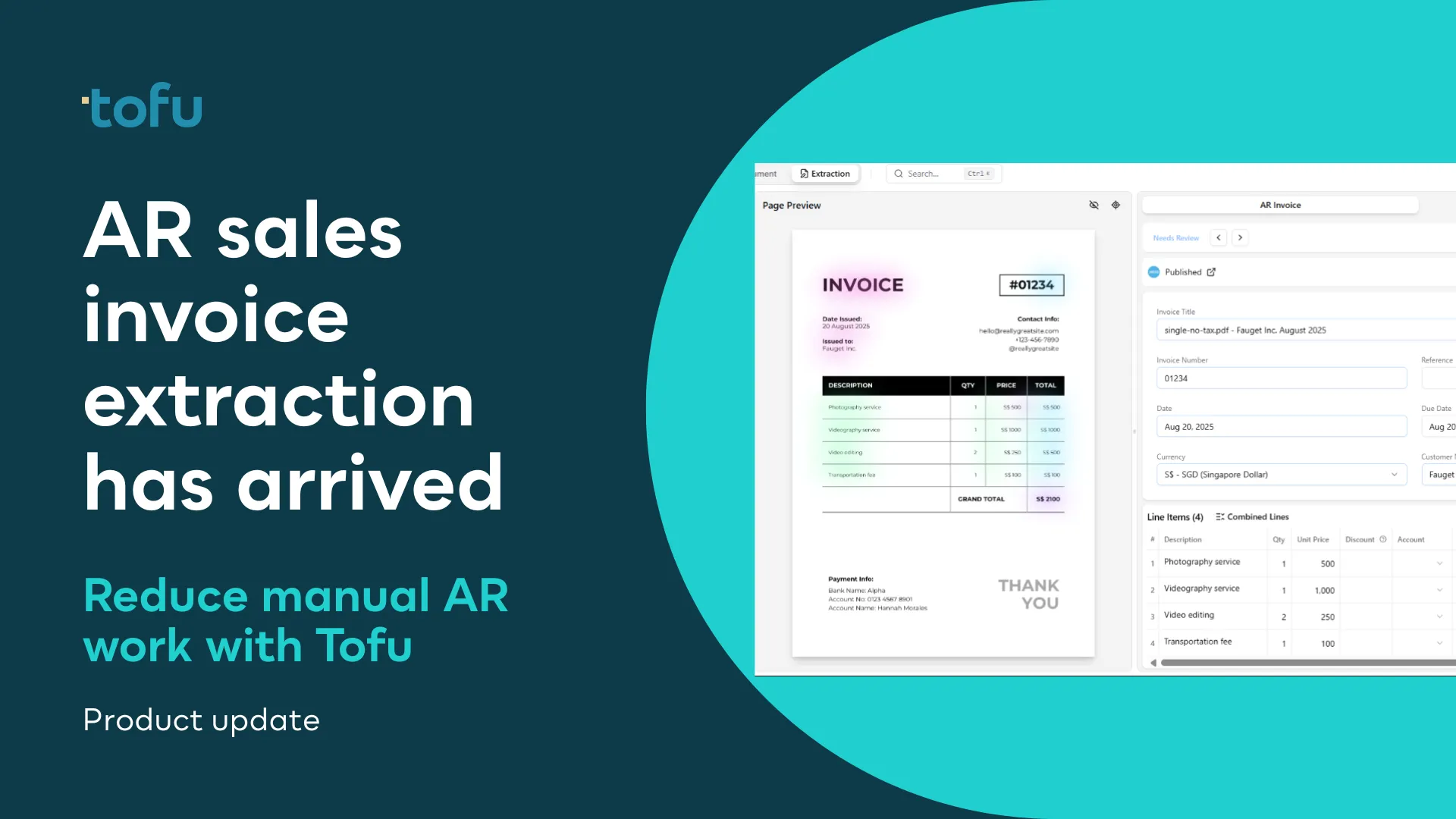
As firms grow, AR sales invoice volume grows with them. More invoices mean more formats, more manual checks, and more time spent preparing data for your client’s accounting software. Errors become harder to spot, and Accounts Receivable timelines drag.
AR sales invoice extraction in Tofu is designed to eliminate that bottleneck.
AR sales invoice arrive in every shape: PDFs, scans, photos, email attachments, cloud folders. Extracting the details such as customer names, dates, totals, line items, and tax can be slow and repetitive.
And when you are juggling multiple clients, accuracy is not optional. Any error in a AR sales invoice flows straight through to Accounts Receivable, reporting, approvals, and cashflow visibility.
Upload manually or via cloud storage like Google Drive or SharePoint and skip copying, typing, and spreadsheet prep.
Tofu reads:
So you do not have to.
Once verified, AR sales invoice data can be posted straight into your client’s accounting platform including Xero and QuickBooks with the sync rules you control.
Learns each client automatically
Tofu automatically learns from each client’s history chart of accounts, vendors, categories and transactions, so it instantly understands how that business works. Over time, this reduces manual edits and improves accuracy with every upload.
Apply your preferred invoice format
You can also shape how AR sales invoice data is presented. You can train Tofu’s AI (Tofie) to apply your formatting preferences automatically, keeping invoices consistent across every client.
Firms can now bring more Accounts Receivable work into Tofu, removing manual effort while improving accuracy and turnaround times. That means:
Try it today
Book a demo or speak to the Tofu team to see AR sales invoice extraction in action.
Want a step-by-step walkthrough? Read our Help Centre guides on How to Upload AR Invoices to Tofu and Sync Them with Xero and Quickbooks Online.